



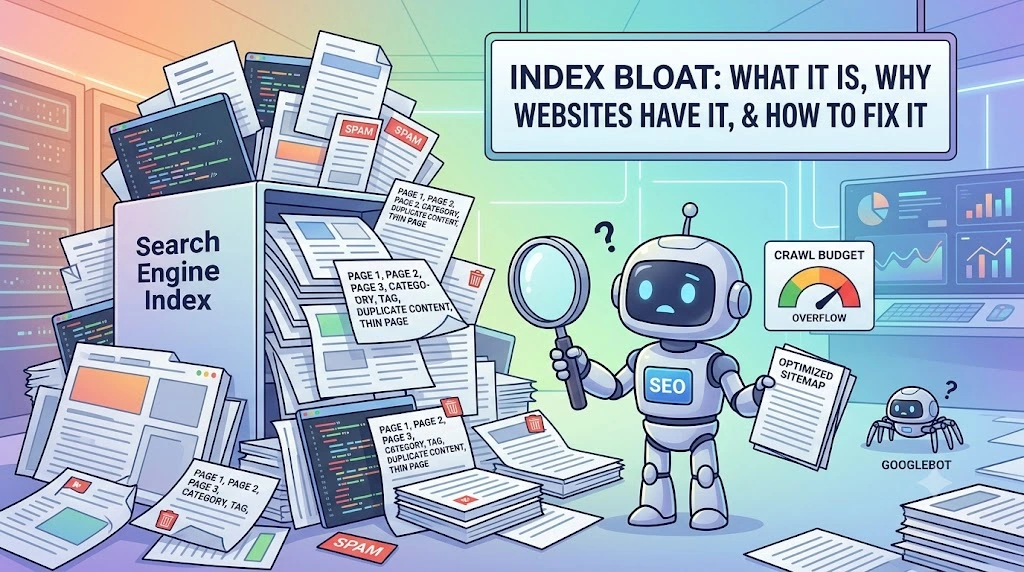
Your website has hundreds of indexed pages generating zero search traffic. Do you know which ones? Index bloat occurs when search engines index massive numbers of low-quality, thin, or irrelevant pages from your website, consuming crawl budget whilst diluting your site’s overall quality signals and preventing important pages from ranking competitively.
For e-commerce sites, blogs, and service businesses generating dynamic URLs through filters, archives, and tags, index bloat silently destroys SEO performance, but most business owners never realize the problem exists until rankings mysteriously disappear despite quality content and optimization effort.
What Index Bloat Actually Is
Index bloat isn’t about website size. Large websites with 10,000 well-optimized pages ranking competitively have zero index bloat problems. Small websites with 500 pages where 400 are thin, duplicate, or irrelevant, have severe bloat.
Think of your site as nested boxes:
Outermost box: All possible URLs on your site (including parameters like filters, session IDs, tracking variables, archives)
Next box: URLs Google discovered (saw mentioned somewhere, but has not crawled)
Smaller box: URLs Google actually crawled
Even smaller: URLs Google indexes and shows in search results
Innermost box: Indexed URLs actually receiving meaningful search traffic
Index bloat is the massive gap between the second-to-last box and the innermost box. You have hundreds of pages in Google’s index generating zero traffic because they’re thin, duplicate, or answer questions nobody searches for.
For example, an e-commerce site selling products through Shopify. Default settings create three URLs for a single product:
- www.example.com/products/white-shirt
- www.example.com/collections/men/products/white-shirt
- www.example.com/collections/clothing/products/white-shirt
Same product, three identical pages, three different URLs. All indexed are competing against each other. Multiply across 1,000 products in two categories = 3,000 indexed pages, but actual unique content = 1,000. Two-thirds of your index is wasteful duplication.
Why Websites Suffer Index Bloat
Index bloat impacts SEO through four primary damage mechanisms:
Crawl Budget Dilution
Google allocates a specific crawl budget. Resources crawl your site daily. Limited budget means Google chooses between crawling new/updated pages versus low-value pages.
If your blog generates automatic tag pages (site.com/tag/SEO, site.com/tag/digital-marketing, site.com/tag/content-writing), Google wastes crawl budget crawling these thin tag pages instead of crawling your comprehensive pillar pages and new blog posts.
Result: New content takes weeks to index instead of days because crawlers are busy processing worthless tag pages.
Cannibalization and Ranking Loss
Multiple similar pages compete for the same keywords. Instead of one authoritative page ranking #1, Google must choose between five mediocre pages.
Results: None rank well, or worst-quality page ranks, whilst your optimized comprehensive page stays invisible.
For Example: Service website with main SEO service page (optimized, comprehensive, 2,000+ words) but also FAQ page with “What is SEO?” heading, glossary page with “SEO definition,” tag page for “SEO services,” and blog post titled “Introduction to SEO.” Five pages are competing for the keyword “SEO,” none rank competitively because authority is split across five mediocre URLs instead of concentrating on one powerful page.
Quality Signal Dilution
Google’s Helpful Content system evaluates sites sitewide. Hundreds of thin, low-quality indexed pages signal to Google that your site contains mostly junk. Even your best content suffers because Google views your entire site as low-quality. This sitewide penalty is why many Pakistani businesses benefit from our professional SEO services in Pakistan, conducting systematic audits, identifying bloat before it cascades into ranking collapse.
AI Visibility Loss
ChatGPT and Perplexity cite high-quality ranking pages in AI-generated answers. If your best content competes against thin pages and none rank well, you won’t appear in AI overviews. Competitors with cleaner indexes appear in AI answers, capturing customers before traditional search.
Common Causes of Index Bloat on Pakistani Websites
WordPress Tag and Category Duplication
Most Pakistani WordPress blogs implement both categories AND tags, both generating indexed pages with similar content. Blog post “Digital Marketing Trends 2024” tagged “digital marketing” and categorized under “Marketing Tips” creates two indexed pages listing the same or similar blog posts.
Solution needed: Deindex tag pages, keep only categories. For WordPress sites uncertain about implementation, our experienced SEO company in Pakistan handles tag deindexing automatically through plugin configuration, preventing future bloat without manual maintenance.
E-commerce Filters and Faceted Navigation
Pakistani Shopify, WooCommerce, and custom e-commerce sites generate new URLs whenever users filter products:
- Filter by color: /products?color=red, /products?color=blue (duplicate product pages)
- Filter by size: /products?size=large, /products?size=small (duplicate pages)
- Combine filters: /products?color=red&size=large (infinite variations)
Real impact: 100-product store with 5 colors and 5 sizes = 2,500 potential URLs, but only 100 unique products. 96% of your index is duplicate filters.
Dynamic Blog Archives and Search Pages
Blog archive pages (site.com/2024/january, site.com/2024/february) create thin indexed pages. Search pages (site.com/search?q=digital-marketing) generate new indexed pages for every search visitors perform. None provides search value. They’re UX features, not content.
Programmatic SEO Without Safeguards
Pakistani SaaS and marketplace sites are automatically generating landing pages without quality controls. Example: Integration platform creating pages for every possible combination (Slack + Asana, Slack + Monday, Slack + ClickUp, etc.) generates thousands of near-identical pages. Without unique content, each page becomes thin and low-quality.
Session IDs and Tracking Parameters
URLs with ?sessionid=xyz&utm_source=google&utm_campaign=summer create new indexed pages for identical content. Each visitor gets a unique URL. All indexed as separate pages.
How to Identify Index Bloat on Your Website
Check Google Search Console Pages Report
Navigate to Google Search Console > Indexing > Pages. This shows exactly how many pages are indexed. Compare against:
- Number of pages in your XML sitemap (submitted pages)
- Number of pages you actually created
- Historical indexed page count (trending up without adding content? Index bloat)
Many businesses were surprised to discover 5,000+ indexed pages when they believed the site had 200-300 pages. This discovery moment is exactly why partnering with an SEO agency in Pakistan for quarterly audits prevents small bloat issues from metastasizing into site-wide ranking catastrophes requiring months of fixing.
Analyze Indexed Pages Generating Zero Traffic
Use Google Search Console > Insights to check which indexed pages drive actual search clicks and impressions. Filter for pages with:
- Zero impressions (never appear in search results)
- Impressions but zero clicks (appear in results, but nobody clicks)
- These are bloat candidates.
Audit Crawl Depth
Pages buried 5+ clicks deep in your site structure (requiring 5+ internal links to reach) are usually unimportant. If Google crawls them, they’re wasting crawl budget. Examples: Tag pages, archive pages, old search results.
How to Fix Index Bloat: Step-by-Step Solutions
Step 1: Identify Pages Worth Saving
Before deleting anything, categorize indexed pages:
Pages worth keeping: Traffic generators (receiving 10+ monthly searches), ranking pages (position 1-20 for any keyword), cornerstone content (pillar pages, main service pages), pages with backlinks (external sites linking to them)
Pages to potentially remove: Zero traffic, thin content (under 300 words), duplicates, parameter pages, tag pages, archive pages
Step 2: Implement Technical Fixes
Use robots.txt to block crawling:
- User-agent: *
Applies the rules to all search engine crawlers. - Disallow: /*?*
Blocks all parameter URLs. - Disallow: /tag/
Blocks all tag pages. - Disallow: /archive/
Blocks archive pages.
Implement canonical tags on duplicate pages pointing to the primary URL. E-commerce example: All product filter URLs are canonical to the main product page. Filters remain accessible for UX, but only on the main page indexes.
These technical implementations, including robots.txt configuration, canonical tag deployment, noindex meta tags, and 301 redirect management, require precision. Misconfiguration creates worse problems than the bloat itself. Businesses trust our technical SEO services to implement these fixes correctly, ensuring every configuration change improves rankings rather than accidentally blocking important content from search.
Add noindex meta tags to pages you want to keep accessible (visible to users) but hidden from search (archives, search pages, tag pages):
<meta name="robots" content="noindex">
Use 301 redirects for truly redundant pages you’re removing. Redirect users and pass authority to the replacement page.
Step 3: Consolidate or Remove Low-Value Content
Consolidate similar pages: Merge three thin pages into one comprehensive page. Instead of three 300-word product reviews, consolidate into a single 1,200-word comparison.
Remove truly worthless pages: Old archived posts, outdated product pages, test pages—if zero traffic and zero value, remove completely or noindex.
Update remaining pages: Pages worth keeping should be high-quality, comprehensive, and unique. Invest in making keepers excellent rather than maintaining numerous mediocre pages.
Step 4: Implement Automation to Prevent Future Bloat
For dynamic sites (e-commerce, SaaS, marketplaces):
- Automatically noindex tag pages at the CMS level
- Automatically add canonical tags to filter pages
- Exclude parameters from sitemap generation
- Prevent search/archive pages from being added to the sitemap
Pakistani WordPress example: Use the Yoast SEO plugin to automatically noindex tag pages, preventing future tag bloat without manual intervention.
Step 5: Monitor and Re-audit Quarterly
Track metrics monthly:
- Indexed page count in GSC
- Organic traffic
- Keyword rankings
- Crawl efficiency
Re-audit quarterly, running full site crawls, discovering new bloat as it develops. Set up automated alerts notifying you when indexed pages spike unexpectedly (indicating new bloat forming).
Conclusion
Index bloat is an invisible problem destroying SEO performance silently. Hundreds of pages consume crawl budget, diluting quality signals, and competing with valuable content. All the while, you wonder why rankings dropped despite “great content.”
Fixing index bloat is the fastest SEO improvement businesses can make. Sites implementing aggressive index bloat cleanup frequently see 20-40% ranking improvements within 2-3 months simply by consolidating duplicates, removing thin pages, and focusing crawlers on quality content. The ROI is substantial because you’re not creating new content. You’re optimizing what exists.
Start today: Check your Google Search Console pages report. How many indexed pages exist that you didn’t intentionally create? Multiply that number by your average crawl budget waste (50-70% on bloated sites) and estimate monthly traffic lost to index bloat. The answer will shock you.
Ready to audit and fix your site’s index bloat systematically? Our SEO audit service identifies exactly how many pages are bloating your index, which ones damage rankings most critically, and implements technical fixes, ensuring every indexed page serves your SEO strategy rather than undermining it. This translates to 30-50% ranking improvements without creating a single piece of new content. Pure optimization of existing assets through systematic index cleanup.