

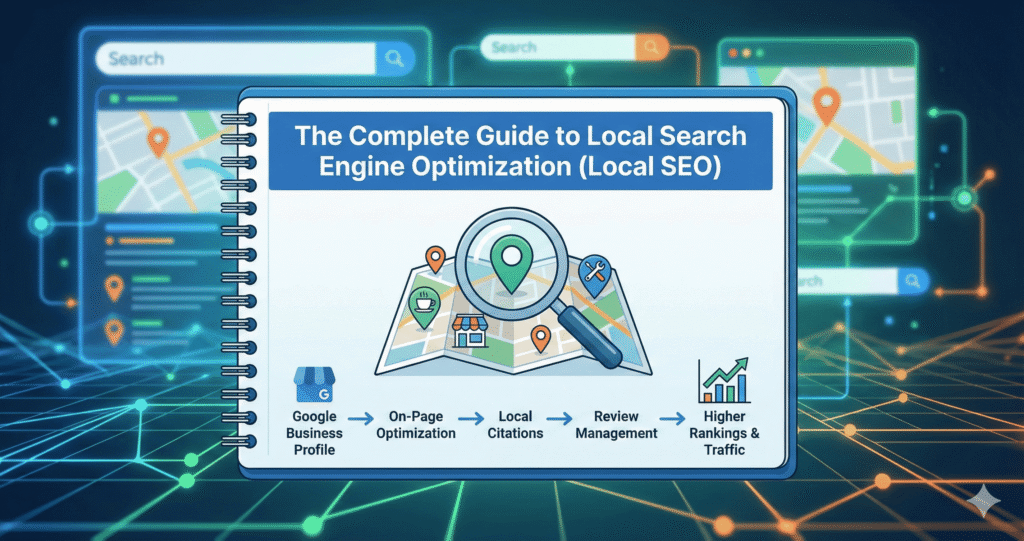
Welcome to the complete guide on local SEO and Local Search Optimization in 2026.
Local SEO is the practice of optimizing your online presence to attract customers searching for businesses in specific geographic areas.
Not Clear?
Don’t worry, in this guide, you’ll learn:
- What local SEO actually is?
- Why is local SEO critical for location-based businesses?
- How to optimize your Google Business Profile to dominate the map pack?
- Building NAP consistency and citations that boost local rankings
- Getting more customer reviews and managing your online reputation
- Local keyword research strategies targeting geographic search intent
- On-page optimization for location-specific pages that convert
- Link-building tactics that establish local authority and trust
- Multi-location SEO strategies for businesses with multiple branches
- Service area business optimization without physical storefronts
- Measuring local SEO success with the metrics that actually matter
- Tools and software that streamline local optimization at scale
- Common local SEO mistakes and how to avoid costly errors
Let’s get started building your local search dominance.
What Is Local SEO?
Local SEO (Local Search Engine Optimization) is the process of optimizing a business’s online presence to attract customers from location-based searches on Google Maps and Search, making your business visible when nearby customers are actively looking for your products or services.
This specialized form of SEO focuses on geographic relevance, ensuring your business appears when someone searches “dentist near me,” “pizza delivery in Brooklyn,” or “best plumber in Chicago,” capturing high-intent customers ready to visit, call, or purchase immediately.
Unlike traditional SEO that targets national or global audiences, local SEO prioritizes proximity, local relevance, and community connections to drive foot traffic, phone calls, and local conversions. Couple that with SEO services in Pakistan and you get a powerful combo to rank your keywords and start generating leads.
Multi-Location SEO
What is Multi-location SEO?
Multi-location SEO is the practice of optimizing a business’s online presence to rank in local search results for each physical location or service area separately, ensuring the correct branch appears when nearby customers search, scaling local SEO strategies across dozens or hundreds of locations simultaneously.
This approach blends national brand consistency with local relevance, helping customers find specific nearby locations (“dentist Brooklyn” shows the Brooklyn office, not the Manhattan), while avoiding duplicate content issues, internal competition, and maintaining cohesive brand identity across all markets.
Key Components & Strategies of Multi-Location SEO
Location-specific landing pages:
- Create unique web pages for each location featuring distinct content (not templates)
- Local keywords
- Complete NAP
- Location-specific hours
- Services offered at that branch
- Local testimonials
- Team photos
- Neighborhood descriptions
- Embedded maps
- Make sure to avoid duplicate content penalties while providing genuine local value.
Optimized Google Business Profiles:
- Manage separate GBP listings for every location with accurate
- Complete information
- Location-specific photos
- Regular posts
- Review responses
- Unique business descriptions
- Each profile is optimized independently for its geographic market
Localized keywords:
- Research keywords specific to each location’s city
- Neighborhoods
- Region such as “emergency plumber Park Slope” vs. “emergency plumber Williamsburg.”
- Targeting how local customers actually search in each area
Consistent NAP data:
- Ensure Name
- Address
- Phone Number remains identical across your website
- GBP
- Citations
- Directories for each specific location
- Inconsistencies damage individual location rankings
Structured data & URLs:
Use logical URL structures (/locations/brooklyn/ and /locations/manhattan/) with LocalBusiness schema for each location, helping search engines differentiate and properly index separate branches.
Why Multi-Location SEO Matters?
Drives foot traffic
Connects online searchers with their nearest physical store rather than showing distant locations they won’t visit.
Improves brand visibility
Multiplies “digital real estate” by ranking multiple locations across different communities, increasing total brand exposure.
Reduces cannibalization
Prevents locations from competing against each other in search results, Brooklyn office ranks in Brooklyn, not competing with the Manhattan office.
Scalability
Provides a systematic framework for retail chains, restaurant franchises, medical groups, or service providers managing 10-1,000+ locations efficiently without individual manual optimization per location.
Now, if you want to dominate only the nearest streets, neighborhoods, within an extremely small or specific area > go with Hyperlocal SEO!
What is Hyperlocal SEO?
Hyperlocal SEO can be said as a subpart of Local SEO. Hyperlocal SEO is the practice of optimizing your online presence to target extremely specific geographic areas, like:
- Individual neighborhoods
- Streets
- Zip codes
- Even block-level locations rather than entire cities or regions
Hyperlocal SEO helps in capturing customers searching for businesses within an immediate walking or short driving distance.
Is Local SEO & Hyperlocal SEO the Same?
| Local SEO | Hyperlocal SEO |
| Targeting “pizza Brooklyn.” Covers the entire borough2.7 million people70+ square miles | Targeting “pizza Park Slope” or “pizza on 5th Avenue, Brooklyn.” Covers one neighborhoodor a specific streetHyper-targetedmicro-geography |
Hyperlocal SEO matters most for businesses where proximity is critical, such as:
- Coffee shops
- Convenience stores
- Urgent services
Where customers rarely travel more than 1-2 miles and need the absolute closest option.
But How to Dominate Either Your Domestic Town or the Extreme Nearest Streets Around You?
The answer is by optimizing your business for local search and establishing your appearance as an expert and valuable resource in location-specific searches, which can be done by Local Search Optimization (LSO).
Local Search Optimization (LSO) is the key strategic approach making hyperlocal dominance achievable, focusing optimization efforts on the immediate geographic area where your customers actually are, rather than wasting resources on broader regions you don’t realistically serve.
Location Search Optimization (LSO)
Local Search Optimization (LSO) is the process of improving website and business visibility specifically for users searching on location-enabled devices like smartphones and tablets, making your content accessible and discoverable based on geographic proximity and local intent.
LSO represents the evolution of web optimization:
- SEO (Search Engine Optimization) boosted general search rankings
- SMO (Social Media Optimization) made content shareable socially
- And now LSO ensures businesses capture customers searching nearby through mobile devices. The dominant way consumers access the internet and discover local businesses today is.
The Impact of Mobile Local Search:
Mobile usage fundamentally changed consumer behavior, with users taking immediate action on local searches made near physical business locations.
Micro-moments:
- Micro-moments define modern local search behavior:
- Consumers seeking immediate answers
- Nearby options
- Ready to purchase now based on current location and urgent needs
69% of consumers expect businesses within 5 miles of their location, and over half want to purchase within the hour. So, proximity and speed matter critically!
“Near me” Mobile Queries
“Near me” mobile queries grew 150%+ between 2015-2017, while searches combining “open,” “now,” and “near me” grew 200%+ in the same period, showing explosive growth in hyperlocal, immediate-intent searches.
Enhanced targeting through technology:
Search engines integrate:
- Real-time location data
- Search history
- Contextual signals
And deliver hyper-personalized, immediate recommendations based on where users are right now and what they need.
Digital advertising benefits:
Google Ads’ Location Extensions show ads to specific geographic areas increase relevance dramatically; ads with local information see 20% higher click-through rates compared to non-location-based ads.
Mobile optimization criticality:
29% of smartphone users immediately switch to another site if they can’t quickly find what they need. Fast-loading, streamlined mobile experiences are essential for converting location-based searches into sales.
The future requires holistic strategies bridging offline and online worlds, understanding complex multi-device consumer journeys, and providing relevant content at every touchpoint in today’s mobile-first, location-aware search landscape.
The Birth of Local SEO
Local SEO emerged in 2003-2005 when Google recognized that many users were searching with geographic intent. Users weren’t just looking for information; they were looking for solutions near their physical location.
Key Milestones in Local SEO Evolution:
February 2005: Google Maps launched, integrating location-based results with traditional search.
May 2007: Google introduced Universal Search, blending map results with organic listings on the same results page.
September 2009: Google Place Pages for Maps, allowing businesses to claim and manage their local listings.
April 2010: Google Places (rolled out from Place Pages).
May 2012: Google+ Local integrated social features with local business pages.
July 2014: The “Pigeon” algorithm update strengthened the connection between local search and traditional ranking signals.
November 2021: Google Business Profile replaced Google My Business, streamlining local business management.
2024-2026: AI-powered local search and Google’s Local Services Ads further transformed how customers discover local businesses.
This evolution reflects how critical location-based search has become.
46% of all Google searches now have local intent, with users expecting immediate, relevant results based on where they are
What Is Local Search?
Local search is the process of users searching for businesses, services, or information related to a specific geographic location:
- Either explicitly (including city/neighborhood in query or keyword)
- Or implicitly (Google detects location intent and personalizes results)
When you search for “coffee shop” on your phone while walking downtown, Google understands you’re looking for nearby options. Not coffee shops across the country, but shows you coffee shops within downtown first.
This location awareness makes local search uniquely valuable for brick-and-mortar and service area businesses.
Types of Local Search Results
Two major types of results appear on Search Engine Results Pages (SERPs) for local queries, which are:
- Local Pack (Map Pack)
- Local Organic Results
Local Pack (Map Pack):
Local Pack (or Map Pack) is the highly visible box that shows a map with three local business listings at the top of the search results. This appears for queries with strong local intent like “restaurants near me” or “lawyers in Boston.”
The Local Pack includes business names, ratings, hours, addresses, and quick actions (call, directions, website). Appearing in the Local Pack delivers massive visibility since it occupies prime real estate above traditional organic results.
Local Organic Results:
Traditional organic search listings below the Local Pack have been filtered and ranked based on geographic relevance. These results show businesses, informational content, or service providers relevant to the searcher’s location.
While below the map pack, local organic results still drive significant traffic, especially for informational queries or when users want more options than the top three shown in the pack.
Both result types are influenced by local SEO optimization, but each has distinct ranking factors and optimization strategies we’ll cover throughout this guide.
How Local SEO Differs from Traditional SEO?
Local SEO and traditional (organic) SEO share foundational principles but diverge significantly in focus, ranking factors, and optimization tactics.
| Local SEO | Traditional SEO |
| Specific city, region, or “near me” searches | National or global reach |
| Google Business Profile optimization, reviews, NAP consistency, and proximity to the searcher | Content quality, backlinks, domain authority, and technical SEO |
| Google Business Profile, Apple Maps, and local directories | Website optimization, content marketing, link building |
| Local Pack (map with 3 listings), Google Maps results | Traditional organic listings, featured snippets, and knowledge panels |
| 1-3 months for Local Pack visibility | 3-6+ months for competitive keywords |
| Businesses within a specific geographic area | All websites globally are targeting the same keywords |
| Critical ranking factor (quantity, quality, recency) | Minor factor (social proof, not a direct ranking signal) |
| Essential (consistent NAP across directories) | Less important (general link-building focus) |
| Required or service area defined | Not required (can be fully online) |
Geographic Focus:
Local SEO targets customers within a defined geographic area, like your city, multiple cities, neighborhoods, or service radius. Success means dominating search results in your specific location, not ranking nationally.
On the other hand, traditional SEO targets broader audiences without geographic limitations, focusing on topical authority and relevance regardless of where users or businesses are located.
Primary Ranking Factors:
Local SEO prioritizes Google Business Profile (GBP) completeness and optimization, customer reviews (quantity, quality, recency, response rate), NAP (Name, Address, Phone) consistency across the web, and proximity. How close your business is to the searcher’s location. These factors matter far more than in traditional SEO.
Traditional SEO emphasizes content depth and quality, backlink profiles from authoritative domains, domain authority accumulated over time, technical website optimization, and comprehensive topic coverage. Physical location and reviews carry minimal direct ranking weight.
Key Platforms:
Local SEO success depends heavily on third-party platforms. Google Business Profile is the cornerstone, followed by Apple Maps, Bing Places, Yelp, and industry-specific directories. Your GBP listing can rank in the Local Pack even without a strong website.
Traditional SEO focuses primarily on your own website, including its content quality, site structure, technical optimization, and earned backlinks. Third-party platforms matter less unless they link back to your site.
Competition Scope:
Local SEO means competing against other businesses in your immediate area. A dentist in Austin only competes with other Austin dentists, not every dentist globally. This makes local markets more achievable for small businesses.
Traditional SEO means competing globally against every website targeting your keywords, including major brands, established publishers, and international competitors with significantly more resources and authority.
Timeline Differences:
Local SEO delivers faster results. Typically, 1-3 months to appear in the Local Pack for moderately competitive terms, with ongoing improvements over 3-6 months as reviews accumulate and citations build.
Traditional SEO requires longer timelines. 3-6 months minimum for new content to rank in competitive spaces, often 6-12+ months for highly competitive keywords requiring substantial content and backlink development.
Want to understand how local SEO fits into the complete SEO picture?
Our comprehensive guide covers all SEO types, foundational concepts, and how different optimization strategies work together to drive organic growth.
Why Local SEO Matters
Local SEO is critical for location-based businesses because it captures high-intent customers at the exact moment they’re ready to take action, positioning your business prominently where they’re already searching.
Local SEO Matters
Because Local SEO Attracts Ready Buyers
Ready buyers are potential customers who have progressed beyond the research phase and are actively seeking to make a purchase, book a service, or visit a location immediately, often within hours.
People searching locally demonstrate this high intent. Someone searching “emergency plumber near me” needs service now, not next week. “Best sushi restaurant downtown” indicates they’re choosing where to eat tonight.
These searches convert at dramatically higher rates than general informational queries because the decision to buy has already been made. Users are simply deciding which business gets their money.
Local SEO captures this valuable traffic when purchase intent peaks, delivering geographically close customers who have immediate needs and are comparison-shopping among nearby options.
Because Local SEO Increases Visibility
Visibility in local SEO means appearing prominently in the Local Pack. Local pack is the map-based box showing three businesses at the top of search results, and in Google Maps itself, where millions of users search for nearby businesses daily.
The Local Pack occupies prime digital real estate above traditional organic listings, capturing user attention first with visual map displays, prominent business names, ratings, and one-click actions (call, directions, website). Appearing here delivers exponentially more visibility than ranking #1 in standard organic results below it.
Because Local SEO Builds Trust
Trust is the confidence potential customers feel in your business’s legitimacy, quality, and reliability before ever interacting with you directly.
Positive reviews (especially 4.0+ stars), a complete Google Business Profile with photos and updated information, and consistent presence across local directories signal professionalism and quality. Google’s algorithmic validation, showing your business in the Local Pack, provides third-party endorsement that you’re a legitimate, established business worth considering.
Consumers trust businesses. Google prominently features far more than websites they’ve never heard of ranking lower in results.
Market Size: The Local Search Opportunity
Local search represents a massive commercial opportunity backed by compelling statistics:
- 46% of all Google searches have local intent. Nearly half of Google’s billions of daily searches include location-based queries.
- 76% of mobile local searches result in store visits within 24 hours. Local search directly drives foot traffic, not just website visits.
- 28% of local searches result in purchases. Nearly one-third of local searches convert to actual sales.
- “Near me” searches grew 900%+ over two years. Mobile users increasingly rely on local search for immediate needs.
These statistics prove local search isn’t niche. It’s mainstream consumer behavior driving billions in revenue for businesses, and capturing this traffic effectively.
Who Needs Local SEO?
Local SEO is essential for businesses whose customers come from specific geographic areas, whether those customers visit physical locations or receive services at their own locations.
Businesses That Need Local SEO
Businesses with Physical Locations
They are physically located businesses, like restaurants, retail stores, medical practices, gyms, salons, and banks, where customers visit in person to make purchases, receive services, or conduct business. These businesses depend on attracting nearby customers who can physically reach their location.
Service area businesses (SABs)
SABs are companies that travel to customers’ locations to provide services rather than customers visiting them.
Examples include plumbers, electricians, HVAC contractors, landscapers, mobile pet groomers, and house cleaners. SABs serve defined geographic areas (cities, counties, or a radius from their base) and need local visibility even without customer-facing storefronts.
Multi-Location Businesses
are companies operating multiple physical locations across different cities, regions, or neighborhoods, like franchise restaurants (McDonald’s, Subway), retail chains (Target, CVS), bank branches, or medical groups with multiple offices. Each location needs a separate local optimization to capture customers in its specific area.
Professional Service Providers
They are lawyers, accountants, real estate agents, financial advisors, and consultants serving clients primarily within specific cities or regions, who benefit from local SEO since their clients typically prefer nearby professionals for in-person meetings and local expertise.
Who Doesn’t Need Local SEO?
Pure e-commerce businesses shipping nationally or globally without physical stores or local service areas don’t benefit from local optimization. They target customers all across the world, not in a specific geographic location.
National/international service providers operating entirely online (SaaS companies, online courses, digital agencies serving clients worldwide) without geographic service limitations don’t need local SEO since proximity provides no competitive advantage. These businesses should focus on traditional SEO targeting topical authority rather than geographic relevance.
When to Perform Local SEO?
Local SEO isn’t a one-time setup. It requires both continuous daily/weekly maintenance and periodic strategic reviews to maintain rankings, adapt to competitors, and capitalize on new opportunities.
The timing and frequency of activities depend on whether they’re ongoing operational tasks or strategic optimization initiatives requiring deeper analysis and implementation.
Continuously: Daily and Weekly Maintenance
Continuous local SEO activities are ongoing tasks performed daily, weekly, or bi-weekly to maintain visibility, engagement, and reputation in local search results.
Managing Reviews:
Local SEO requires near-daily attention. Respond to new Google reviews within 24-48 hours, monitor reviews across platforms (Yelp, Facebook, industry-specific sites), and address negative feedback professionally before it damages your reputation. Google rewards businesses that consistently engage with customers through review responses.
Updating Google Business Profile (GBP):
You should update GBP 2-3 times weekly, minimum. Publish Google Posts highlighting offers, events, or news. Update hours for holidays or schedule changes immediately. Add fresh photos weekly. Answer Questions & Answers as they appear. Monitor and respond to messages if messaging is enabled.
Monitoring Rankings:
Monitoring the rankings means checking Local Pack positions weekly for your primary keywords and locations. Track competitor positions, identify ranking fluctuations that might indicate algorithm changes or competitive threats, and monitor Google Business Profile Insights for search query trends and customer actions (calls, direction requests, website visits).
Consistent daily engagement signals to Google that your business is active, responsive, and deserving of prominent placement.
Periodically: Strategic Reviews and Optimization
Periodic local SEO activities are strategic initiatives performed monthly, quarterly, or semi-annually to assess performance, fix systematic issues, and implement improvements.
Citation Audits:
- Citations and business listings should be audited and checked promptly.
- Scan directories to ensure NAP (Name, Address, Phone) remains consistent across the web.
- Identify and correct inconsistencies that confuse search engines.
- Find and remove duplicate listings.
- Discover new citation opportunities in industry-specific directories.
- Clean up old listings from closed locations or outdated information.
Competitor Analysis
- Competitor analysis should be performed monthly or quarterly to reveal opportunities.
- Analyze which competitors appear in the Local Pack for your target keywords.
- Compare their Google Business Profile optimization (post frequency, photo quality, review velocity).
- Examine their website’s local content and keyword targeting.
- Identify local backlinks they’ve earned that you haven’t.
- Discover gaps where competitors excel that you can replicate or exceed.
Content Updates
Content updates should refresh location pages, service descriptions, and local blog content quarterly.
- Update statistics
- Add recent project examples or case studies
- Refresh images
- Expand thin content
- Optimize for new local keywords
- Ensure all information remains current and accurate.
- Periodic strategic work compounds with continuous maintenance, creating sustained local search dominance over time.
Thin Content Secrets
- It is a common misconception that thin content only refers to short articles.
- In reality, a 2,000-word page can still be “thin” if it provides no actual value.
- Thin content means web pages that provide little or no unique value, depth, or helpful information to a visitor.
- It is often characterized by being shallow, unoriginal, or purely designed to rank in search engines rather than to help a human reader.
How Local SEO Works?
Local SEO works by optimizing your business’s digital presence to align with the specific ranking factors Google’s local search algorithm evaluates when determining which businesses to display in location-based search results.
Understanding how Google’s local search algorithm functions is essential because it reveals exactly what signals influence your rankings, allowing you to prioritize optimization efforts on factors that actually move the needle rather than wasting time on tactics that don’t impact local visibility.
Without understanding the algorithm’s core mechanics, local SEO becomes guesswork. With this knowledge, location search optimization becomes strategic and results-driven.
What Is a Search Algorithm?
A search algorithm is a set of step-by-step rules used to find specific information or the best solution within large data structures by systematically exploring possibilities to:
- Retrieve
- Locate
- Rank data efficiently
In the context of search engines like Google, a search algorithm is a complex set of rules and formulas that analyzes billions of web pages, evaluates their relevance and quality against user queries, and determines the precise order in which results should appear.
Search algorithms process hundreds of ranking factors, from content quality and backlinks to page speed and user engagement, to identify which pages best satisfy what users are searching for, delivering the most relevant results in milliseconds.
These algorithms range from simple methods, like:
- Linear search
- Checking items one-by-one
- Binary search
- Dividing datasets efficiently
To sophisticated systems powering modern search engines that use machine learning, natural language processing, and artificial intelligence (AI) to understand query intent and match it with the most helpful content.
What Is a Local Search Algorithm?
A local search algorithm is a specialized subset of search engine ranking systems designed specifically to evaluate and rank businesses based on geographic relevance, proximity to searchers, and local authority signals rather than just topical relevance.
Unlike traditional search algorithms that prioritize content depth and backlink authority, local algorithms weigh factors like:
- Business location
- Distance from the searcher
- Review quality
- Citation consistency
- Google Business Profile (GBP) optimization
All signals indicate which nearby businesses best satisfy location-based search intent.
Google’s Local Search Algorithm
Google’s local search algorithm determines which businesses appear in the Local Pack (map with three listings) and local organic results by evaluating three primary ranking factors:
- Proximity
- Prominence
- Relevance
- Distance
These three pillars work together to identify businesses that are near the searcher, offer what they’re looking for, and have strong reputations worth trusting, balancing location, match, and authority to surface the best local options.
Local Search Result And Its Types
A search result is an individual listing that appears on a search engine results page (SERP) in response to a user’s query, containing a title, URL, description, and potentially additional information like images, ratings, or rich snippets.
A local search result is a search listing specifically tailored to geographic queries, displaying businesses, services, or locations relevant to the searcher’s physical location or a location mentioned in their search query, with enhanced features like maps, addresses, phone numbers, and business hours.
Difference Between Traditional Search Results & Local Search Results
Traditional search results focus purely on topical relevance. The best content is answering a query, regardless of location. Local search results prioritize geographic proximity and local relevance, showing nearby businesses or services matching the query, even if their websites are less authoritative than national competitors.
Local results include location-specific features (maps, addresses, directions, phone calls) that traditional results don’t have.
When you search “Italian restaurant,” Google returns local results with nearby restaurants, maps, and directions. When you search “history of Italian cuisine,” Google returns traditional informational content without location bias.
Types of Local Search Results
We’ve already discussed that Local Pack (Map Pack) and Local Organic Results are the two types of local search results. However, more types of local search results encompass the two major ones and the user’s overall decision pathway.
1. Local Pack (Map Pack)
The Local Pack (also called Map Pack or Local 3-Pack) is the prominently displayed box featuring a map and three local business listings that appears at the top of search results for queries with strong local intent.
The Local Pack occupies prime real estate above traditional organic results, showing three businesses Google determines best match the query based on proximity, relevance, and prominence.
Each listing displays business name, star rating, review count, category, address, hours, and quick action buttons (call, directions, website).
How Does Local Pack (Map Pack) Work?
Google’s local algorithm evaluates all businesses matching the query’s relevance criteria, then ranks them by combining proximity to the searcher, prominence signals (reviews, citations), and GBP quality. Only the top three appear in the Local Pack, though clicking “More places” expands to additional results in Local Finder.
The map visually shows business locations with pins, helping users understand geographic distribution and choose based on convenience.
How to Optimize for Local Pack?
- Complete 100% of your Google Business Profile with accurate NAP, categories, services, descriptions, and attributes.
- Earn consistent reviews (aim for 4.5+ star average with 50+ total reviews for competitive markets)
- Choose the most accurate primary category precisely matching your core business.
- Maintain NAP consistency across all online citations and directories
- Post fresh Google Posts 2-3 times weekly, demonstrating active engagement
- Add high-quality photos regularly (10-20+ images showing location, products, services, team)
- Respond to every review within 24-48 hours
- Build citations in major directories (Yelp, Facebook, Yellow Pages) and industry-specific platforms.
- Optimize your website with location-specific content and schema markup.
2. Local Organic Results
Local organic results are standard web page listings that appear below the Local Pack in search results, filtered and ranked with geographic preference for queries with local intent, showing businesses and informational content relevant to the searcher’s location.
Unlike the Local Pack, which exclusively shows Google Business Profile listings, local organic results display actual web pages, including:
- Business websites
- Location pages
- Blog posts
- Directory listings
They all rank based on both traditional SEO factors and local relevance signals.
How Do Local Organic Results Work?
Google applies geographic filters to organic results for local queries, boosting pages from businesses in the searcher’s area while still considering:
- Content quality
- Backlinks
- Traditional ranking factors
A local business with a well-optimized website often appears in both the Local Pack (via GBP) and local organic results (via their website).
Local organic results provide opportunities for businesses ranking outside the top 3 in the Local Pack to still capture visibility, and for businesses to rank multiple times (once in the Pack, once organically).
How to Optimize for Local Organic Results?
- Create location-specific landing pages for each city, region, or service area you serve
- Include city names naturally in title tags, H1 headers, and content throughout location pages.
- Implement LocalBusiness schema markup on your website with complete NAP and service information.
- Build local backlinks from chambers of commerce, local news sites, business associations, and communityorganizations.
- Create locally-focused content addressing neighborhood-specific questions, local events, or area-specific services.
- Ensure NAP displayed prominently on website footer matches GBP exactly
- Optimize for traditional SEO factors (page speed, mobile-friendliness, quality content, internal linking)
- Earn local citations that link back to your website, passing authority
3. Local Knowledge Graph Panel
A Knowledge Graph is Google’s database of entities (people, places, businesses, things) and their relationships, used to understand facts about the world and display structured information directly in search results without requiring users to click through to websites.
A Local Knowledge Graph Panel (also called Local Knowledge Panel) is the information box that appears on the right side of desktop search results (or at the top on mobile) when someone searches for a specific business by name, displaying comprehensive details pulled from Google Business Profile, web sources, and Google’s Knowledge Graph.
The Local Knowledge Panel shows your:
- Business name
- Category
- Star rating
- Reviews
- Photos
- Address
- Hours
- Phone number
- Website link
- Questions & answers
- Posts
And additional details, like:
- Popular times
- Amenities
- Service options
Essentially, a rich business card provided by Google itself.
How Does the Local Knowledge Graph Panel Work?
When users search branded queries (your business name), Google displays your Knowledge Panel automatically if you have a verified Google Business Profile. The panel aggregates information from:
- Your GBP
- Your website’s structured data
- Citations
- Wikipedia (if applicable)
- Other authoritative sources Google trusts
Knowledge Panels also appear for well-known businesses even without GBP, pulling information from Wikipedia, official websites, and other public sources, though having a GBP gives you control over the information displayed.
How to Optimize for Local Knowledge Panel?
- Verify and completely optimize your Google Business Profile (the primary data source)
- Implement the Organization and LocalBusiness schema markup on your website homepage. Read our complete guide to schema markup and find the right way to do it.
- Create and optimize a Wikipedia page if your business meets notability requirements (established brands, significant media coverage)
- Build high-authority citations and backlinks that Google uses to validate information.
- Add comprehensive business information to your GBP, including services, attributes, amenities, and product catalogs.
- Upload high-quality photos and videos showcasing your business, products, and services.
- Keep all information updated across GBP, website, and major citations; consistency reinforces accuracy.
- Encourage customer questions in the Q&A section and provide detailed, helpful answers.
- Use Google Posts regularly to display recent updates, offers, and events directly in your panel.
4. Google Maps Results
Google Maps results are business listings that appear when users search directly within the Google Maps application or website interface, functioning as a dedicated local search engine focusing exclusively on location-based queries and navigation.
Google Maps uses the same underlying local ranking algorithm as search results, but presents findings in a map-centric interface where users:
- Browse visually by location
- Filter by categories
- Read reviews
- Get directions, emphasizing geographic exploration over text-based search
How do Google Maps Results Work?
When users open Google Maps and search “coffee shop” or browse the area, Google displays pins on the map for relevant businesses, with tapping pins revealing business details (photos, reviews, hours, directions). Results prioritize proximity to the map’s current center point, adjusting as users pan or zoom.
Maps results use identical ranking factors (proximity, relevance, prominence) but weight proximity more heavily since users are explicitly location-focused and often searching while mobile and ready to visit immediately.
How to Optimize for Google Maps Results?
- Optimize Google Business Profile identically as you would for Local Pack (same platform, same ranking factors)
- Ensure accurate geolocation coordinates match your actual physical address precisely.
- Choose categories relevant to what travelers and mobile users search for (Maps users often search while exploring unfamiliar areas)
- Add detailed driving directions, parking information, and landmark descriptions, helping users find your location easily.
- Respond promptly to direction-related questions in the Q&A section
- Maintain accurate hours, including special hours for holidays, when Maps users might be searching
- Add photos of your storefront exterior, entrance, and parking to help users visually identify your location
- Enable the messaging feature for users to ask questions while navigating
- Monitor Maps-specific reviews and engagement, separate from general web search behavior
5. AI Overviews/Organized Results
AI Overviews (formerly called Search Generative Experience or SGE) are Google’s AI-generated summaries that appear at the top of some search results, providing direct answers synthesized from multiple authentic & authoritative web sources with links to those sources, representing Google’s integration of generative AI into traditional search.
These AI-powered summaries use large language models to:
- Understand queries
- Analyze multiple high-ranking pages
- Extract relevant information
- Synthesize coherent answers
- Present findings in conversational formats
- Sometimes including images
- Comparison tables
- Follow-up question suggestions
How Do AI Overviews Work?
For eligible queries (typically informational or comparison-focused), Google’s AI analyzes top-ranking content, identifies key facts and patterns, and generates original text summarizing findings with attribution links. Local queries increasingly receive AI-organized results showing business options with generated summaries about neighborhoods, service types, or selection criteria.
AI Overviews for local searches might synthesize information about “best neighborhoods for coffee shops” or “what to look for when choosing a dentist,” followed by specific business recommendations, blending informational content with local results.
How to Optimize for AI Overviews?
- Create clear, well-structured content with definitive answers to common questions in your industry.
- Use descriptive headers (H2, H3) that directly state topics covered, helping AI identify relevant sections. Explore more about heading tags and their importance.
- Include comparison tables, bullet-point lists, and structured information that AI can easily extract and cite.
- Implement comprehensive schema markup (FAQ, HowTo, Article), making your content machine-readable.
- Demonstrate E-E-A-T through author credentials, citations, and authoritative tone that AI recognizes as trustworthy.
- Answer questions thoroughly in 2-3 concise paragraphs that AI can excerpt as source material.
- Focus on creating genuinely helpful, accurate content rather than gaming AI systems.
- Monitor which competitors get cited in AI Overviews and analyze what content structures they use.
- Optimize for featured snippets (AI often pulls from snippet-eligible content).
6. Local Finder
Local Finder is the expanded list of local business results users see after clicking “More places” in the Local Pack, displaying up to 20 businesses matching the search query with filtering and sorting options.
While the Local Pack shows only the top 3 businesses, Local Finder reveals the complete set of businesses Google considers relevant for the query, allowing users to explore beyond the initial three and apply filters (open now, highly rated, distance, price) to refine results.
How Does Local Finder Work?
Local Finder uses identical ranking algorithms as the Local Pack but displays positions 4-20+ instead of just the top 3. Businesses appearing here still have good rankings, but didn’t make the most competitive top-three spots.
Users can sort results by distance (closest first), rating (highest first), or relevance (Google’s default ranking), with filters narrowing by attributes like “open now,” “accepts credit cards,” or specific services.
How to Optimize for Local Finder?
- Apply identical optimization strategies as Local Pack (GBP completion, reviews, citations, relevance)
- Focus on attributes and filters users commonly apply (mark hours accurately, add attributes like “wheelchair accessible,” “accepts credit cards,” “free Wi-Fi”)
- Optimize secondary categories to appear in more filtered searches beyond the primary category.
- Maintain strong prominence signals, even if not ranking top 3, positions 4-10 still drive significant traffic.
- List comprehensive services in the GBP services section so you appear when users filter by specific services.
- Ensure your GBP information is accurate for filter-based searches (correct hours for “open now” filter, price indicators for budget filters)
- Track which queries show your business in Local Finder but not Local Pack, then strengthen optimization for those terms.
7. Local Service Ads (LSAs)
Local Service Ads (LSAs) are pay-per-lead advertisements appearing above the Local Pack for certain service industries (home services, legal, healthcare), featuring verified businesses with “Google Screened” badges (only available in select verticals like the US, the UK, and more) and showing star ratings, years in business, and license information.
Unlike traditional PPC ads charging per click, LSAs charge only when users contact you directly through the ad (phone call or message), making them performance-based advertising focused on qualified lead generation rather than just traffic.
How Do Local Service Ads (LSAs) Work?
Google screens participating businesses by verifying licenses, insurance, background checks, and business legitimacy before displaying LSAs. Available only in specific categories, such as:
- Plumbing
- Electrical
- HVAC
- Legal
- Real estate
- Locksmiths
LSAs appear in a distinctive carousel format with business photos and verification badges.
Users can filter LSAs by service type, availability, and ratings, with Google handling booking/contact directly through the ad platform. You receive leads through the LSA dashboard, not through your website.
How to Optimize for Local Service Ads?
- Complete Google’s verification process, including license verification, insurance proof, and background checks.
- Maintain excellent review ratings (4.5+ stars) as ratings directly influence LSA rankings.
- Set appropriate service areas and budgets to control lead costs
- Respond quickly to LSA leads (within minutes) to improve conversion rates and ranking within the LSA system
- Keep your LSA profile updated with accurate hours, service areas, and specializations
- Use high-quality business photos showing your team, equipment, and work quality
- Monitor lead quality and dispute invalid leads to optimize cost-per-acquisition
- Track LSA performance separately from organic local SEO. They complement but don’t replace organic strategies
- Note: LSAs are paid advertising, not organic SEO, but appear in local search results alongside organic listings
Now, there are some core factors. Based on these factors, Google determines your ranking in these types of local search results.
How Google Determines Local Rankings?
But First, What are Ranking Factors in Local SEO?
Ranking factors are specific signals, attributes, or characteristics that search engines evaluate and measure to determine how web pages or business listings should be ordered in search results.
Ranking factors in Local SEO are the particular signals Google’s local search algorithm analyzes to decide which businesses appear in the Local Pack, Google Maps results, and location-based organic rankings
And to make it happen, Google focuses on those businesses’ geographic relevance, business authority, and match quality rather than traditional SEO metrics.
Google uses the following core ranking factors when determining local search rankings:
- Proximity
- Relevance
- Prominence
- Distance
- Google Business Profile (GBP) Signals
- Reviews
- Citations
Understanding how each factor influences your visibility allows you to optimize strategically for local search dominance.
1. Proximity
Proximity in local SEO is the physical distance between a searcher’s location (or the location specified in their query) and a business’s actual address, serving as a geographic filter that prioritizes nearby businesses over distant ones.
Google measures proximity using your business’s address as listed in your Google Business Profile, calculating how close you are to where the user is searching from, either their device’s GPS location, IP address location, or a location explicitly mentioned in their query, like “pizza Chicago.”
How Proximity Affects Local Rankings?
The closer your business is to the searcher, the higher you’re likely to rank, all other factors being equal. A pizza restaurant 0.5 miles away will typically outrank one 5 miles away when someone searches “pizza near me.”
Proximity becomes the tiebreaker when businesses have similar relevance and prominence scores. The nearest option wins.
For queries with explicit location terms (“dentist downtown Austin”), Google centers results around that specified area rather than the searcher’s current location, meaning a downtown dentist ranks higher even if the searcher is across town.
How to Optimize Proximity?
You cannot change your physical location, making proximity the one major ranking factor outside your direct control. However, you can optimize service area targeting for service area businesses, ensuring Google understands the full geographic scope you serve.
Focus optimization efforts on relevance and prominence since proximity is fixed. These controllable factors can overcome slight proximity disadvantages against closer competitors.
2. Relevance
Relevance in local SEO is how well your business profile and website match what the user is actually searching for, determined by comparing search query terms against your business categories, services, keywords, and content.
Google evaluates whether your business logically satisfies the search intent based on explicit signals like your primary Google Business Profile category, service offerings listed, keywords in your business description, and content on your website.
How Relevance Affects Local Rankings?
Correct business categories are the strongest relevance signal. A business categorized as “Italian Restaurant” ranks for “Italian food” but won’t rank for “Chinese restaurant” regardless of other factors.
Service offerings and product listings in your GBP tell Google exactly what you provide, matching you to specific service queries. A plumber listing “drain cleaning” as a service ranks for drain-related queries.
Keywords in your business description, website title tags, headers, and location page content signal topical relevance for specific searches. Natural keyword inclusion (not stuffing) helps Google understand your specialties.
How To Optimize Relevance?
Choose the most accurate primary category matching your core business. This single selection heavily influences which queries you rank for.
Add relevant secondary categories (up to 9 additional), covering different aspects of your business without diluting focus.
List all services, products, or specialties in your GBP services section and website content, using the language customers actually search with.
Optimize website location pages with local keywords naturally incorporated into helpful content, not forced repetition.
3. Prominence
Prominence in local SEO is Google’s measurement of how well-known, reputable, authoritative, and trustworthy your business is, based on signals like review quantity and quality, citation consistency, backlinks, brand mentions, and overall online visibility.
Think of prominence as your business’s overall reputation and authority. How established and recognized you are both online and in the real world. Google aggregates numerous trust signals to determine if your business deserves prominent placement.
Key Prominence Signals
Reviews: Total review count, average star rating (4.0+ ideal), review recency (ongoing fresh reviews), review velocity (steady accumulation), and response rate to reviews all contribute to prominence scores. More positive reviews from real customers signal an established reputation.
Citations: Consistent NAP (Name, Address, Phone) across online directories, local business listings, and industry-specific platforms builds prominence. The more places Google finds accurate, consistent information about your business, the more legitimate and established you appear.
Backlinks: Links from other local websites, community organizations, local news sites, and industry sources signal authority and integration in your local business ecosystem.
Brand searches: Direct searches for your business name indicate brand recognition and established presence in the market.
Website authority: While less critical than traditional SEO, your website’s overall authority, content depth, and user engagement contribute to prominence.
How Prominence Affects Local Rankings?
High prominence can overcome proximity disadvantages. A highly reviewed, well-established business 3 miles away often outranks a newer competitor 1 mile away with few reviews.
Prominence acts as a quality filter. Google trusts prominent businesses to deliver good experiences, prioritizing them in competitive local searches.
Two businesses with equal proximity and relevance compete primarily on prominence. The one with better reviews, more citations, and a stronger reputation wins.
How to Optimize Prominence?
Systematically earn Google reviews from satisfied customers, aiming for steady growth (5-10 new reviews monthly, depending on business size).
Build citations in major directories (Yelp, Yellow Pages, Facebook) and industry-specific platforms relevant to your business type.
Respond to all reviews (positive and negative) professionally and promptly, signaling active engagement.
Earn local backlinks through community involvement, sponsorships, local partnerships, and PR.
Maintain absolute NAP consistency across every online mention of your business.
4. Distance
Distance in local SEO refers to Google’s calculation of geographic proximity between the searcher and business listings, returning results that are physically closest to either the user’s current location or the location specified in their search query.
When users search with explicit location terms like “plumber downtown Seattle” or “dentist 60601,” Google calculates distance from that specified location.
When no location term is included (like “coffee shop” or “pizza delivery”), Google calculates distance based on the searcher’s detected location through GPS, IP address, or previous location history.
How Distance Differs From Proximity?
While often used interchangeably, distance specifically refers to the measurable geographic space between two points, whereas proximity encompasses both distance and the algorithm’s preference for nearby results.
Distance is the raw calculation; proximity is how that distance influences ranking decisions within the algorithm’s preference for local results.
How to Optimize Distance Factor?
Like proximity, actual physical distance cannot be changed. Your business location is fixed.
Service area businesses can expand their effective “distance” by properly configuring service areas in Google Business Profile, telling Google which cities, neighborhoods, or radii you serve.
For multi-location businesses, ensure each location is properly listed with accurate addresses so Google returns the nearest location for each searcher.
Businesses can offset distance disadvantages through superior relevance (better category selection, more comprehensive service listings) and prominence (more reviews, stronger reputation) when competing against closer competitors.
5. Google Business Profile (GBP) Signals
Google Business Profile signals are ranking factors derived from how complete, accurate, optimized, and actively maintained your GBP listing is, with Google rewarding businesses that provide comprehensive, up-to-date information with higher local search visibility.
GBP serves as your business’s primary representation in local search, and the quality of this profile directly influences whether Google trusts your business enough to display it prominently in the Local Pack and Maps results.
Key GBP Signals that Impact Rankings
Completeness: Filling out every available section, including business description, hours, categories, services, attributes, photos, posts, Q&A, messaging, and booking links. Incomplete profiles signal low investment in your online presence and receive lower priority in rankings.
Accuracy: Information matching reality exactly, including correct address, accurate hours (including special hours for holidays), current phone number that connects, and working website URL. Inaccurate information damages trust and rankings.
Category selection: Primary category choice is the strongest single relevance signal in your GBP, determining which queries you’re eligible to rank for. Secondary categories expand relevance without diluting primary focus.
Activity and freshness: Regular Google Posts (2-3x weekly), frequent photo additions, prompt review responses, active Q&A management, and profile updates signal an engaged, active business. Stale profiles with months-old posts rank lower than actively maintained listings.
Engagement metrics: How users interact with your GBP, including phone calls, direction requests, website clicks, message inquiries, signal value, and relevance. Higher engagement rates indicate users find your listing helpful, reinforcing rankings.
Verification status: Verified businesses rank higher than unverified listings. Verification proves legitimacy and enables full GBP feature access.
How to Optimize GBP?
- Complete 100% of your profile. Don’t leave any section blank or use default settings.
- Update information immediately when anything changes (hours, phone, services, address).
- Post fresh content 2-3 times weekly minimum to maintain activity signals.
- Add 3-5 new high-quality photos monthly showing products, services, team, or location.
- Respond to every review within 24-48 hours.
- Monitor and answer Questions & Answers proactively.
6. Reviews
Reviews as a ranking factor encompass the total quantity of customer reviews across platforms (especially Google), the average star rating quality, how recently reviews were received, review velocity (rate of new reviews), and whether businesses respond to feedback, collectively signaling reputation and customer satisfaction.
Google considers reviews one of the most important local ranking factors because they provide authentic third-party validation of business quality that algorithms can’t easily fake or manipulate.
Key Review Signals
Quantity: Total number of reviews, particularly on Google Business Profile. More reviews signal an established business with many satisfied customers. Businesses with 50+ reviews typically outrank those with 5 reviews, all else equal.
Quality (star rating): Average rating matters significantly. The sweet spot is 4.0-4.9 stars. Interestingly, perfect 5.0 ratings sometimes appear less trustworthy than 4.5-4.8 ratings, with occasional lower reviews that show authenticity.
Recency: Recent reviews (past 3 months) carry more weight than old reviews, indicating current quality and active business operations. A business with 100 reviews but none in the past 6 months ranks lower than one with 40 reviews, including 10 from this month.
Velocity: Steady, consistent review accumulation signals healthy ongoing business. Sudden spikes (20 reviews in one week after months of none) may trigger spam filters. Natural velocity varies by business type; restaurants might earn 10-20 reviews monthly, while B2B services might earn 2-3.
Review diversity: Reviews across multiple platforms (Google, Facebook, Yelp, industry sites) signal broader reputation, though Google reviews matter most for Google rankings.
Response rate: Businesses responding to reviews, especially negative ones, signal customer service commitment. Response rate itself may influence rankings, but responses definitely impact consumer trust and click-through decisions.
Review content: Keywords naturally mentioned in review text (service names, location descriptors) provide additional relevance signals, though this is a minor factor compared to quantity and quality.
How to Optimize Reviews Factor?
Build a systematic review generation process, asking satisfied customers for feedback immediately after positive experiences.
Aim for 5-10 new Google reviews monthly for small businesses, 20-30+ for high-volume consumer businesses.
Respond to every review within 24-48 hours with personalized (not templated) responses.
Never buy fake reviews, incentivize reviews with discounts, or filter/gate negative reviewers. All violate Google’s policies and risk penalties.
Address negative reviews professionally, apologize sincerely, offer offline resolution, and demonstrate how you handle problems for prospective customers reading reviews.
7. Citations
Citations are online mentions of your business’s NAP (Name, Address, Phone number) on other websites, particularly business directories, local platforms, industry-specific listings, and data aggregators, with citation consistency (identical NAP across all mentions) serving as a trust signal for local search algorithms.
Citations function as the foundation of local search trust, with search engines using NAP consistency across the web to verify your business exists, operates at the stated address, and maintains accurate information, essentially validating legitimacy through third-party sources.
Types of Citations:
1. Structured Citations:
Directory listings with specific fields for business name, address, phone, website, categories, hours, and descriptions. Examples: Yelp, Yellow Pages, Facebook Business Page, industry directories like Healthgrades (medical) or Avvo (legal).
2. Unstructured Citations:
Mentions of your NAP within text content on websites, including blog posts, news articles, press releases, or lists where your business is mentioned but not in a formal directory structure.
How Citations Impact Rankings?
Trust and legitimacy: More citations from reputable sources signal established, legitimate business operations. Google cross-references NAP information across dozens of sources to confirm accuracy.
Consistency matters more than quantity: 50 consistent citations outperform 200 inconsistent ones. Conflicting NAP information (different phone numbers, address variations, name discrepancies) confuses algorithms and damages trust.
Citation quality varies: Citations from authoritative directories (major platforms like Yelp, industry-specific sites, local chambers of commerce) carry more weight than low-quality, spammy directories.
Local relevance: Citations from local sources (city business directories, local news sites, regional publications) strengthen local geographic signals.
How to Optimize Citation?
Start with core citations: Google Business Profile, Apple Maps, Bing Places, Facebook, Yelp, and Yellow Pages.
Add industry-specific directories relevant to your business type (Healthgrades for healthcare, Avvo for legal, OpenTable for restaurants).
Build local citations from the chamber of commerce, business associations, city directories, and local news sites.
Ensure absolute NAP consistency. Use identical formatting across every citation (e.g., “Street” vs “St.”, “Suite 100” vs “#100”).
Audit existing citations quarterly using tools like Moz Local, BrightLocal, or Whitespark to find and correct inconsistencies.
Remove or update old citations from previous addresses, closed locations, or outdated information.
The Interaction of All Ranking Factors in Local SEO
Local search rankings result from the dynamic interplay of all ranking factors working together, with no single factor guaranteeing top positions. Google’s algorithm weighs signals differently based on query type, competitive landscape, and user behavior patterns.
How Do These Factors Work Together?
A business with perfect proximity (closest to the searcher) but weak prominence (few reviews, no citations) loses to a slightly farther competitor with a strong reputation and reviews. Proximity advantages are easily overcome by prominence and relevance superiority.
High relevance (perfect category selection, comprehensive service listings) cannot compensate for terrible prominence (2-star average rating, no citations, spam signals). Google won’t prominently display businesses likely to disappoint users regardless of technical relevance.
Exceptional prominence (hundreds of 5-star reviews, extensive citations, strong local authority) can overcome both moderate proximity disadvantages and minor relevance gaps; reputation becomes the tiebreaker in competitive markets.
Query-Dependent Weighting:
Emergency or immediate-need queries (“locksmith,” “emergency plumber”) weigh proximity/distance more heavily. Users need the closest available option fast.
Specific service queries (“estate planning attorney”) weight relevance and prominence more heavily. Users will travel for specialized expertise and proven quality.
Branded queries (“[Business Name] near me”) weight distance to the actual brand location mentioned, with relevance and prominence secondary.
Competitive Dynamics:
In low-competition markets (small towns, niche services), basic optimization across all factors typically achieves Local Pack placement.
In high-competition markets (major cities, saturated industries), every factor must be optimized excellently; minor weaknesses eliminate ranking chances when dozens of competitors fight for three Local Pack spots.
Optimization Implications:
Never neglect any major ranking factor; balanced strength across relevance, prominence, and GBP optimization matters more than excelling in one area while ignoring others.
Prioritize controllable factors (GBP optimization, reviews, citations, relevance) since proximity and distance are fixed by your physical location.
Continuously improve all factors. Local SEO is ongoing optimization, not a one-time setup. Competitors constantly improve, requiring you to maintain momentum.
Strategic Focus Based On Current State:
New businesses?
- Prioritize GBP completion
- Category Accuracy
- Initial citation building
- First 20-30 reviews
Established businesses with weak prominence?
- Focus on systematic review generation.
- And citation cleanup/expansion
Businesses ranking 4-10:
Small improvements across all factors, including:
- More Reviews
- Better Photos
- Content Updates
- New Citations
All these factors will push into the top 3 Local Pack positions.
Businesses with inconsistent rankings?
- Audit and fix NAP inconsistencies
- Improve GBP activity (posts, photos)
- Respond to all reviews
The businesses ranking consistently in the Local Pack maintain excellence across every ranking factor simultaneously. There are no shortcuts to sustained local search dominance.
Local vs Traditional Organic SEO
| Local SEO | Traditional Organic SEO |
| Geographic proximity and local relevance | Topical relevance and authority |
| GBP optimization, reviews, NAP consistency, proximity | Content quality, backlinks, and technical SEO |
| Local Pack, Google Maps, local organic | Traditional organic results, featured snippets |
| City, region, or “near me” searches | National or global reach |
| 1-3 months for Local Pack visibility | 3-6+ months for competitive keywords |
Technical Elements of Local SEO
1. Google Business Profile (GBP) Optimization
What is Google Business Profile?
Google Business Profile (GBP) is a free tool that allows businesses to create and manage their online listing on Google Search and Google Maps, displaying essential information, like:
- Address
- Phone number
- Hours
- Photos
- Customer reviews directly in search results
GBP was formerly called “Google My Business” (GMB) until 2021, when Google rebranded and streamlined the platform to make business management more accessible and integrated directly into Google Search and Maps.
And today, it is the single most important, top, and foundational method/tool for local SEO!
Google Business Profile is the foundation of Local SEO because it’s the primary data source Google uses to display businesses in the Local Pack, Maps results, and Knowledge Panels. Without an optimized GBP, your business essentially doesn’t exist in local search.
How does GBP Appears in Search and Maps?
When someone searches for your business by name or for services you offer nearby, your GBP information populates the Local Pack (top 3 businesses with map), Google Maps results, and your Local Knowledge Panel showing comprehensive business details, photos, reviews, and quick action buttons for calling, getting directions, or visiting your website.
Why GBP is the #1 Local Ranking Factor?
GBP optimization directly impacts every core local ranking signal, like relevance (through categories and services), prominence (through reviews displayed), and accuracy (through NAP information).
Google prioritizes businesses with complete, actively maintained GBP listings because they provide users with reliable, comprehensive information needed to make decisions. A perfectly optimized website cannot compensate for a neglected or missing GBP. It’s the single most important element of local search visibility.
Google Business Profile Mistakes
Here we have outlined the most commonly found mistakes people make while setting up their GBP, so when you set up yours, you’ll watch out for and never repeat these mistakes.
Keyword stuffing in business name: Adding service descriptors or locations to the official business name (“Best NYC Emergency Plumber 24/7”) violates Google’s guidelines and risks suspension.
Wrong or incomplete categories: Choosing aspirational categories you don’t fulfill, overly broad categories when specific ones exist, or leaving secondary categories empty limits ranking opportunities.
Inconsistent NAP: Listing different addresses, phone numbers, or name variations between GBP, website, and citations confuses search engines and weakens trust signals.
Ignoring posts and updates: Never publishing Google Posts or abandoning them after initial setup signals inactive management and missed engagement opportunities.
Not verifying listing: Operating unverified GBP listings limits functionality, prevents full optimization access, and reduces ranking potential compared to verified competitors.
Using P.O. boxes or virtual offices: Listing P.O. boxes instead of physical addresses or using virtual office addresses when you don’t operate there violates guidelines for most business types.
How To Set Up Your Google Business Profile?
Step 1: Claim or Create Your Listing
Start by searching Google for your exact business name and location. If a listing already appears with your business information, click “Claim this business” or “Own this business?” to start the claiming process.
Claiming means taking ownership of a business listing that already exists on Google (perhaps created automatically or by a previous owner).
If no listing exists, go to google.com/business or search “Google Business Profile” and click “Manage now” to create a new listing.
You’ll need a Google account (Gmail) to proceed; use a company email address rather than a personal email for business continuity. Enter your business name exactly as it appears in real life and on other platforms.
Provide your complete business address if customers visit your location, or indicate you’re a service area business if you travel to customers instead.
Add your phone number (local number preferred, not toll-free) and select your business category. This creates your basic listing, ready for verification in Step 2.
Step 2: Verify Your Business
Verification is Google’s process of confirming you legitimately own or operate the business you’re claiming, preventing spam, and ensuring only authorized representatives manage business information.
Google offers several verification methods depending on your business type and location, including:
- Postcard verification
- Phone verification
- Instant verification
- Video verification
Postcard verification (most common) involves Google mailing a postcard with a verification code to your business address. Enter the code in your GBP dashboard when it arrives in 5-14 days.
Phone verification (available for some businesses) sends a code via automated call or text to your business phone number for instant verification.
Email verification (rare) sends a code to your business email address if Google has it on file.
Instant verification (available if you’ve already verified your business in Google Search Console) links your Search Console property to automatically verify your GBP.
Video verification (newer option) requires recording a video walkthrough of your business location. Some businesses may see bulk verification options if managing 10+ locations. Choose the method offered to you, complete verification promptly (postcard codes expire after 30 days), and once verified, you gain full control to edit all profile sections.
Step 3: Choose the Correct Business Categories
Business categories are predefined classifications that Google uses to understand what your business does and match you to relevant searches. Your primary category is the single most important relevance signal in local SEO.
Your primary category should precisely describe your main business activity using Google’s exact category terminology.
Search Google’s category list as you type to see available options; choose the most specific, accurate match, even if it feels narrow. For example, “Italian Restaurant” is better than generic “Restaurant,” and “Personal Injury Attorney” beats generic “Lawyer.”
Don’t keyword-stuff categories; choose what truly represents your business. You can add up to 9 secondary categories covering additional services or specialties.
A full-service law firm might use “Estate Planning Attorney,” “Family Law Attorney,” and “Real Estate Attorney” as secondaries. Secondary categories expand the queries you appear for without diluting your primary focus.
Categories directly determine which searches you’re eligible for. Wrong categories mean you won’t appear, no matter how well you optimize everything else. Review categories quarterly, as Google occasionally adds new, more specific options.
Step 4: Complete All Profile Sections
Completing all profile sections means filling out every available field in your Google Business Profile dashboard, providing comprehensive information that improves rankings and helps customers make decisions.
Essential sections to complete include the following:
Business description (750 characters explaining what you do, services offered, and what makes you unique; use natural keywords)
Business hours (regular hours plus special hours for holidays)
Phone number (clickable for mobile users)
Website URL (linking to your homepage or best landing page)
Services (list all services you provide with descriptions and optional pricing), Products (for retail, create a product catalog with photos and details)
Attributes (select all that apply: women-led, veteran-owned, outdoor seating, wheelchair accessible, etc.)
Opening date (when you started operating)
Service areas (if you’re a service area business, define cities or the radius you serve).
Upload a cover photo (landscape, high-quality, representing your business), logo, and at least 10 additional photos showing interior, exterior, products, services, and team.
Enable messaging if you want customers to contact you directly through GBP.
Add booking links if you offer online appointments. Complete profiles rank higher and convert better because users trust businesses providing thorough, transparent information.
Then, you need to keep 3 actions to keep your GBP alive
Never Take These GBP Essentials For Granted
Consistency
Ensure NAP (Name, Address, Phone) matches exactly across your website, citations, directories, and all online platforms. No variations.
Regularity
Update information, add fresh photos weekly, and publish Google Posts 2-3 times per week to maintain activity signals and engagement.
Essential GBP Elements to Optimize
Business Name
The business name is the official name of your company as it appears on your storefront, legal documents, and other citations. Used by Google to identify and match your business across the web.
Use your official business name exactly as it appears in real life. don’t add keywords like “Best NYC Plumber” or service descriptors like “Pizza | Pasta | Catering.” Google penalizes keyword-stuffed names and may suspend listings for violations.
Your business name should match exactly across all citations, including:
- Your Website
- Directory Listings
- Invoices
- Signage
Inconsistencies confuse Google and weaken your local SEO. Therefore, must follow Google’s naming guidelines, which say:
- Use only your actual business name
- Don’t include marketing taglines or slogans
- Don’t add location descriptors already in your address
- Avoid special characters or excessive capitalization, and keep it simple
If your legal name includes descriptive words (like “Smith & Sons Plumbing”), that’s acceptable, just ensure it matches your official registration and other listings precisely. Businesses violating naming guidelines risk suspension until corrected.
NAP (Name, Address, Phone)
NAP stands for Name, Address, Phone number. They are the three critical pieces of contact information that must remain identical across every online mention of your business to build trust and avoid confusing search engines.
Consistency in your NAP across all platforms is crucial, including:
- Your GBP
- Website footer
- Facebook page
- Yelp listing
- Industry directories
- Citations
They all must show identical NAP formatting.
Use the same abbreviations (Street vs St., Suite vs Ste.), punctuation, and spacing everywhere.
Formatting standards matter, so:
- Choose one format and stick to it religiously, like “123 Main Street, Suite 100,” not “123 Main St #100” on some platforms and “123 Main Street, Ste. 100” on others.
- Decide on abbreviations once and never vary.
Use local phone numbers, not toll-free numbers, as your primary contact; local area codes signal geographic legitimacy and allow click-to-call functionality on mobile.
- Toll-free numbers (800, 888, etc.) can be secondary.
- But your local number should be primary across all listings.
- Track numbers (for call tracking) are allowed but can complicate consistency.
- Use consistent tracking numbers across all platforms if implementing them.
Business Categories
Business categories are Google’s predefined classifications describing what your business does. The primary category is the single strongest relevance signal determining which searches your business appears for.
Your primary category is the most important ranking factor you directly control in GBP, therefore:
- Choose the category that most precisely describes your main business activity from Google’s available options.
- Not what you wish you did or aspirational categories, but what you actually do most
“Italian Restaurant” outperforms generic “Restaurant,” and “Personal Injury Lawyer” beats broad “Attorney.” Google allows up to 9 secondary categories supplementing your primary choice without diluting focus. Use these for additional services or specialties.
A general contractor might add “Kitchen Remodeler,” “Bathroom Remodeler,” “Deck Builder” as secondaries.
Choose accurate, specific categories by searching Google’s category list as you type in the category field, selecting the most precise match available. Don’t choose aspirational categories you can’t fulfill. If you’re a family law attorney, don’t add “Criminal Defense Attorney” hoping to appear in those searches.
Wrong categories hurt more than they help because they mismatch user intent. Review categories annually as Google adds new, more specific options.
Business Description
Business description is the 750-character text field explaining what your business does, what makes you different, and why customers should choose you, appearing in your GBP and influencing how Google understands your business.
You have 750 characters maximum, but focus heavily on the first 250 characters since that’s what displays before users click “read more” on mobile; front-load your most important information and keywords.
Include natural keyword inclusion describing services, specialties, and locations without forced repetition. For example, “Family-owned Italian restaurant serving authentic Neapolitan pizza, handmade pasta, and regional wines in downtown Austin since 2010” works better than “Pizza, pasta, Italian food, Austin restaurant.”
Communicate your value proposition and differentiators. What makes you unique, better, or different from competitors: years in business, special expertise, unique offerings, community involvement, awards, or approach.
Avoid generic descriptions like “We provide quality service”. Always be specific about what you offer and who you serve.
Don’t include promotional URLs, HTML, or excessive capitalization. Update descriptions when offerings, specialties, or unique selling points change to keep information current and relevant.
Address/Service Areas
Address and service areas define where your business physically operates and which geographic regions you serve. It is critical for matching you to location-based searches and determining proximity rankings.
Service area businesses (SABs) are businesses traveling to customers rather than customers visiting a location. These businesses configure service areas in GBP by listing specific cities, zip codes, or setting a radius from your business address.
You can hide your address if you don’t serve customers at your location. It is essential for home-based businesses, contractors, or mobile services where publishing your home address is unsafe or irrelevant.
But Remember
When hiding the address, Google still uses it internally for ranking proximity, but doesn’t display it publicly.
Set up service radius by defining the maximum distance you travel (up to a 2-hour drive or approximately 100 miles/160 km maximum) or list specific cities/regions served for more precise targeting.
Businesses with physical storefronts that customers visit should always display their full address and never hide it; hiding addresses when you have a public location violates guidelines. Multi-location businesses need separate GBP listings per location with unique addresses. You cannot list multiple addresses in one profile.
Hours of Operation
Hours of operation tell customers when you’re open and available, influencing whether you appear in “open now” filtered searches and managing customer expectations to prevent frustration from unexpected closures.
Set regular hours for each day of the week, marking days you’re closed and using a 24-hour format or AM/PM clearly.
Special hours for holidays should be updated at least two weeks in advance, so when you’re closed or operating reduced hours, must mark major holidays, such as:
- Christmas
- Thanksgiving
- New Year’s
- Or other
Google shows “Closed” or modified hours prominently when users search on holidays if you’ve set special hours.
Use “More Hours” to indicate additional service types, such as:
- Delivery Hours (if different from dine-in)
- Takeout Hours
- Drive-Through Hours
- Senior Hours
- Happy Hour Times
Restaurants should always set More Hours for delivery/takeout if available. Keep hours meticulously updated, showing “Open” when you’re actually closed, damages trust, and results in negative reviews.
For 24-hour businesses, select “Open 24 hours” rather than setting 12:00 AM – 11:59 PM.
Temporarily closing for renovations or vacations? Mark it as “Temporarily closed” with the date you’ll reopen rather than deleting your listing.
Attributes & Amenities
Attributes and amenities are descriptive tags highlighting specific features, services, or characteristics of your business, helping customers filter search results and quickly determine if you meet their needs.
Business attributes include ownership and identity markers:
- Women-Led Business
- Veteran-Owned
- Black-Owned
- Latino-Owned
- Family-Owned
- Locally Owned
Select all that accurately apply to build a connection with customers seeking to support specific business types.
Service options cover how customers interact with you:
- Offers Online Appointments
- Offers Delivery
- Offers Takeout
- Offers Outdoor Seating
- Offers Curbside Pickup
- Offers Same-Day Delivery
- Accepts Reservations
- Walk-Ins Welcome
- Accepts Debit Cards
- Accepts Credit Cards
- Accepts Mobile Payments
Check every applicable option!
Then come accessibility features that matter for inclusive services, such as:
- Wheelchair Accessible Entrance
- Wheelchair Accessible Parking
- Wheelchair Accessible Restroom
- Wheelchair Accessible Seating
Other helpful attributes include:
- Free Wi-Fi
- Gender-Neutral Restrooms
- Good For Kids
- Dogs Allowed
- Bar On-Site
- Live Music
- Outdoor Seating
- Private Dining Room
Google’s attribute options vary by business category; restaurants see different attributes than lawyers. Review your available attributes quarterly as Google adds new options regularly. Accurate attributes improve user experience and click-through rates.
Photos and Videos
Photos and videos visually showcase your business, significantly improving engagement, trust, and conversion rates. Listings with photos receive 42% more direction requests and 35% more website clicks than those without.
Depending on business type, upload a cover photo (landscape orientation, minimum 720×720 pixels, ideally 1200×900 for sharpness) that represents your business compellingly, such as:
- Exterior Shot
- Signature Product
- Inviting Interior
Add your logo (square, ideally 720 x 720 pixels, minimum 250x250px) for brand recognition.
Include interior photos showing customer experience: dining room, waiting area, treatment rooms, or retail displays.
Exterior photos help customers locate you: storefront, signage, parking area, and entrance.
Product/service photos demonstrate what you offer: menu items, completed projects, retail products, and before/after transformations.
Team photos humanize your business and build trust—introduce staff, showcase expertise visually.
Video content (30 seconds to 30 minutes, maximum 100MB, 720p resolution minimum) tours your location, demonstrates services, or introduces your team.
Photo optimization best practices:
- Use High-Resolution Images
- Shoot In Good Lighting
- Avoid Heavy Filters
- Show Authentic Experiences, Not Stock Photos
- Add 3-5 New Photos Monthly
- Delete Outdated Or Irrelevant Images
Name image files descriptively before uploading for better organization.
And do not forget to optimize alt text (or alternative text).
Products and Services
Products and services sections let you showcase specific offerings with descriptions, pricing, and photos, helping customers understand exactly what you provide before contacting you.
Create service menus with descriptions and pricing:
- List each service you offer (e.g., “Kitchen Remodeling,” “Bathroom Renovation,” “Deck Building”)
- Write 1-2 sentence descriptions explaining what’s included
- Add pricing (fixed price, starting price, or price range)
- Transparent pricing builds trust and pre-qualifies leads
For retail businesses, create product catalogs with individual product listings:
- Upload product photos
- Write descriptions
- List prices, add product variants (size, color options)
- Link products to categories
Products appear in Google’s shopping features and local inventory searches.
Update regularly, by:
- Adding new services as you expand offerings,
- Removing discontinued items
- Adjusting pricing when it changes
- Refreshing descriptions to highlight seasonal services or promotions
- Adding photos of recent work or new products
Service businesses should list 5-15+ services for comprehensive coverage. Retail businesses can add hundreds of products if selling diverse inventory. Well-maintained product/service sections improve relevance for specific queries and help customers self-qualify before contacting you, improving lead quality.
Website and Booking Links
Website and booking links connect your GBP directly to your online properties, making it easy for customers to learn more, book appointments, order online, or take other conversion actions with a single click.
Add your primary website URL pointing to your homepage or, better yet, a location-specific landing page if you have multiple locations. This URL appears prominently in your GBP and drives traffic to your site.
Include appointment booking links if you use online scheduling software (Calendly, Acuity, Square Appointments, proprietary booking systems). GBP shows a “Book” button that links directly to your scheduling page, reducing friction for service businesses.
If you’re running a restaurant business, you should add menu links connecting to digital menus (website menu page, PDF menu, or third-party menu platforms) so customers can browse offerings before visiting or ordering.
Add online ordering integration linking to ordering platforms like DoorDash, Uber Eats, your own online ordering system, or e-commerce store. This displays “Order online” buttons directly in your GBP, capturing customers ready to purchase immediately.
Keep all links functional and updated. Broken links frustrate users and damage conversion rates. Use tracking parameters (UTM codes) on URLs to measure how much traffic GBP drives to your website in Google Analytics.
Posts & Updates
Posts and updates are short-form content published directly to your Google Business Profile, displaying in your listing to showcase offers, events, news, and updates, keeping your profile active and engaging.
Share news, such as:
- Business updates
- Awards
- New services
- Renovations
- New team members
Also, consider sharing offers, like:
- Discounts
- Promotions
- Limited-time deals with optional coupon codes and expiration dates up to 12 months
- And more
Moreover, must share if there are any events at your place, such as:
- Upcoming classes
- Grand openings
- Special appearances
- Community events with date and time, with specific start/end dates and times
GBP Post Types & Their Visibility Timeline:
| Post Type | Visibility Duration | Where They Remain After |
| What’s New/Updates | ~7 days prominent display | Archived in “Posts” tab, viewable but not prominent |
| Offers | Until the end date you set (up to 12 months) | Automatically removed after expiration date |
| Events | Until the event’s end date | Automatically removed after the event concludes |
| Products | Permanent (no expiration) | Always visible in the dedicated “Products” section |
How Post Timing Affects Your GBP Profile?
Posts appear prominently in your GBP Knowledge Panel for approximately 7 days before newer posts push them down. While older posts remain viewable in your “Posts” tab, they lose prime visibility in the main panel where most users see them first.
Keep your profile active by posting 2-3 times weekly minimum. This posting frequency ensures fresh content always displays prominently. Consistency matters more than volume: regular weekly posts outperform sporadic bursts of daily posts followed by weeks of silence.
Strategic posting approach:
- Monday: Share weekend highlights or week-ahead preview
- Wednesday: Promote mid-week offers or service spotlights
- Friday: Announce weekend hours, events, or specials
Each GBP post supports 1,500 characters of text, but keeping it under 150 and 300 characters is the best practice.
Must use:
- One image or video (minimum 400×300 pixels, landscape orientation preferred)
- A call-to-action button (Learn More, Sign Up, Get Offer, Call Now, Book)
Use posts strategically during high-value periods:
- Promote holiday hours before holidays
- Highlight seasonal services when demand peaks
- Announce sales during slow periods
GBP posts improve engagement metrics and signal to Google that your business is active and worthy of prominent placement.
Reviews:
Reviews are customer feedback displayed on your Google Business Profile, serving as both critical ranking factors and powerful social proof influencing potential customers’ decisions.
Encourage reviews by asking satisfied customers via email, text, or in-person immediately after positive experiences. Provide a direct link to your GBP review form (find it in your GBP dashboard under “Get more reviews”).
Monitor reviews daily using Google notifications, email alerts, or review management software, catching new reviews immediately.
Respond to all reviews promptly and professionally. Reply within 24-48 hours maximum to positive reviews:
- Thank customers by name
- Mention the specific details they mentioned
- Invite them back
If there are any negative reviews:
- Apologize sincerely
- Acknowledge their concern
- Offer offline resolution with contact information
- Stay professional, never defensive
Response rate impacts rankings and customer perception. Also, 93% of consumers say reviews influence purchasing decisions, and businesses responding to reviews appear more trustworthy.
Mistakes to Avoid With Your GBP Reviews
- Never buy fake reviews
- Never offer incentives for reviews (discounts, gifts, entries to contests)
- Never selectively ask only happy customers (review gating)
- Never ask employees
- Friends or family to write reviews
They all violate Google’s policies and risk suspension. Therefore, focus on delivering excellent service that naturally generates positive reviews.
Q&A Section:
Q&A (Questions & Answers) is the public forum on your Google Business Profile where anyone can ask questions, and anyone can answer, requiring active management to ensure accurate information and prevent misinformation.
Answer customer questions directly on your profile by monitoring the Q&A section in your GBP dashboard or Google Maps. Users ask about:
- Services
- Pricing
- Policies
- Accessibility
- Parking
- Specific offerings
Ideal timeframe to answer GBP Q&As:
- Respond within 24 hours maximum
- Ideally, within a few hours for time-sensitive questions about hours
- Availability
- Or current offerings
Fast responses improve customer experience and demonstrate attentiveness.
Furthermore, proactively add questions yourself (FAQ approach), covering common inquiries:
- “Do you offer free estimates?”
- “Is parking available?”
- “Do you accept insurance?”
- “What forms of payment do you accept?”
- “Are appointments required, or do you accept walk-ins?”
Answer thoroughly with helpful details, not just yes/no. Monitor for incorrect answers from the public. Anyone can answer questions, not just business owners, so wrong information spreads easily.
Edit or flag incorrect answers and post correct information. Use natural keywords in answers when relevant, but prioritize helpfulness over optimization.
Well-managed Q&A sections reduce phone calls by addressing common questions proactively and build trust by demonstrating responsive customer service.
Messaging Feature
The messaging feature in Google Business Profile allows customers to send direct messages to your business through your GBP listing, creating a convenient real-time communication channel for inquiries, questions, and booking requests.
Enabling messaging takes seconds in your GBP dashboard: navigate to the Messages section, turn on messaging, and download the Google Business Profile app on your smartphone (iOS or Android) to receive and respond to messages. Once enabled, a “Message” button appears on your GBP listing alongside Call, Directions, and Website buttons.
Response time importance cannot be overstated. Based on your actual performance, Google displays your “typical response time” publicly on your profile:
- Responds within minutes
- Hours
- or Days
Fast responses (under 1 hour) significantly improve conversion rates and customer satisfaction. Slow or no responses damage your reputation and may cause Google to disable messaging if you consistently ignore inquiries.
Therefore, aim to respond within 30 minutes during business hours and within 2-3 hours maximum outside business hours.
Best Practices for Customer Communication:
- Respond promptly: Set up mobile notifications to catch messages immediately and reply fast.
- Be professional but friendly: Use proper grammar, complete sentences, and maintain your brand voice while being personable and helpful.
- Answer comprehensively: Provide complete information rather than forcing customers to ask follow-up questions. Anticipate what they need to know.
- Move complex inquiries offline: For detailed questions requiring lengthy discussion, offer to call them or invite them to visit/schedule a consultation.
- Use templates sparingly: Create message templates for common questions (hours, pricing, availability) but personalize each response with the customer’s name and specific situation.
- Track conversations: Review message history to identify common questions. These should be added to your FAQ/Q&A section proactively.
Messaging converts high-intent customers who prefer texting over calling and provides another engagement touchpoint that strengthens your local presence.
GBP Insights & Analytics
GBP Insights is the analytics dashboard within Google Business Profile, showing how customers find your listing, what actions they take, and how your profile performs compared to similar businesses, providing data-driven insights for optimization.
Understanding performance metrics helps identify what’s working and what needs improvement. Access Insights through your GBP dashboard to see data over customizable time periods (last week, month, quarter), tracking visibility, engagement, and customer behavior patterns.
Search queries (how customers find you) reveal the exact search terms people used before viewing your profile, split into two categories:
1. Direct searches (branded queries using your business name, like “Joe’s Pizza Brooklyn”) indicate existing brand awareness
2. Discovery searches (non-branded queries like “pizza near me” or “Italian restaurant Brooklyn”) show you’re capturing new customers actively shopping.
High discovery search volume means strong local SEO performance. Analyze top discovery queries to understand what services customers associate with you and identify opportunities to optimize for high-volume terms you’re missing.
- Customer actions metrics show how users interact with your listing:
- Phone calls (how many clicked your phone number),
- Direction requests (how many requested driving directions to your location)
- Website clicks (traffic sent to your website from GBP)
- Message inquiries (direct messages received)
These actions indicate purchase intent; tracking them helps measure GBP’s impact on conversions and identify which actions drive the most business value.
Photo views and comparisons show how many times users viewed your photos versus competitors’ photos. Higher photo view counts indicate engaging visual content. Google also shows whether your photos receive more or fewer views than similar businesses. If competitors’ photos outperform yours, you need higher-quality or more frequent photo uploads.
Review Insights weekly to track trends, identify seasonal patterns, adjust optimization strategies based on actual performance data, and demonstrate ROI from local SEO efforts.
Common GBP Mistakes to Avoid
1. Keyword Stuffing in Business Name:
Adding descriptive keywords to your business name, like “Best NYC Plumber – Emergency 24/7 Service,” violates Google’s guidelines and risks suspension.
Use only your real, official business name exactly as it appears on signage, legal documents, and other citations.
2. Inconsistent NAP:
Listing different addresses, phone numbers, or business name variations across your GBP, website, and citations confuses search engines and weakens rankings. Use identical formatting everywhere, like “Street” vs “St.,” inconsistencies hurt you.
3. Wrong Categories:
Choosing aspirational categories you don’t actually fulfill, overly broad categories when specific ones exist, or prioritizing high-volume categories over accurate ones mismatches user intent. Your primary category must precisely describe what you primarily do. Not what you wish you did.
4. Ignoring the Q&A Section:
Letting unanswered questions accumulate or allowing the public to post incorrect answers spreads misinformation and signals neglect. Monitor daily and answer within 24 hours, proactively adding FAQ questions yourself.
5. Not Responding to Reviews:
Ignoring reviews, especially negative ones, damages reputation and rankings. Respond to every review within 24-48 hours, thanking positive reviewers and professionally addressing negative feedback with offline resolution offers.
6. Infrequent Posting:
Posting sporadically (once monthly or less) or abandoning Google Posts entirely signals inactive management. The solution is to maintain a consistent 2-3 posts weekly minimum to demonstrate active engagement and keep content fresh.
7. Low-Quality Photos:
Blurry images, dark/poorly lit photos, generic stock images, outdated photos showing old branding, or too few photos (under 10) fail to build trust or showcase your business compellingly.
Therefore, upload high-resolution, well-lit, authentic photos regularly. Also, aim for 20+ images minimum. Format: JPG or PNG. File Size: Between 10 KB and 5 MB.
| Image Type | Recommended Size | Minimum Resolution | Aspect Ratio |
| General Business Photos | 720 x 720 pixels | 250 x 250 pixels | 1:1 (square) |
| Cover Photo | 1024 x 576 pixels | 480 x 270 pixels | 16:9 |
| Logo | 720 x 720 pixels | 250 x 250 pixels | 1:1 (square) |
| Post Photos / Product Photos | 1200 x 900 pixels | 400 x 300 pixels | 4:3 |
Avoiding these mistakes prevents self-inflicted ranking damage and keeps your GBP compliant with Google’s guidelines.
2. Local Schema Markup (Structured Data)
Local schema markup (also called structured data) is standardized code added to your website that explicitly tells search engines what your business information means, identifying:
Your business name
- Address
- Phone number
- Hours
- Services
- Reviews
All in machine-readable format rather than relying on algorithms to interpret unstructured text.
It’s called structured data because information is organized in predefined, standardized formats (schemas) from Schema.org that search engines universally understand, like database fields with clear labels (“name,” “address,” “telephone”) rather than ambiguous text search engines must parse and interpret.
Why does the local schema matter?
Schema removes ambiguity. Instead of Google guessing “Is ‘555-1234’ a phone number or product code?” schema explicitly states “telephone”: “555-123-4567”, ensuring accurate interpretation and enabling rich results like star ratings, business hours, and pricing directly in search listings.
Types of LocalBusiness Schema:
Use the LocalBusiness schema for general businesses or more specific subtypes matching your business exactly:
- Restaurant (cafes, diners, bars)
- MedicalBusiness (doctors, dentists, hospitals)
- ProfessionalService (lawyers, accountants, consultants)
- HomeAndConstructionBusiness (plumbers, electricians, contractors)
- LegalService
- AutomotiveBusiness
- Store (retail)
Or dozens of other specialized types providing more precise classification that you can explore in our guide to schema markup.
Multiple Locations Schema:
Businesses with several locations implement a separate LocalBusiness schema for each location on individual location pages, or use the Organization schema with multiple location properties listing all addresses, helping search engines understand you’re one brand with multiple geographic presences, not separate unrelated businesses.
Service Schema with areaServed:
Add “Service” schema defining each service you offer with “areaServed” properties listing cities, regions, or postal codes you serve, explicitly telling Google which geographic areas each service covers, particularly valuable for service area businesses without physical storefronts.
Review/AggregateRating Schema:
Implement “Review” schema for individual customer reviews or “AggregateRating” schema showing average rating across all reviews, enabling star rating rich snippets in search results that increase click-through rates 30-40% by visually signaling quality before users click.
Structured Data Implementation:
JSON-LD format is Google’s preferred structured data format, JavaScript Object Notation for Linked Data, placed in <script type=”application/ld+json”> tags in your page’s <head> or <body> section, keeping markup separate from visible content for cleaner implementation than inline microdata.
Test with Google’s Rich Results Test before publishing, paste your URL or code to validate that the schema is:
- Error-free and eligible for rich results
- Catching syntax errors
- Missing required properties
- Implementation mistakes are preventing rich snippets
Common schema properties for local businesses:
Essential properties:
- @type (business type)
- name, address (streetAddress, addressLocality, addressRegion, postalCode)
- telephone, URL (website)
- image (logo/photos)
- priceRange (, $, $$$)
- openingHoursSpecification (operating hours)
- geo (latitude/longitude coordinates)
- areaServed (service areas)
- aggregateRating (average rating/review count)
- review (individual reviews)
3. Consistent NAP Citations & Local Citations
NAP
NAP stands for Name, Address, and Phone Number. They’re the three essential pieces of contact information that identify your business location and must remain identical across every online mention.
NAP Consistency
NAP consistency means displaying your business name, complete address, and phone number in the same format across your Google Business Profile, website, social media profiles, directory listings, and all online citations without any variations.
Why NAP Consistency is Critical?
Search engines cross-reference NAP information across hundreds of sources to verify your business’s legitimacy and location.
Inconsistent NAP confuses algorithms about whether different listings represent the same business or separate locations, weakening local rankings significantly.
Consistent NAP builds trust and authority. Google sees the same information everywhere and confidently displays your business prominently.
NAP Formatting Standards
Abbreviations:
- Choose “Street” or “St.” and use it everywherenever mix.
- Same for “Avenue/Ave,” “Suite/Ste,” “Road/Rd.”
Suite numbers:
- Use “Suite 100” or “#100” consistently.
- Not “Suite 100” in some places and “Ste. 100” in others.
Phone format:
- Pick (555) 123-4567 or 555-123-4567 or 555.123.4567 and never vary.
- Consistency matters more than which format you choose.
Common NAP Consistency Mistake You Should Never Repeat
- Old addresses from previous locations, still listed online.
- Different phone numbers (main line vs direct line vs tracking numbers)
- Misspelled business names, missing or extra punctuation
- Abbreviated business names on some platforms and full names on others
What Are Local Citations?
Local citations are any online mention of your business’s NAP (Name, Address, Phone number) on websites other than your own, serving as third-party validation of your business’s existence, location, and legitimacy.
Citations act as digital references verifying your business information. The more consistent citations Google finds across reputable sources, the more confident it becomes in your business’s accuracy and legitimacy, directly improving local search rankings.
Structured vs. Unstructured Citations:
Structured Citations
Structured citations are directory listings with designated fields for NAP data. For example, Yelp, Yellow Pages, Facebook Business Page, industry directories (Healthgrades, Avvo, TripAdvisor)
The right way to format structured citations is to keep organized database fields:
- Name field
- Address field
- Phone field
- Separate fields for each element
Unstructured Citations
Unstructured citations are NAP mentions within text content without structured data fields. For example, Blog posts, news articles, press releases, lists, sponsor pages, and event listings.
The right way to format unstructured citations is to keep natural text:
“Joe’s Pizza, 123 Main St, Brooklyn, NY, (555) 123-4567 serves authentic…”
Core Citations Directories (Essential Directories)
- Google Business Profile
- Apple Maps
- Bing Places
- Facebook Business Page
- Yelp
- Yellow Pages (YP.com)
Industry-Specific Citations
Healthcare:
- Healthgrades
- Zocdoc
- Vitals
Legal:
- Avvo
- Justia
- FindLaw
Restaurants:
- TripAdvisor
- OpenTable
- Zomato
Home Services:
- Angi
- HomeAdvisor
- Thumbtack
Automotive:
- Cars.com
- Edmunds
Local Citations
- Chamber of Commerce
- Local business associations
- City/regional directories
- Local news sites and blogs
Why Citations Matter for Local Rankings?
Trust Signal:
Multiple citations from authoritative sources validate that your business exists and operates at the stated address. Google uses this third-party confirmation to verify legitimacy.
Ranking Factor:
Citation quantity (total number) and quality (authority of citing sources) directly influence local pack and Maps rankings. More citations from reputable directories improve visibility.
NAP Verification:
Google cross-references NAP across citations to confirm accuracy. Consistent citations strengthen confidence while inconsistent citations create doubt and weaken rankings.
Discovery:
Citations help Google discover your business and understand its category, services, and geographic relevance through directory classifications and descriptions.
Citation Mistakes
Here are the things you should never do with your online citations.
Inconsistent NAP formats: Using “Street” on some citations and “St.” on others, varying suite number formats, or different phone number styles creates damaging inconsistencies.
Duplicate listings: Multiple directory entries for the same location created accidentally through repeated submissions or previous owners dilute authority and confuse search engines.
Ignoring industry-specific directories: Focusing only on major directories (Yelp, Yellow Pages) while missing authoritative niche directories (Healthgrades for medical, Avvo for legal) wastes valuable citation opportunities.
Not monitoring citations for accuracy: Failing to audit citations quarterly allows outdated information, old addresses, or incorrect phone numbers to persist uncorrected.
Listing on low-quality, spammy directories: Building citations on irrelevant foreign directories, obvious link farms, or low-authority sites attracts potential penalties rather than benefits.
Citation Building Process
Step 1: Audit Existing Citations
Use tools like Moz Local, BrightLocal, or Whitespark Citation Finder to scan the web for current citations, identifying where your business is listed and checking NAP consistency across all existing mentions.
Step 2: Identify Top Citation Sources
Research major directories:
- Yelp
- Yellow Pages
Industry-specific platforms:
- Healthgrades for medical
- Avvo for legal
And local directories:
- Chamber of Commerce
- City business associations
Step 3: Create/Claim Listings with Consistent NAP
Systematically create new listings or claim existing ones on identified platforms, entering your NAP identically on every site; same spelling, abbreviations, punctuation, and formatting to maintain perfect consistency across all citations.
Step 4: Optimize Each Listing
Complete every available field on each directory:
- Business descriptions (unique, keyword-rich)
- Accurate categories
- High-quality photos
- Hours
- Website links
- Services offered
- Payment options
Comprehensive listings outperform minimal ones.
Step 5: Monitor and Maintain Citations Quarterly
Review citations every 3 months using audit tools to catch new inconsistencies.
- Update changed information (phone, hours, address)
- Claim newly discovered listings
- Remove outdated citations from closed locations or old addresses
Citation Cleanup
Citation cleanup is the process of identifying and fixing errors, inconsistencies, duplicates, and outdated information across your existing citations to restore NAP consistency and eliminate conflicting signals that confuse search engines and weaken local rankings.
Finding Duplicate Listings
Duplicate listings are multiple directory entries for the same business location created accidentally through repeated submissions, previous owners, or data aggregator errors.
How to find them:
- Use citation audit tools (Moz Local, BrightLocal, Whitespark), scanning directories for your business name and address variations.
- Manually Google your business name plus city to spot duplicates Google indexes.
- Check major directories individually (Yelp, Yellow Pages, Facebook) for multiple listings.
How to clean duplicates:
- Identify which listing is most complete/accurate (the “keeper”).
- Claim all duplicate listings if possible.
- Then, either merge duplicates into the primary listing (if the platform allows) or mark duplicates for deletion by contacting directory support.
Merging or Deleting Duplicates
Merging combines multiple listings into one comprehensive profile, preserving reviews and data, while deleting removes unnecessary duplicates entirely.
How to merge/delete:
- Claim ownership of all duplicate listings first.
- Use platform-specific merge tools if available (Google supports merging duplicate GBPs, Yelp has duplicate reporting).
- For directories without merge options, contact support with URLs of duplicates requesting merge or deletion.
- Some platforms require verification that you own both listings before merging.
- Document which listings you keep versus delete for tracking purposes.
Correcting Inaccurate Information
Inaccurate information includes wrong addresses, old phone numbers, outdated business names, incorrect hours, or misspellings, causing NAP inconsistencies across citations.
How to correct it:
- Claim listings displaying incorrect information to gain editing access.
- Update all incorrect fields to match your current, accurate NAP as shown on your Google Business Profile.
For unclaimed listings you can’t access:
- Contact directory support requesting corrections and provide documentation (business license, utility bill) proving accurate information.
- Prioritize correcting high-authority directories (Yelp, Yellow Pages) first, as they influence other data aggregators.
Removing Old Locations (Closed Businesses)
Old location citations are listings for previous addresses, relocated businesses, or permanently closed locations that should no longer appear in search results.
How to remove them:
Claim old location listings if possible, then mark as “Permanently Closed” or delete entirely, depending on platform options.
For unclaimed old listings:
- Contact directory support requesting removal
- And explain why the business relocated or closed
Update data aggregators (Neustar Localeze, Factual, Foursquare) that feed information to multiple directories; correcting at the source prevents old data from reappearing. Submit removal requests to Google for old GBP listings no longer in use.
Citation Management Tools
- Moz Local ($129-$299/year)
- BrightLocal ($39-$59/month)
- Yext ($199-$999/year)
- Whitespark ($20 for smaller packages to $999 for large volumes or 100 listings)
4. Mobile-Friendliness & Site Speed
What is Mobile-friendliness?
Mobile-friendliness is how well a website functions, displays, and provides usable experiences on smartphones and tablets, ensuring:
- Visitors can easily read the content
- Navigate menus
- Tap buttons
- Complete actions without:
- Zooming
- Horizontal scrolling
- Frustration on smaller screens
What is Site speed?
Site speed is how quickly a website’s pages load and become fully interactive for users, measured from the moment someone clicks a link until all content (text, images, interactive elements) is completely rendered and usable.
Together, mobile-friendliness and site speed form the foundation of local SEO, and Google uses mobile-first indexing and site speed as ranking factors. Primarily, crawling and ranking the mobile version of your site makes mobile performance critical even for desktop search rankings.
Mobile-First Indexing Importance
Mobile-first indexing means Google predominantly uses your website’s mobile version for indexing and ranking, not your desktop version.
If your mobile site is broken, slow, or missing content, your rankings suffer across all devices, even if your desktop site is perfect.
Did You Know?
In March 2020, Google completely switched to mobile-first indexing because the majority of searches now occur on mobile devices.
It means that there’s no compromise with your website’s mobile version!
Google primarily uses your website’s mobile version for crawling, indexing, and ranking.
Therefore, websites must prioritize mobile experience to maintain visibility in search results, where most local customers discover businesses.
Mobile-Friendliness Elements
Responsive Design:
Make sure that your site layout automatically adjusts to fit any screen size, including:
- Desktop
- Tablet
- Smartphone
This can be done by using:
- Flexible grids
- Scalable images
- CSS media queries
They ensure that your website works seamlessly across all devices without separate mobile versions.
Readability
Readability means that the text on your website must be large enough (minimum 16px font size) to read without zooming or squinting.
Therefore, use clear, legible fonts with sufficient contrast between text and background, short paragraphs (2-3 sentences), and adequate line spacing, preventing eye strain on small screens.
Easy Navigation
Easy navigation means any visitor or user can navigate all across your website smoothly without any barrier or bad experience. To make your website easy-to-navigate, make sure that:
- Buttons and links are tap-friendly
- Minimum 48×48 pixels with adequate spacing, preventing accidental taps
- Use hamburger menus (three stacked horizontal lines menu, resembling a hamburger)
- Or simplified navigation for mobile
- Primary actions (call, directions, contact) are prominently accessible without hunting through complex menus.
No Horizontal Scrolling
- Content width must fit screen dimensions, requiring only natural vertical scrolling.
- Horizontal scrolling frustrates users and signals poor mobile optimization.
- Images, tables, and text blocks should scale or stack vertically rather than extending beyond screen edges.
Viewport Configuration
Viewport is the area of your website visible to the user, or you can also say, the main window.
The configuration of the viewport is necessary.
But How?
- Implement <meta name=”viewport” content=”width=device-width, initial-scale=1″> tag
- This tag tells mobile browsers to match the screen width and set proper scaling.
- Without this tag, mobile browsers render desktop-width pages, forcing users to zoom and pan.
No Intrusive Ads
Avoid pop-ups, interstitials, or ads blocking the main content on mobile. Google penalizes pages with intrusive mobile pop-ups that frustrate users trying to access content. Ensure ads don’t cover significant portions of the screen or require dismissal before viewing content.
Site Speed Elements
Fast Page Load Time:
Page load time is the total duration required for all content on a specific webpage to fully render and become interactive after a user clicks a link.
Pages should load within 2-3 seconds maximum. 53% of mobile users abandon sites taking over 3 seconds. Use Google PageSpeed Insights to measure Core Web Vitals (LCP under 2.5s, FID/INP under 100-200ms, CLS under 0.1), ensuring pages meet performance thresholds.
Image Optimization:
Image optimization is the process of reducing image file sizes through compression and resizing to ensure the smallest possible footprint without a noticeable loss in quality.
Compress images without visible quality loss using tools like TinyPNG or Squoosh. Convert to modern formats (WebP, AVIF), reducing file sizes 25-35% compared to JPEG. Serve appropriately sized images. Don’t load 3000px images when displaying at 800px.
Code Minification:
Code minification means removing unnecessary or redundant data from source code, such as:
- White Space
- Comments
- Long Variable Names
To reduce file size and improve execution speed.
Remove unnecessary characters (whitespace, comments, line breaks) from CSS, JavaScript, and HTML files, reducing file sizes and speeding downloads without affecting functionality. Use minification tools or build processes automating compression.
Browser Caching:
Browser cache is responsible for storing static website files locally on a visitor’s device so the browser can load them instantly from the hard drive during repeat visits instead of re-downloading them.
Configure the server to tell browsers to store static files (images, CSS, JavaScript) locally for specified periods, so returning visitors load cached versions instantly rather than re-downloading everything, dramatically improving return visit speeds.
Server Response Time (Time to First Byte):
Server response time is the measurement of how long it takes for a web server to respond to a request and deliver the very first byte of data to the user’s browser.
Ensure servers respond to requests in under 200-600ms. Slow servers delay the entire page loading regardless of other optimizations. Upgrade hosting if needed, use CDNs (Content Delivery Networks) serving files from geographically closer servers, and optimize database queries.
Lazy Loading:
Lazy loading means loading of non-critical resources, such as images, at the bottom of a page, until the user scrolls down to see them.
Defer loading images, videos, and other media until users scroll them into view, rather than loading everything immediately on page load, to reduce initial load time significantly for content-heavy pages by prioritizing above-the-fold content.
Performance Measurement Tools
1. Google PageSpeed Insights (PSI)
The gold standard tool for SEO. It combines Lab Data (simulated) with Field Data (real-world user experience) to give you a definitive score.
- Best for: Seeing exactly how Google views your site and checking if you pass the Core Web Vitals assessment.
- Key Metrics: Focuses heavily on LCP (Largest Contentful Paint) and TTFB (Server Response Time).
2. GTmetrix
A favorite tool for deep website diagnostics. It provides a waterfall chart that shows exactly which image or script is slowing down your page load.
- Best for: Identifying Image Optimization issues and seeing how your site loads from different global locations (e.g., London, Mumbai, Sydney).
- Key Metrics: Provides a Structure Score that flags unminified code and missing browser caching.
3. WebPageTest
The most advanced forensic tool for measuring website performance. It allows you to run multiple tests simultaneously to find the median result, filtering out one-time server glitches.
- Best for: Testing Lazy Loading effectiveness and recording a video of the page load to see exactly when content becomes visible.
- Key Metrics: Excellent for deep-diving into Code Minification and third-party script impact.
Local-Specific Mobile Optimizations
Click-to-call buttons:
Display phone numbers as tappable buttons, triggering immediate calls on mobile devices. Use <a href=”tel:+15551234567″> links making one-tap calling effortless for mobile users ready to contact you immediately, critical for high-intent “near me” searches.
Easy-to-find address and directions:
Display address prominently with one-tap directions links opening navigation apps (Google Maps, Apple Maps, Waze).
Use <a href=”https://maps.google.com/?q=YourAddress”> or embedded maps allowing instant navigation without copying addresses.
Fast loading on mobile networks:
Optimize aggressively for 3G/4G speeds, not just Wi-Fi. Many local searchers use cellular data with variable speeds.
Compress everything, minimize resources, prioritize critical content loading first, ensuring usability even on slower connections.
Google Maps integration:
Embedding interactive Google Maps on contact/location pages, allowing users to zoom, switch to street view, and get directions directly without leaving your site, enhances UX while providing strong local SEO signals through geographic association.
Accelerated Mobile Pages (AMP)
Accelerated Mobile Pages (AMP) is an open-source framework launched by Google in 2015. AMP was launched with the purpose of creating lightweight, fast-loading versions of web pages specifically for mobile devices, ensuring near-instantaneous content delivery:
- By stripping heavy code:
- Complex JavaScript
- Unnecessary CSS
- And prioritizing critical content for improved user experience on slow mobile connections
AMP emerged as Google’s response to slow mobile browsing experiences and competition with Facebook Instant Articles and Apple News, aiming to make the mobile web faster and more user-friendly through standardized optimization.
How AMP Works?
AMP HTML: A simplified, restricted version of standard HTML with performance-focused limitations and custom tags enforcing best practices, eliminating render-blocking elements causing slow loading.
AMP JS: A specialized JavaScript library handling resource loading asynchronously, ensuring text content and images load before scripts execute, preventing JavaScript from blocking page rendering.
Performance optimization: By limiting complex scripts, pre-sizing page elements (preventing layout shifts), and loading content progressively, AMP displays text and images almost instantly. Users can start reading in under 1 second, even on 3G connections.
Caching: AMP pages are cached on Google’s Content Delivery Network (CDN) or other CDNs, serving pages from servers geographically close to users for maximum speed, often delivering sub-second load times.
Benefits for Local Businesses
Faster load times: AMP pages load in under 1 second. As a result, it reduces bounce rates from slow-loading mobile pages. Local searchers on mobile networks must expect immediate information.
Improved user experience: Content appears instantly, keeping mobile users engaged rather than abandoning slow pages, particularly important for local “near me” searches where users need quick answers about hours, location, or services.
Increased mobile traffic: Publishers implementing AMP often see higher mobile traffic and longer time on site, as fast-loading pages encourage exploration rather than immediate exits.
Enhanced local visibility: While AMP is no longer a direct ranking factor, faster mobile experiences improve Core Web Vitals scores and user engagement metrics that do influence local rankings; speed remains a competitive advantage.
Development complexity: AMP requires creating separate page versions following AMP HTML specifications, adding development and maintenance effort to maintain both standard and AMP versions.
Limited functionality: AMP’s restrictions prevent certain JavaScript features, custom forms, and interactive elements, which may limit advanced functionality on AMP versions compared to standard pages.
Declining relevance: As of 2021, Google no longer requires AMP for Top Stories or prioritizes AMP in rankings; standard mobile pages optimized for Core Web Vitals achieve similar benefits without AMP restrictions. It doesn’t mean that Google has removed or discontinued AMP, but it’s no longer a top priority.
Satisfying AMP factors on your website will still be a good practice. Factors such as:
- HTML Structure
- Canonical Tag
- CSS Constraints
- Restricted JavaScript
- Media Handling
- Zero-Error Validation
- Viewport Tag
- Resource Prioritization
- Schema.org Markup
- Content Parity
- Analytics
- Ads
- Interactive Content
- No Excessive Pop-ups
- Simplified Design
AMP for Local Landing Pages
Location pages: Implementing AMP for city-specific landing pages, service area pages, or location directories provides extremely fast mobile experiences for local searchers browsing multiple locations.
Content-focused pages: AMP works best for content-heavy pages, such as:
- Blog posts
- Guides
- Articles
Where speed matters more than interactivity, making it suitable for local informational content like neighborhood guides or local service explanations.
Alternative approach: Rather than implementing AMP, many local businesses now focus on optimizing standard pages for Core Web Vitals (LCP, FID/INP, CLS), achieving similar speed benefits without AMP’s limitations, often the more practical choice for resource-constrained small businesses.
AMP can benefit local businesses prioritizing mobile speed, but modern mobile optimization techniques (image compression, code minification, lazy loading) often deliver comparable results with less complexity.
Why Mobile-Friendliness and Speed Matter Together
User Experience (UX)
Fast, easy-to-use sites keep visitors engaged. On the other hand, slow or clunky mobile experiences cause immediate abandonment, negative reviews, and lost conversions regardless of how good your services are. Users judge businesses by their digital experience.
Google Ranking Factor
Mobile-friendliness and site speed are confirmed ranking factors, especially for mobile search, where most local queries happen. Poor mobile performance directly hurts rankings in the Local Pack, Maps, and organic results.
You simply cannot rank well with slow, mobile-unfriendly sites in a mobile-first search landscape.
5. On-Page Local SEO
On-Page Local SEO is about optimizing your website, especially for the nearby & local audience. On-Page Local SEO is done by:
- Incorporating local keywords
- City/region names
- NAP (Name, Address, Phone) info into titles:
- Descriptions
- Content
- Ensuring mobile-friendliness and fast loading
- Making it a crucial part of attracting local traffic and foot traffic
Verbally, it sounds like two completely different things.
On-page SEO is the practice of optimizing elements directly on your website, such as content, HTML tags, internal structure, and images, to improve search rankings and user experience through factors you control within your own web pages.
Local SEO is optimizing your entire online presence (Google Business Profile, citations, reviews, website) to rank in location-based searches and attract nearby customers through geographic relevance signals.
On-Page Local SEO combines both:
- Optimizing website elements specifically for local search visibility by incorporating location-based keywords
- Creating city-specific landing pages
- Adding LocalBusiness schema markup
- Displaying NAP prominently
- Embedding maps
- Structuring content to signal geographic relevance
How they interconnect:
While Local SEO extends beyond your website (GBP, citations, reviews), on-page local SEO is the website component supporting local rankings.
- Your optimized location pages reinforce GBP information
- Schema markup validates NAP across citations
- Local content builds topical authority for geographic queries
- Internal linking connects location/service pages strategically
They all establish cohesive local search presence where website and off-site signals align and strengthen each other.
6. Local Backlinks & Link Building
What are Backlinks?
Backlinks (also called inbound links or incoming links) are hyperlinks on external websites that point to pages on your site. Each backlink acts as a vote of confidence, telling search engines your content is valuable, trustworthy, and worth referencing.
Local backlinks matter more for local SEO than general backlinks because they signal community integration, establish geographic relevance, validate your local presence through regional sources, and often drive highly targeted referral traffic from nearby potential customers already in your service area.
What are Local backlinks?
Local backlinks are links from other websites within your geographic area or region, such as:
- Local news sites
- City blogs
- Chambers of commerce
- Local business directories
- Community organizations
- Regional publications
- Nearby complementary businesses
They all provide both authority and geographic relevance signals, strengthening local search rankings.
What is Link building?
Link building is the process of earning hyperlinks from other websites pointing to your own site, increasing your domain authority, referral traffic, and search engine rankings through third-party validation and PageRank transfer.
Other Backlink Types Beyond Local
- Editorial backlinks (earned naturally through quality content)
- Guest post backlinks (contributed articles on other sites)
- Resource page backlinks (included in curated lists)
- Directory backlinks (business listings)
- Forum/community backlinks (discussion participation)
- Social media backlinks (profile links)
- Press release backlinks (media distribution)
- Broken link replacement backlinks (replacing dead links)
- Competitor backlinks (replicating competitors’ link sources)
- Scholarship/sponsorship backlinks (educational/charitable contributions)
Local Link Opportunities
Community Organizations
Chamber of Commerce
Chambers of Commerce are business membership organizations representing local commercial interests, advocating for business-friendly policies, providing networking opportunities, and maintaining member directories with valuable backlinks and .org domain authority, strengthening local SEO.
Business Associations
Business associations are industry-specific membership groups connecting professionals within particular sectors (real estate, technology, healthcare), offering networking, education, advocacy, and member directories providing niche-relevant local backlinks with topical authority.
Rotary Club, Lions Club
Rotary and Lions Clubs are international service organizations with local chapters focused on community service, charitable work, and professional networking, sponsoring local projects or joining provides backlinks from respected community organizations.
Trade Associations
Trade associations are industry-specific organizations representing businesses within particular trades (contractors, plumbers, accountants), offering certifications, standards, member directories, and authoritative backlinks signaling professional legitimacy and industry expertise.
Local Media & Publications
Local Newspapers
Local newspapers are print and digital publications covering regional news, events, and stories within specific cities or counties, earning coverage through press releases, newsworthy events, or expert commentary, which provides authoritative backlinks.
City Magazines
City magazines are lifestyle publications covering local dining, entertainment, culture, business, and community topics within specific metropolitan areas. Features, sponsored content, or best-of lists provide valuable local visibility and backlinks.
Local Blogs
Local blogs are independently run websites covering neighborhood events, local businesses, community topics, or city-specific interests. Relationship-building with local bloggers can earn authentic mentions, reviews, or featured business spotlights with backlinks.
Neighborhood News Sites
Neighborhood news sites are hyperlocal digital publications covering specific neighborhoods, districts, or communities within larger cities, ultra-targeted coverage reaching nearby residents while providing geographically relevant backlinks strengthening hyperlocal SEO.
Educational Institutions
Local Colleges and Universities (.edu links)
Educational institutions are accredited colleges, universities, and schools with .edu domains carrying high authority. Partnering through guest lectures, research collaboration, career services, or community programs earns valuable .edu backlinks.
Guest Lectures or Workshops
Guest lectures or workshops involve speaking at educational institutions, sharing industry expertise with students or faculty, and often result in backlinks from event pages, department websites, or academic calendars.
Internship Programs
Internship programs provide work experience opportunities for students, offering internships through university career centers earns listings, profiles, and backlinks from educational institution websites, promoting employer partnerships to students.
Scholarship Sponsorships
Scholarship sponsorships involve funding educational awards for students, creating scholarships listed on university financial aid pages, scholarship databases, and .edu sites earns authoritative backlinks while supporting education and community goodwill.
Local Government & Nonprofits
City/County Websites (.gov links)
City and county government websites are official municipal sites with .gov domains carrying exceptional authority, earning links through business registrations, permits, local resources, or community program participation provides powerful ranking signals.
Local Nonprofits
Local nonprofits are charitable organizations serving community needs within specific regions, sponsoring events, donating services, joining boards, or partnering on initiatives earns backlinks from respected mission-driven organizations.
Community Events
Community events are local gatherings like festivals, fundraisers, farmers’ markets, or neighborhood celebrations. Sponsoring, participating, or hosting events earns listings and backlinks from event pages, organizer websites, and promotional materials.
Public Service Programs
Public service programs involve community improvement initiatives like cleanup days, food drives, literacy programs, or safety workshops. Participating businesses earn recognition and backlinks from government or nonprofit program pages.
Local Business Partnerships
Complementary Local Businesses
Complementary local businesses offer different but related services to similar customers (photographers and wedding planners, roofers and solar installers), reciprocal referrals, co-marketing, or directory listings provide mutually beneficial backlinks.
Supplier/Vendor Relationships
Supplier/vendor relationships connect businesses buying and selling goods or services to each other, featuring suppliers on websites, case studies showcasing partnerships, or vendor directories provide backlinks strengthening business-to-business connections.
Co-Marketing Partnerships
Co-marketing partnerships involve joint promotional campaigns, bundled services, or collaborative content between non-competing local businesses. Shared resources pages, partner directories, or co-branded content create reciprocal backlink opportunities.
Local Business Directories
Local business directories are curated lists of businesses within specific cities, regions, or industries. Free and paid directories (beyond major platforms), like:
- Neighborhood guides
- Best-of lists
- Niche directories
They all provide citation-style backlinks.
Local Link Building Strategies
Building local backlinks requires proactive outreach, community engagement, and creating link-worthy assets rather than passively hoping sites link to you.
There are many proven strategies for earning local links, such as:
- Sponsorships demonstrating community support
- Events showcasing your business
- PR campaigns, gaining media coverage
- Community involvement, building goodwill
- Creating valuable local resources that others naturally want to reference and share.
Sponsorships
Local events
Sponsoring community festivals, farmers markets, art shows, block parties, or cultural celebrations earns sponsor listings with backlinks on event websites, promotional materials, and local news coverage while building brand visibility.
Sports teams
Supporting youth leagues, high school teams, recreational leagues, or amateur sports organizations provides sponsor recognition with backlinks from team websites, league directories, and local sports coverage, demonstrating community investment.
Community programs
Funding literacy programs, after-school activities, senior services, environmental initiatives, or public health campaigns earns acknowledgment with backlinks from program websites, government pages, and nonprofit partners while creating positive community impact.
Charity events
Sponsoring fundraisers, galas, charity runs, auctions, or nonprofit events secures sponsor listings with backlinks from event pages, charity websites, and promotional campaigns while supporting worthy causes aligned with your values.
Events & Meetups
Hosting local events
Creating your own events, such as workshops, open houses, networking mixers, educational seminars, or grand openings. It generates backlinks from event listing sites (Eventbrite, Meetup), local calendars, and attendee coverage while positioning your business as a community hub.
Sponsoring meetups
Supporting regular gatherings for professional groups, hobby communities, or interest-based meetups through venue provision, refreshments, or financial support earns sponsor recognition with backlinks from meetup pages and organizer websites.
Industry conferences in your city
Participating in, exhibiting at, or sponsoring conferences, trade shows, or professional summits held locally provides backlinks from conference websites, speaker directories, exhibitor lists, and post-event coverage demonstrating industry leadership.
Local PR & Media Outreach
Press releases for local news
Distributing newsworthy announcements, business expansions, new services, awards, milestones, community contributions, or unique stories to local journalists and news outlets earns media coverage with authoritative backlinks from news sites.
Expert commentary for local reporters
Positioning yourself as an industry expert providing quotes, analysis, or insights for journalists covering relevant local stories generates backlinks from news articles citing you as a source while building media relationships.
Local podcast appearances
Guests appearing on locally-focused podcasts discussing their expertise, industry trends, or business journey earn backlinks from podcast show notes, episode pages, and host websites while reaching engaged local audiences.
Local TV/radio interviews
Securing segments on local television news, morning shows, or radio programs discussing topics relevant to your business provides backlinks from station websites, show archives, and promotional materials amplifying local visibility.
Community Involvement
Volunteer programs
Organizing employee volunteer initiatives, like habitat builds, park cleanups, food bank support, or mentorship programs, earns recognition with backlinks from nonprofit partners, volunteer coordination sites, and local news covering community service.
Charity work
Donating time, services, or expertise to charitable causes, such as pro bono legal work, free medical clinics, and financial literacy workshops, generates backlinks from charity acknowledgment pages and coverage documenting contributions.
Local causes and initiatives
Supporting advocacy efforts, environmental campaigns, education reform, or social justice movements through donations, participation, or amplification earns backlinks from cause-related websites and grassroots organization pages.
Community improvement projects
Participating in neighborhood beautification, public space development, infrastructure improvements, or quality-of-life initiatives provides backlinks from municipal websites, community organization pages, and local media covering improvements.
Local Resources & Tools
Creating local guides
Developing comprehensive resources, like:
- “Complete Guide to [City] Neighborhoods”
- “Best Parks in [City]”
- “[City] Restaurant Guide”
That locals find valuable earns natural backlinks from bloggers, news sites, and community resources referencing authoritative local content.
Free tools or calculators
Building useful calculators or tools, such as mortgage calculators for realtors, cost estimators for contractors, legal document generators for attorneys, specific to local regulations or conditions, earns backlinks from users finding tools helpful.
Local statistics or research
Conducting original research, surveys, or data analysis about local markets, demographics, trends, or issues provides citable statistics that local journalists, bloggers, and organizations reference with backlinks when reporting findings.
Shareable infographics about local topics
Designing visual data presentations about local information, population growth, economic trends, neighborhood comparisons, and local history creates highly shareable assets, earning backlinks when others embed or reference your infographics.
Created local backlinks? Good!
But that’s not all.
You need to keep monitoring them. Otherwise, you might have to face:
- SEO penalties
- A drop in search engine rankings and organic traffic
- Negative user experience due to broken or irrelevant links
- Missed opportunities for acquiring valuable new links
Let’s take a closer look at backlinks monitoring techniques.
Monitoring Local Backlinks
Using Ahrefs or SEMrush to track local links:
Use backlink analysis tools filtering by geographic location or domain type (.gov, .edu, local domains) to identify which local websites link to you, track new local backlinks acquired, and measure local link growth over time.
Identifying competitor local links:
Analyze competitors’ backlink profiles in Ahrefs or SEMrush to discover local sources linking to them but not you, like chambers of commerce, local directories, news sites, community organizations, then pursue those same opportunities.
Monitoring brand mentions for link opportunities:
Set up Google Alerts, Mention, or Brand24 tracking unlinked brand mentions, when local sites mention your business without linking, reach out requesting they add a link to existing mentions.
Disavowing spammy local directory links:
Use Google Search Console’s Disavow Tool to reject low-quality directory links from spammy, irrelevant, or foreign local directories that could harm rather than help local rankings through toxic link associations.
7. Online Reviews & Reputation Management
What is an online review?
An online review is customer feedback publicly posted on digital platforms like Google, Yelp, Facebook, or industry-specific sites, expressing opinions about their experience with a business’s products, services, or customer service, typically including star ratings (1-5 stars) and written commentary.
What is online reputation?
Online reputation is the collective perception of your business formed by digital content about you, including customer reviews, ratings, social media mentions, news articles, forum discussions, and search results, that influences whether potential customers trust and choose your business over competitors.
What is online reputation management?
Online reputation management is the strategic practice of monitoring, influencing, and improving how your business is perceived online by actively soliciting positive reviews. Online reputation is managed by responding professionally to all feedback, addressing negative experiences, and promoting positive content to shape public perception favorably.
What is the impact of online reviews on online reputation?
Online reviews directly shape online reputation since they’re the most trusted and visible form of customer feedback. 93% of consumers read reviews before purchasing.
Positive reviews build credibility and trust, while negative reviews damage perception, making review quality and quantity critical determinants of overall reputation strength.
Review Platforms That Matter
| Primary Platforms | Secondary Platforms |
| Google Business Profile (most important) | Better Business Bureau (BBB) |
| Trustpilot | |
| Yelp | Angi/HomeAdvisor |
| Industry-specific (Healthgrades, Avvo, TripAdvisor, etc.) | Thumbtack |
Getting More Reviews
Getting more reviews is a good practice that improves and enhances your online reputation. However, we recommend only ethical approaches to get more online reviews.
Ethical Review Generation Strategies
- Asking satisfied customers directly (in-person, email, text)
- Follow-up email sequences post-service
- Review request cards/flyers
- Staff training on asking for reviews
- Timing requests appropriately
What Not to Do
- Buying fake reviews (violates Google’s guidelines for Prohibited & restricted content, risks penalties)
- Incentivizing reviews with discounts/payments
- Writing reviews for yourself
- Gate-keeping (only asking happy customers)
- Review gthe ating software that filters negative reviewers
Responding to Reviews
Responding to Positive Reviews
- Thank customers by name
- Mention specific details from their review
- Invite them back
- Keep responses concise (2-3 sentences)
- Response templates (with personalization)
Responding to Negative Reviews
- Respond quickly (within 24-48 hours)
- Apologize sincerely and take responsibility
- Offer to resolve offline (phone, email, in-person)
- Stay professional, never argue publicly
- Show prospective customers how you handle problems
- When to report fake/malicious reviews
Review Monitoring & Management
Review monitoring and management is the systematic process of tracking new customer reviews across all platforms and responding strategically to maintain reputation and rankings.
Setting up review alerts:
Enable Google notifications in your GBP settings for instant email/push alerts when new reviews appear.
Use review management tools, such as:
- BrightLocal
- Birdeye
- Grade.us
- Podium
that aggregate reviews from multiple platforms into one dashboard with automated alerts for any new feedback across Google, Yelp, Facebook, and industry sites.
Centralized dashboard for multi-location businesses:
Review management platforms consolidate reviews from all locations into single dashboards, allowing corporate teams to:
- Monitor
- Respond
- Track performance across dozens or hundreds of locations without logging into each platform separately
It is essential for maintaining consistent response quality and speed at scale.
Response rate importance:
- Google publicly displays your response rate and typical response time.
- Businesses responding to 90%+ of reviews within 24-48 hours rank higher and convert better.
- Responses signal active management and customer care, directly influencing both algorithms and consumer trust.
Review velocity:
- Steady, consistent review accumulation (5-10 monthly for small businesses, 20+ for high-volume) signals healthy operations.
- Sudden spikes (20 reviews in one week after months of zero) trigger spam detection algorithms.
- Natural velocity varies by industry, but consistency matters.
- Maintain steady momentum rather than sporadic bursts.
The Don’ts of Review Management
Not responding to reviews: Ignoring reviews, especially negative ones, signals poor customer service and damages reputation with both algorithms and consumers.
Buying fake reviews: Purchasing reviews from freelancers or review farms violates all platform policies, risks permanent suspension, and often appears obviously fake.
Filtering negative reviews before asking: Using software or processes that only ask happy customers for reviews (review gating) violates Google’s policies.
Violating review solicitation guidelines: Offering incentives (discounts, gifts, contest entries) in exchange for reviews breaks platform rules even if reviews would be honest.
Responding defensively to criticism: Arguing with negative reviewers publicly, making excuses, or blaming customers damages reputation more than the original negative review.
Recovering from Negative Reviews
Recovering from negative reviews means mitigating reputation damage from bad feedback through professional responses, strategic positive review generation, and actual business improvements addressing root causes.
Cannot remove legitimate negative reviews:
- Google and most platforms don’t remove honest negative reviews, even if unfair or frustrating.
- Legitimate customer opinions stay permanent.
- You must address them strategically, not try deleting them.
Can flag policy-violating reviews:
Report reviews violating platform policies:
- Fake reviews (reviewer never visited)
- Spam
- Offensive language
- Conflicts of interest (competitor posting)
- or reviews about non-existent experiences
Platforms may remove policy violations after investigation, though success rates vary.
Responding professionally to mitigate damage:
- Reply to negative reviews within 24 hours.
- Apologize sincerely without being defensive.
- Acknowledge their specific concern.
- Offer offline resolution (phone, email, in-person meeting), and demonstrate how you’ll prevent future issues.
- Prospective customers judge businesses by how they handle problems.
Generating more positive reviews to dilute negatives:
One negative review among five total (20% negative) damages perception more than one among fifty (2% negative).
Systematically generate more positive reviews from satisfied customers to statistically dilute negatives and push them down your review feed, where fewer people see them.
Improving actual service/product based on feedback:
- Analyze negative review patterns.
- If five customers mention slow service or rude staff, fix the underlying problem.
- Reputation management isn’t just PR.
- It’s an operational improvement based on customer feedback, making future negative reviews less likely.
Review Schema Markup
Review schema markup is structured data code added to your website that tells search engines which pages contain customer reviews and ratings, enabling rich results displaying star ratings directly in search listings.
Implementing Review/AggregateRating schema:
Add JSON-LD structured data to pages with reviews, using either Review schema (individual reviews) or AggregateRating schema (average rating across multiple reviews).
Include reviewer name, rating value (1-5), review date, and review text for individual reviews, or average rating, total ratings count, and best/worst possible ratings for aggregate ratings.
Displaying star ratings in search results:
A properly implemented review schema enables rich snippets showing yellow star ratings below your page titles in organic search results. These visual elements increase click-through rates 20-40% by signaling quality and trustworthiness before users even click.
Schema guidelines and requirements:
Reviews must be genuine customer feedback, not self-written testimonials. Don’t mark up content that isn’t actual reviews.
Ratings must represent real aggregate scores, not aspirational or invented numbers.
Violating guidelines (fake reviews, manipulated ratings) risks manual penalties and removing rich results eligibility.
Test implementation with Google’s Rich Results Test before publishing.
8. Technical Website Health:
Website health refers to how well your website’s technical infrastructure functions, encompassing:
- Performance
- Security
- Crawlability
- Code quality
- User experience
Determining whether search engines can properly access, understand, and rank your content while users enjoy fast, secure, seamless interactions.
Website health is a critical technical element of local SEO because even perfectly optimized Google Business Profiles and abundant local backlinks cannot overcome fundamentally broken websites and their hidden wounds, like:
- Slow loading
- Crawl errors
- Mobile failures
- Security issues
- And more
All of them directly suppress local rankings regardless of other optimization efforts.
Technical speaking, website health measures:
- Infrastructure quality across performance metrics:
- Speed
- Core Web Vitals
- Accessibility:
- Crawlability
- Indexability
- Security:
- HTTPS
- Encryption
- Structural integrity
- Clean URLs
- Proper canonicalization
- Schema markup
- Error management:
- Fixing 404s
- Broken links
- Duplicate content
What People Do Wrong With Website Optimization
No location-specific content: Generic website without city names, neighborhood mentions, or local context fails to signal geographic relevance to search engines.
Hiding NAP in images or JavaScript: Embedding contact information in non-crawlable formats prevents search engines from reading and validating NAP consistency.
Duplicate location pages: Using identical templated content across multi-location sites triggers duplicate content filters and provides no unique value per location.
Poor mobile experience: Slow loading, tiny text, difficult navigation, or broken mobile layouts lose rankings and conversions from 60%+ of local searchers on mobile.
No local schema markup: Missing LocalBusiness structured data prevents rich results eligibility and doesn’t explicitly tell search engines your business type, location, or services.
Performance: Speed & Core Web Vitals
Page speed
Page speed measures how quickly content loads and becomes interactive. Slow sites (3+ seconds) cause 53% mobile abandonment, damaging rankings and conversions.
How to improve speed?
- Compress images using the WebP format.
- Minify CSS/JavaScript files
- Enable browser caching
- Use CDNs for faster delivery
- Upgrade hosting if server response exceeds 600ms
- Implement lazy loading for below-the-fold content
Core Web Vitals
Core Web Vitals are Google’s metrics through which it evaluates user experience (UX):
- LCP (Largest Contentful Paint: loading speed, target under 2.5s),
- FID/INP (First Input Delay/Interaction to Next Paint: interactivity, under 100-200ms)
- CLS (Cumulative Layout Shift: visual stability, under 0.1)
How to Improve Core Web Vitals?
- Optimize the largest images for LCP.
- Minimize JavaScript for FID/INP
- Set image/video dimensions, preventing layout shifts for CLS
- Test with PageSpeed Insights and fix specific recommendations.
Crawlability & Indexability
Crawlability determines whether search engine bots can access and navigate your site. Indexability controls which pages get stored in search indexes.
Robots.txt guides bots, telling them which pages to crawl or avoid, ensuring it doesn’t accidentally block important pages.
XML sitemaps list all important URLs, helping search engines discover pages efficiently. Submit sitemaps to Google Search Console, update when adding new pages.
Indexation status confirms pages appear in search results. Use Google Search Console’s Coverage report to identify indexation errors (blocked by robots.txt, noindex tags, crawl failures) and fix issues preventing important pages from ranking.
Improvements: Remove noindex tags from important pages, fix robots.txt blocking, ensure orphan pages have internal links, and submit updated sitemaps after site changes.
Mobile-Friendliness & User Experience (UX)
Mobile-friendliness ensures seamless experiences on smartphones through:
- Responsive design
- Readable text (16px minimum)
- Tap-friendly buttons (48×48px)
- No horizontal scrolling
- Fast mobile loading
But broken links/404 errors create dead ends, frustrating users and wasting crawl budget. Therefore, regularly audit with Screaming Frog, fix or redirect broken internal/external links.
Internal linking creates a logical site structure, allowing users and bots to navigate easily. So, link related content contextually, use descriptive anchor text, maintain reasonable link depth (3-4 clicks from homepage maximum).
Improvements:
- Test mobile usability with Google’s tools
- Implement responsive design
- Create an XML sitemap of redirects for moved pages
- Build comprehensive internal linking strategies
Security: HTTPS Encryption
HTTPS encrypts connections between users and servers, protecting data transmission. Website security, especially using HTTPS:
- Is a confirmed ranking factor and trust signal.
- Is a prominent part of Page Experience signals.
How to Improve Website Security?
- Install SSL certificate (free via Let’s Encrypt or through hosting)
- Redirect all HTTP URLs to HTTPS versions
- Update internal links to HTTPS
- Fix mixed content warnings
Structure & Code Quality
URL structure should be:
- Clean
- Descriptive
- Keyword-inclusive:
- /plumber-austin/
- not /page?id=123.
Also, structured data (schema markup) helps search engines understand content context; therefore, implement:
- Article/BlogPosting
- Product
- FAQPage
- LocalBusiness
- Event
- HowTo
- Recipe
- VideoObject
- Organization
- Person
- And more as per their characteristics and usecase.
Furthermore, canonical tags prevent duplicate content issues by specifying preferred URL versions when similar content exists on multiple URLs.
How to Improve Structure & Code Quality?
- Create SEO-friendly URLs for new pages.
- Implement an appropriate schema for the business type and content
- Use canonical tags on paginated content or similar pages
Content Management
Duplicate content confuses search engines about which version to rank. Avoid identical content across multiple URLs.
What To Do?
- Use canonical tags
- 301 redirect duplicates to primary versions
- Create unique content for each location page rather than templating
Monitoring & Maintenance
Audit your website’s health regularly, using:
- Screaming Frog
- SEMrush Site Audit
- Ahrefs Site Audit
And identify technical issues, such as
- Crawl errors
- Broken links
- Missing meta tags
- Slow pages
- Mobile problems
Want to Improve Your Website More?
- Schedule quarterly technical audits.
- Prioritize fixes by impact (critical errors first)
- Track improvements over time
- Monitor Google Search Console weekly for new issues
Healthy technical infrastructure is non-negotiable. It’s the foundation enabling all other local SEO efforts to deliver maximum impact.
Local Keyword Research & Optimization
Keyword
A keyword (also called a search term, query, or phrase) is the word or combination of words that users type into search engines when looking for information, products, or services.
In SEO language, “keyword” refers to the target term you optimize content around, while “query” describes what users actually search for, though these terms are often used interchangeably.
Keywords can be single words (“pizza”) or multi-word phrases (“best Italian restaurant in downtown”).
What are Local Keywords?
Local keywords are search terms that include geographic modifiers (city names, neighborhoods, zip codes, “near me”) or have implicit location intent where Google understands users want nearby results even without explicitly stating location.
These keywords target customers searching for businesses, services, or products within specific geographic areas rather than national or global information, directly connecting local search intent with proximity and helping businesses capture customers actively looking for local solutions in their service area.
What is Local Search Intent?
Local search intent is the specific goal of a user who is looking for a product, service, or information within a defined geographic area. It occurs when a user’s query indicates they want results near their current location or a specific destination.
Explicit Local Intent
- Explicit local intent includes geographic terms directly in the query, like “dentist Chicago” or “plumbers in Brooklyn”.
- Users clearly state where they want results, leaving no ambiguity about location preference.
Implicit Local Intent
- Implicit local intent occurs when queries like “pizza delivery” or “emergency locksmith” don’t mention location,
- But Google automatically infers users want nearby results based on query type and device location.
“Near Me” Searches
- “Near me” searches are queries explicitly including “near me,” like “coffee shop near me.”
- Mobile-dominant searches where users want immediate proximity-based results showing the closest available options with directions.
Did You Know?
- 76% of people who search for something nearby on their smartphone visit or engage with that business on the same day.
- 28% of those people with “near me” mobile searches result in a confirmed purchase.
Mobile vs Desktop Local Search Behavior
- Mobile local searches demonstrate higher urgency and conversion intent, favoring “near me” queries and immediate actions,
- While desktop searches show more research behavior with longer sessions.
Types of Local Keywords
Geographic Modifiers
Geographic modifiers are specific location-based terms added to a search query to narrow the results to a precise physical area. These terms help search engines filter out global or national results and prioritize businesses that operate within the user’s specified boundaries, ranging from broad states to hyper-local landmarks.
- City name: “Plumber Austin.”
- Neighborhood: “coffee shop, Greenwich Village.”
- Zip code: “dentist 10001.”
- Landmarks: “hotel near Times Square.”
- State/region: “lawyers in California.”
Example: “Emergency vet Upper West Side”
Service + Location Combinations
Service + Location combinations are high-intent keywords that pair a specific business offering directly with a geographic area. These are the most valuable keywords in local SEO because they indicate that a user is actively in the “consideration” or “decision” stage of the buyer’s journey and is seeking a local provider to address a specific problem.
- “[Service] in [City]”
- “[City] [Service]”
- “[Service] near me”
- “Best [Service] [City]”
- “[Service] [City] [State]”
Example: “Roofing contractor Orlando, FL”
Local Keyword Research Process
1. Use Google Keyword Planner with Location Filters
Set geographic targeting in Google Keyword Planner to specific cities, regions, or a radius around your location, revealing search volumes and competition levels for keywords only in your target areas.
2. Google Autocomplete for Local Suggestions
Start typing your service plus location in Google’s search bar. Autocomplete suggestions reveal popular local search phrases that real users search, showing demand for specific service-location combinations and question formats.
3. “People Also Ask” for Local Questions
Search your target keywords and examine the “People Also Ask” boxes showing related questions users ask. These reveal content opportunities addressing local customer concerns, comparisons, and informational needs around your services.
4. Competitor Keyword Analysis
Use SEMrush or Ahrefs to analyze which local keywords competitors rank for, identifying opportunities they’re capturing that you’re missing and revealing gaps where you can compete more effectively.
5. Google Business Profile Insights (Search Queries)
Review your GBP Insights “Search queries” report showing actual terms users searched before finding your listing, distinguishing direct (branded) from discovery (non-branded) searches, revealing organic keyword opportunities.
6. Local Keyword Tools (BrightLocal, Local Viking)
Specialized local SEO tools provide city-specific search volumes, local competition analysis, and “near me” keyword variations that general keyword tools miss, optimizing for hyperlocal targeting and neighborhood-level searches.
Local Keyword Difficulty
Keyword difficulty (KD) is a metric (typically 0-100 score) measuring how hard it would be to rank for a specific keyword based on the strength and authority of websites currently ranking on page one. Higher scores indicate more competition requiring greater optimization effort and time.
Local keyword difficulty measures competition specifically for location-based searches within defined geographic areas, evaluating how difficult it is to rank in the Local Pack and local organic results for keywords in your city or region based on competitor strength, Google Business Profile optimization quality, review counts, and local authority signals rather than just domain authority and backlinks that dominate traditional SEO difficulty.
Assessing Competition in Specific Cities
Competition varies dramatically by location, such as “personal injury lawyer” in New York City, which faces hundreds of established competitors with massive budgets, while the same keyword in a town of 50,000 might have only 5-10 serious competitors, making city-specific assessment critical for realistic ranking expectations and strategy development.
Small Town vs Major Metro Competition
| Factor | Small Town (<100K population) | Major Metro (1M+ population) |
| Number of Competitors | 5-20 businesses competing for Local Pack | 100-500+ businesses competing intensely |
| Review Requirements | 20-50 reviews are often sufficient for the top 3 | 200-500+ reviews typically needed for competitive keywords |
| Citation Needs | 30-50 quality citations are adequate | 100+ citations from diverse sources required |
| Time to Rank | 1-3 months with basic optimization | 6-12+ months with aggressive optimization |
| Budget Requirements | $500-$1,500/month achievable | $3,000-$10,000+/month necessary for competitive terms |
| Domain Authority Impact | Low. GBP optimization dominates | Moderate. Stronger websites have advantages. |
Analyzing Local Pack Competitors Specifically
Local Pack competition assessment differs from traditional SEO. Analyze the current top 3 businesses ranking in the Local Pack for your target keywords:
- Their Google Business Profile completeness
- Total review counts and average ratings
- Posting frequency and recency
- Photo quantity and quality
- Years in business
- Service/product comprehensiveness
- NAP consistency across citations
- Response rate to reviews.
If top competitors have 500+ reviews and you have 10, you face steep difficulty requiring significant time investment.
Domain Authority (DA) Still Matters, But Less Than Traditional SEO
In traditional SEO, domain authority (DA 50 vs DA 20) often determines rankings regardless of content quality. High-DA sites win.
In local SEO, Google Business Profile optimization, review quantity/quality, and NAP consistency matter more than website authority.
A newer business with DA 15 but 200 five-star reviews and complete GBP can outrank established competitors with DA 40 but neglected GBPs and 20 reviews.
Proximity and prominence trump pure domain authority in local algorithms, though strong websites still provide advantages in local organic results below the Local Pack.
Keyword Mapping for Local Pages
Keyword mapping is the strategic process of assigning specific target keywords to specific pages on your website, ensuring each page has a clear focus without internal competition or cannibalization.
Keyword mapping for local pages means assigning location-based keywords (service + city combinations) to dedicated pages, ensuring each geographic area and service combination has its own optimized page targeting unique local search queries without overlap.
Homepage: Brand + Primary Service + City
Your homepage should target your brand name, primary service offering, and main city/region you serve. The broadest, highest-level keyword combination representing your entire business. Example: “Smith & Sons Plumbing | Emergency Plumber Austin, Texas.”
Focus on your core service and primary geographic market, not every service or location you offer.
Include NAP prominently, service area overview, trust signals (years in business, locally owned), primary service categories, and clear calls-to-action.
The homepage establishes topical and geographic relevance for your entire site, supporting more specific service and location pages below it in the hierarchy.
About Page Local Signals
About pages establish local credibility and community connections through geographic storytelling and proof of local presence.
Include company history tied to the local area:
“Serving Austin families since 2005” or “Founded in Brooklyn, grown with our community for 15 years.”
Showcase community involvement:
- Local sponsorships
- Charity work
- Partnerships with local organizations
- Participation in community events
Display local awards or recognition:
- Best of [City] awards
- Chamber of commerce memberships
- Local business certifications
- Media features in local publications
Add team photos at your physical location:
- Staff in front of the storefront
- Inside your office
- At local landmarks
- Visually proving local presence
State physical address and contact information clearly, linking location to your roots and reinforcing NAP consistency.
Service Pages: Service + City/Neighborhoods
Create dedicated service pages for each major service you offer, targeting “Service + City” keywords like “Kitchen Remodeling Austin” or “Emergency Plumbing Brooklyn.”
If serving large metros, create neighborhood-level pages like “Kitchen Remodeling Downtown Austin” or “Plumbing Services Greenwich Village.”
Each service page should comprehensively explain that specific service:
- What’s included
- Process/methodology
- Typical pricing or timeframes
- Why customers need it
- Before/after examples or case studies
- Service-specific FAQ
- Relevant service area coverage
Avoid duplicate content!
Each service page must have unique, valuable content differentiating it from other services and competitors’ pages targeting the same keywords.
Contact Page Optimization
Contact pages must make reaching you effortless while providing strong local SEO signals through comprehensive location information.
Display NAP prominently at the top:
- Name
- Complete address
- Clickable phone number
All three must match your GBP NAP information exactly.
Embed a Google Map showing your exact location with a pin, allowing users to get directions with one click.
Include a contact form for users preferring written inquiries. Keep fields minimal (name, email, phone, message) to reduce friction.
Offer multiple contact methods:
- Phone (click-to-call on mobile)
- Email address
- Physical address for mail
- Direction links to your location
State hours clearly, including days closed and special holiday hours, so customers know when you’re available.
Implement LocalBusiness schema markup on the contact page, validating your NAP, geographic coordinates, and business type for search engines.
Location Pages: All Services in a Specific Location
Location pages target all your services within one specific geographic area. They are ideal for multi-location businesses or service area businesses covering multiple cities.
Example: “Austin Location Page” lists kitchen remodeling, bathroom renovation, flooring, and painting services all in Austin.
Must include:
- Location-specific NAP
- Embedded Google Map
- Driving directions and parking details
- Location-specific photos
- Testimonials from customers in that area
- Hours for that location
- Service areas served from that location
- Unique location context (serving Austin since 2010)
- Team members at that location
Multi-location businesses need separate location pages per physical address, while service area businesses create location pages for each major city/region served.
Blog Posts: Long-Tail Local Informational Keywords
Blog posts target long-tail informational keywords with local modifiers, answering specific questions or addressing local topics:
- “How Much Does Kitchen Remodeling Cost in Austin?”
- “Best Neighborhoods for Families in Brooklyn”
- “Austin Building Permit Requirements for Home Renovations.”
These informational keywords attract top-of-funnel customers researching before they’re ready to hire, building topical authority and trust. Blog content should provide genuine value, backed with:
- Comprehensive answers
- Local data
- Neighborhood insights
- Local regulations/requirements
- Not thinly-veiled sales pitches
Internally link blog posts to relevant service and location pages, converting readers into customers once they’re ready to take action. Local blog content also earns backlinks from local publications, community sites, and other local businesses.
Local SEO Tools & Software
Free Tools
- Google Business Profile dashboard
- Google Search Console (local query insights)
- Google Analytics (geographic traffic data)
- Google My Business API
- Apple Maps Connect
- Bing Places for Business
- Facebook Business Page Insights
Citation Management Tools
- Moz Local
- BrightLocal
- Yext
- Whitespark
- Synup
Review Management Tools
- Birdeye
- Podium
- ReviewTrackers
- Grade.us
- Trustpilot
Rank Tracking Tools (Local)
- BrightLocal Local Rank Tracker
- Local Falcon (heat maps)
- Local Viking
- Whitespark Local Rank Tracker
- Advanced Web Ranking (local tracking)
Local SEO Audit Tools
- BrightLocal Local SEO Audit
- Moz Local Listing Score
- Whitespark Local Citation Finder
- Screaming Frog (technical crawl)
Competitive Analysis Tools
- SEMrush (local visibility)
- Ahrefs (local backlinks)
- SpyFu (local PPC + SEO)
- Local Search Grid by Whitespark
Voice Search & Local SEO
Voice search (also called voice-enabled search) allows users to search the internet, websites, or apps using spoken commands rather than typing, utilizing voice assistants like Google Assistant, Siri, Alexa, or Cortana to find information hands-free.
There are Many Voice Search Platforms Today, Like:
- Google Assistant
- Apple Siri
- Amazon Alexa
- Samsung Bixby
- Microsoft Cortana
What Voice Search Includes?
- Open-domain keyword queries on any internet information through interactive
- Multi-round conversations where systems ask for clarification
- Functioning as dialog systems that complement rather than replace typed search
- Distinct search terms, experiences, and use cases depending on input type
How Voice Search Works?
Step 1 – Speak:
In this step, first, you wake up your voice assistant with wake words like Hey Siri or Hey Google! Then, you speak a question or command into a device (smartphone, smart speaker, car dashboard, smartwatch).
Step 2 – Recognize:
Automatic Speech Recognition (ASR) software captures your voice audio and converts spoken words into text format.
Step 3 – Process:
The search engine analyzes converted text, detects language through an intent & context analysis, using natural language processing (NLP). Ultimately, it identifies keywords and context, and finds relevant results matching your query intent.
Step 5 – Information Retrieval:
Voice search systems use the Speech-to-Text (S2R) approach for converting spoken queries into actionable searches, handling ambiguities, and ranking relevant results from large data stores.
In this phase, the search engine, like Google, retrieve your asked information by spending a cost of retrieval used for computation, data processing, and more.
If you included and presented every possible attribute and their respective values in a valuable & helpful way in your website.
Google won’t need to go anywhere else, which means it won’t need to spend more on retrieving the information you’ve asked for. You did a favor for Google, you’ll get a favor in return, as Google will establish your online presence as an expert and valuable entity in your niche market.
Now, the system has retrieved information. It is ready to respond to the user!
Step 4 – Respond:
The device provides answers verbally (through text-to-speech on screenless devices) or displays results on screens, making searches faster and more accessible than typing.
Voice differs fundamentally from text search. Mechanisms of voice search include:
- Automatic Speech Recognition (ASR)
- Matural language understanding for spoken queries, like:
- “What’s the population of the United States?”
- Text-to-speech (TTS)
- Visual displays for output
Users activate search with wake words (“Hey Google,” “Alexa”), systems detect spoken language/dialect/accent, identify keywords and sentence context, then return results appropriately (speaking back on Echo devices, displaying on phones).
Language Support & Natural Speech
Language is essential for accurate voice search. Systems must understand languages, dialects, and accents since users want assistants both understand them and speak back.
Voice search must support natural spoken language rather than simply transforming voice into text for regular text search.
For example, typed e-commerce searches use copy-pasted alphanumeric product codes (let’s say “B08XYZ123”), while voice searches use conversational language: “show me the new Bluetooth headphones by Samsung.”
Voice Search & Local Intent
58% of consumers use voice search to find local businesses, with queries like “coffee shop near me,” “plumber open now,” or “best pizza downtown” dominating voice search behavior.
Voice searchers exhibit high local intent. Mobile users asking “where’s the nearest pharmacy” want immediate proximity-based results with directions, not national information. Local businesses optimizing for voice capture customers at critical decision moments, ready to visit or call immediately.
How To Optimizing for Voice Search?
Natural language, conversational keywords: Use complete sentences mirroring how people actually speak, including pronouns (I, we, you, my) rather than fragmented typed keywords.
Question-based content: Structure content around who, what, where, when, why, and how questions, answering common voice queries users ask assistants.
FAQ sections: Create dedicated FAQ pages with question-format headers and concise 30-50 word answers in the first sentences. Perfect for voice assistant responses.
Featured snippet optimization: Voice results predominantly pull from featured snippets (Position Zero). Structure content with clear definitions, bullet points, numbered lists, and direct answers.
Structured data (schema): Implement FAQ, HowTo, LocalBusiness schema, helping voice assistants understand and extract your content for spoken responses.
Long-tail keywords: Target longer, specific phrases people speak: “How do I fix a leaky faucet,” rather than typing “fix leaky faucet.”
Local optimization: Optimize Google Business Profile completely, use location-based terms naturally, maintain NAP consistency, and create location-specific content answering local questions.
Mobile-friendliness & speed: Ensure fast loading and mobile optimization since most voice searches occur on mobile devices, requiring immediate results.
Why Voice Search Optimization Matters for Local SEO
Because of a growing user base: Millions use voice assistants daily for hands-free convenience while driving, cooking, or multitasking. Essential to reach this expanding audience.
Because of higher search rankings: Answering questions conversationally increases featured snippet and AI Overview appearance.
Because it boosts local SEO: Many voice searches are local (“best pizza near me”), so optimization improves visibility for nearby businesses ready to visit.
Because it enhances overall SEO: Focuses on long-tail, question-based keywords and semantic understanding, improving topical authority and user experience across all devices.
Because of better user experience: Creating clear, concise, fast answers benefits all users, not just voice searchers, by improving site structure and speed.
Because of competitive advantage: Many businesses lag, so early adoption positions you ahead.
Because of future-proofing: As voice technology evolves. Smart speakers, cars, wearables. Current optimization ensures long-term relevance and revenue potential.
Local SEO Updates, Trends & Future
In 2026, Local SEO has transitioned from a keyword-matching game to an AI-first discovery model. Google’s AI Overviews now act as the primary filter, synthesizing data from reviews, social media, and local directories to provide instant recommendations before a user ever clicks a link.
The Rise of Agentic Search:
Users are increasingly delegating local tasks to AI Agents. These assistants don’t just find a “plumber near me”; they verify real-time availability and book appointments directly via your Google Business Profile (GBP).
Zero-Click Dominance:
Hyper-local visibility is now defined by Zero-Click discovery. Since Google surfaces your hours, pricing, and “review highlights” directly in the AI summary, your GBP has effectively replaced your website’s homepage as the first point of conversion.
Hyper-Local Entity Trust:
Proximity alone is no longer enough. Google now prioritizes Entity Authority, rewarding businesses that show active engagement through weekly photo updates, video testimonials, and high-frequency review responses that mention specific local landmarks.
Local SEO Trends in 2026 & Beyond
1. AI-Generated Local Content:
Businesses are using AI to scale hyper-local landing pages for dozens of service areas at 10x speed.
Google’s 2026 algorithms now prioritize “Human-in-the-loop” content. Purely AI-generated local pages often fail to rank because they lack “Information Gain” (original insights).
70% of marketers now use AI to draft local landing pages, but pages with human-edited original photos and local insights see 3.5x higher engagement than pure AI text.
2. Increased Importance of Review Quality Over Quantity
Having 1,000 generic 5-star reviews is no longer enough. Google’s AI now analyzes the sentiment and themes (e.g., “fast service,” “fair pricing,” etc) within reviews to match businesses with specific user intents.
According to 2025 research, 89% of consumers are more likely to choose a business that responds to all reviews. Furthermore, businesses with detailed, descriptive reviews rank 20% higher in the Local Pack than those with higher counts but vague feedback.
3. Video Content in Google Business Profile (GBP)
Video has become a high-impact trust signal, showing your authenticity. Authenticity is the new currency in the online ecosystem. Therefore, raw “behind-the-scenes” clips often outperform polished commercials.
Listings that include video content see an 84% increase in sales and a 42% boost in direction requests compared to those with static images only.
4. Integration of Local Inventory
The “Window Shopping” experience is now digital, where the user just enters your online store, scrolls, takes a look, and exits, taking a confusion away in their minds whether this store and its products physically exist or not, is trustworthy or not, and more.
Google Merchant Center now bridges the gap between online search and physical shelves.
Searches for “shopping near me” have grown 3x in the last two years. Retailers displaying real-time local inventory in their GBP see a 21% increase in foot traffic and a 9% lift in online-to-offline conversions.
5. Sustainability and Social Responsibility Signals
Modern consumers, particularly Gen Z and Millennials, use search filters to find “Eco-friendly” or “Veteran-owned” businesses. Businesses now operate, keeping sustainable approaches in check. This way, they support the UN’s Sustainable Development Goals (SDGs).
These attributes are now considered important ranking and trust signals.
Over 60% of consumers now specifically seek out businesses with visible sustainability milestones or social responsibility badges on their profiles.
6. Voice Search Growth
Local search is becoming a conversation. Instead of typing “Pizza Chicago,” users ask their AI assistants, “Where is the best deep dish pizza open near me right now?”
Over 50% of all online searches are conversational. Furthermore, 58% of consumers use voice search specifically to find details about nearby businesses while on the go.
The Don’ts of Local SEO
Expecting overnight results: Abandoning strategies after 4-6 weeks when local SEO typically requires 1-3 months minimum for initial traction and 3-6 months for competitive keywords.
Neglecting ongoing optimization: Treating local SEO as one-time project rather than continuous process. Competitors constantly improve requiring sustained effort maintaining rankings.
Focusing only on rankings, not conversions: Obsessing over Local Pack positions without tracking phone calls, direction requests, website conversions, or actual revenue generated from organic traffic.
Ignoring competitor analysis: Never analyzing what competitors rank for, their GBP optimization quality, review strategies, or citation sources misses opportunities and threats.
Not tracking ROI or key metrics: Failing to measure traffic, leads, conversions, or revenue from local SEO makes proving value impossible and prevents data-driven optimization decisions.
Conclusion
Local SEO success requires multi-faceted optimization across platforms, not just your website.
Google Business Profile optimization is foundational
- Complete every section
- Post regularly
- Earn reviews
- Respond promptly to all feedback.
NAP consistency across the web is critical
- Identical Name
- Address
- Phone formatting everywhere builds trust and prevents conflicting signals, confusing search engines.
Reviews drive both rankings and conversions
- Systematically generate positive reviews
- Respond professionally to all feedback within 24-48 hours
- Never buy fake reviews.
Local content and links build authority
- Create location-specific pages
- Earn backlinks from local organizations
- Demonstrate community integration through genuine involvement.
Mobile optimization is non-negotiable
- 60%+ of local searches happen on mobile devices
- With Google’s mobile-first indexing making mobile performance critical for all rankings.
Consistent effort compounds over time
- Local SEO isn’t a one-time setup but ongoing optimization
- Review management, content updates
- Citation maintenance delivering sustained visibility growth
That’s it, What Now?
Here are Actionable Local SEO Steps for the Future
AI Overviews (AIO) Optimization
AI Overviews are Google’s AI-generated summaries appearing at the top of search results, synthesizing information from multiple sources with citations, representing the future of how users discover local businesses.
What You Should Do?
- Firstly, you should explore, note down, and implement our 25 Proven Strategies to Rank Higher in Google AI Overviews.
- Also, structure your content with clear, concise answers to common questions in your first 100 words.
- Implement comprehensive FAQ schema markup.
- Create authoritative, well-sourced content AI can confidently cite.
- Demonstrate E-E-A-T through author credentials and expertise signals.
Generative Engine Optimization (GEO)
Generative Engine Optimization (GEO) is optimizing content specifically for AI-powered search engines and chatbots (ChatGPT, Gemini, Perplexity) that generate conversational answers rather than traditional link-based results.
How to Optimize for Generative Engines?
- Focus on creating genuinely helpful, detailed content answering questions comprehensively.
- Use natural language, mirroring how people ask questions conversationally.
- Build topical authority through interconnected content clusters.
- Track when AI engines cite your business as sources.
Move Beyond “Clicks” to Visibility Tracking
Visibility in AI-generated answers measures how often your business appears in AI summaries, citations, or recommendations, regardless of whether users click through. The new metric for success as AI answers questions directly.
How to Track Visibility Instead of Just Clicks?
- Monitor brand mentions in ChatGPT, Google AI Overviews, Perplexity, and Bing Chat regularly.
- Track visibility metrics (how often you’re cited) rather than only traditional click-through rates.
- Analyze which content gets cited by AI to understand what resonates with AI systems.
- Use AI monitoring tools or manual searches to audit your presence in AI-generated results.
Micro-Neighborhood & Hyperlocal Targeting
Hyperlocal targeting focuses optimization on extremely specific geographic areas, including individual neighborhoods, streets, blocks, or even building-level locations, capturing customers searching for immediate proximity.
How to Implement Hyperlocal Optimization:
- Create content targeting specific neighborhoods within your city (“Park Slope electrician,” “Downtown Austin coffee”).
- Mention local landmarks, cross-streets, and hyperlocal identifiers in your content.
- Optimize for “near [landmark]” searches using recognizable local reference points.
- Set precise service areas in GBP down to the neighborhood level rather than broad city-wide coverage.
Temporal & Recency-Focused Content
Temporal content addresses time-sensitive local information, such as current hours, seasonal services, real-time availability, recent events, or trending local topics, signals freshness and immediate relevance.
How to Create Fresh, Timely Content:
- Update content regularly with the current year, recent statistics, and timely information.
- Publish “2026” dated content showing recency in titles and content.
- Post Google Business Profile updates 2-3x weekly, demonstrating active operations.
- Create content around local events, seasonal services, or trending neighborhood topics.
Enhanced Review Response Strategy
Keyword-rich review responses incorporate location terms and service keywords naturally in replies, reinforcing local relevance signals while thanking customers professionally.
How to Respond Strategically to Reviews:
- Respond to all reviews within 24-48 hours, including city name and service type naturally.
- Use format: “Thanks for choosing our Brooklyn plumbing services!” or “We’re glad our Austin HVAC team exceeded expectations!”
- Don’t stuff keywords unnaturally. Maintain genuine, helpful, appreciative tone.
- Include location cues and service mentions without making responses feel robotic or spammy.
Proactive Duplicate Listing Management
Duplicate listing cleanup involves finding and removing multiple conflicting business profiles destroying trust with AI models that cross-reference information sources for accuracy.
How to Clean Up Duplicate Listings:
- Conduct quarterly audits across all platforms (Google, Bing, Apple Maps, Yelp, Facebook) for duplicates.
- Delete or merge duplicate listings immediately when discovered.
- Remove old location listings from previous addresses no longer in use.
- Monitor data aggregators (Neustar, Factual) feeding information to multiple directories.
Visual Search Optimization
Visual search allows users to search using images rather than text; photographing products, storefronts, or items to find information, prices, or nearby locations selling them.
How to Optimize for Visual Search:
- Use high-quality, well-lit original photos of your storefront, products, and services.
- Optimize image file names descriptively (“brooklyn-bakery-storefront.jpg” not “IMG_1234.jpg”).
- Add detailed alt text describing images accurately for accessibility and search context.
- Ensure your business appears correctly in Google Lens results by maintaining updated GBP photos.
Augmented Reality (AR) for Local Discovery
Augmented reality local discovery overlays digital information onto real-world views through smartphone cameras. Users point phones at streets seeing nearby business information, ratings, or directions superimposed on their view.
How to Prepare for AR Discovery:
- Ensure your GBP is fully optimized with accurate geolocation coordinates matching your exact location.
- Upload comprehensive exterior photos helping AR systems recognize your physical location.
- Monitor emerging AR platforms (Google Live View, Apple Maps AR) for optimization opportunities.
- Verify your storefront is easily identifiable from street-level photos for AR matching.
Smart Home Device Integration
Smart home device integration means optimizing for voice searches through Alexa, Google Home, and other smart speakers, where users ask for nearby services, hours, or directions hands-free.
How to Optimize for Smart Speakers:
- Optimize for conversational voice queries and question-based keywords that people speak naturally.
- Ensure your GBP hours, phone, and services are complete. Smart devices pull this information directly.
- Create FAQ content answering common voice queries about your business (“What time does [Business] open?”).
- Use natural language in content matching how people speak questions to voice assistants.
Continued User Experience Emphasis
User experience focus prioritizes mobile speed, intuitive navigation, fast loading, and seamless interactions, increasingly critical as algorithms reward sites, keeping users engaged and satisfied.
How to Prioritize User Experience:
- Achieve excellent Core Web Vitals scores (LCP under 2.5s, FID/INP under 200ms, CLS under 0.1).
- Simplify mobile navigation, making primary actions (call, directions, contact) easily accessible.
- Use clear, prominent CTAs guiding users toward conversion actions.
- Remove friction from contact/booking processes. Minimize form fields, enable click-to-call, and provide multiple contact options.
- Test your site on actual mobile devices regularly across different screen sizes and connection speeds.
Ready to Dominate Local Search Results Through Local Search Optimization?
Local SEO delivers measurable results when executed strategically with expert guidance. Cloudex Marketing’s Local SEO Services in Pakistan provide comprehensive optimization, including:
- GBP management
- Citation building
- Review generation strategies
- Location page creation
- Ongoing performance tracking driving sustainable local visibility and customer growth.
Get your free local SEO audit identifying exactly what’s blocking your local rankings, which competitors outperform you, and which optimizations will deliver fastest results.