
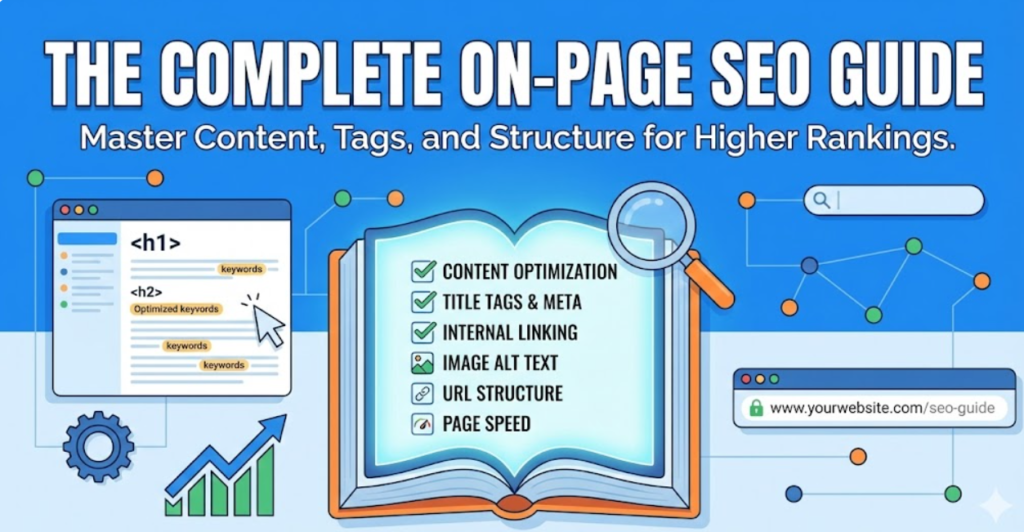
Stuff keywords in your content as much as possible, keep filling your website with quantity content, although irrelevant & poor, and you’ll win the On-page SEO, right?
Wrong!
In This Guide, You’ll Learn:
- What on-page SEO actually is
- Why is it the foundation of ranking success
- How to research and optimize for target keywords that drive traffic
- Essential HTML elements for on-page optimization
- Content creation strategies that win
- Technical on-page factors
- How to measure success and troubleshoot underperforming pages
- Advanced tactics, such as A/B testing, topic clustering, and staying current with trends
- And more
This guide simplifies everything you can control directly on your website. From the words you write to the technical elements in your page’s code. To make your content more discoverable, understandable, and valuable to both search engines and users.
Unlike off-page SEO, which focuses on external signals like backlinks from other websites, on-page SEO which is a broader part of SEO services in Pakistan deals exclusively with elements within your own site that you have complete control over.
What Is On-Page SEO?
On-page SEO or on-site SEO refers to the optimization of elements on your website’s pages, including content, HTML structure, and technical aspects, to rank higher in search results and attract relevant traffic.
The “on-page” part means these are factors you can directly control and modify on your web pages, as opposed to external factors like backlinks or social media mentions that happen on other sites.
Key components for on-page optimization include:
- Optimizing your content for target keywords and user intent
- Improving HTML elements like title tags and meta descriptions
- Ensuring fast page load speeds, creating mobile-friendly designs
- Structuring information so both users and search engines can easily understand it
On-Page SEO vs Off-Page SEO: What’s the Difference?
On-page SEO and off-page SEO represent two distinct approaches to search engine optimization that work together, focusing on different areas.
On-page SEO focuses on elements you control directly on your website, such as:
- Content Quality
- Keyword Usage
- Title Tags
- Meta Descriptions
- Internal Links
- Site Speed
- Mobile-Friendliness
- Html Structure
You have complete control over these factors and can change them anytime.
On the other hand, Off-page SEO focuses on external signals that happen outside your website, such as:
- Primarily Backlinks From Other Sites
- Brand Mentions Across The Web
- Social Media Signals
- Online Reviews
- And More
You can influence but not directly control these factors since they depend on other people’s actions.
For example:
- On-page SEO is like renovating your house to make it more appealing.
- You control the paint colors, furniture placement, and layout.
- At the same time, off-page SEO is like your reputation in the neighborhood.
- You can work to improve it, but ultimately it depends on what others say about you.
Both are essential for SEO success. Strong on-page optimization ensures your content deserves to rank, while off-page signals prove to search engines that others value your content enough to reference it.
Beyond On-Page SEO
The 3 Other Major Types of SEO
Including on-page SEO, the four primary and major types of SEO are:
- Technical SEO
- On-Page SEO
- Off-Page SEO
- Local SEO
Each addresses different aspects of search engine optimization.
Technical SEO
Technical SEO is one of the major types of SEO. It handles website infrastructure, ensuring search engines can crawl, render, and index your site efficiently. This includes site speed, mobile-friendliness, XML sitemaps, robots.txt files, structured data, and server configurations.
On-Page SEO
On-page SEO is another major type of SEO. It optimizes individual page elements, such as content quality, keyword usage, title tags, meta descriptions, headers, images, internal linking, and HTML structure. This is where you make each page as relevant and valuable as possible for target queries.
Off-Page SEO
Off-page SEO is among the major types of SEO. It builds authority through external signals, like backlinks from other websites, brand mentions, social signals, and online reputation management. This validates your site’s credibility beyond what you claim about yourself.
Local SEO
Local SEO is also a major SEO type to target geographic searches, by optimizing Google Business Profile, managing local citations, earning reviews, and creating location-specific content for businesses serving specific areas.
How On-Page SEO Fits into the SEO Ecosystem?
On-page SEO serves as the foundation that other SEO types build upon. Without solid on-page optimization, technical improvements, and backlinks can’t deliver its full potential.
Technical SEO ensures search engines can access your pages, but on-page SEO determines what they find once they arrive, whether the content is relevant, valuable, and worthy of ranking.
Off-page SEO signals authority, but if your on-page elements are weak and have thin content, poor keyword targeting, and confusing structure, then even high-authority backlinks won’t generate rankings because the page doesn’t deserve to rank.
Local SEO depends heavily on on-page elements like location-specific content, NAP (Name, Address, Phone) consistency on pages, and local schema markup.
On-page SEO is the layer you must get right before other optimization types can deliver maximum impact. It’s the controllable foundation that determines whether external signals and technical excellence actually translate into rankings and traffic.Want to understand the complete SEO picture? Our comprehensive guide covers all four types of SEO, how they work together, and which to prioritize for your business.
Why On-Page SEO Matters?
On-page SEO matters because it directly influences whether search engines understand your content, media & the overall website, consider it relevant for target queries, and ultimately decide to rank it where users will actually see it.
Here are the three core reasons on-page SEO is essential:
Control: Direct Influence Over Ranking Factors
Control means you have complete authority over on-page elements without depending on anyone else’s actions or permissions.
Unlike off-page or off-site SEO, where you must earn backlinks from other sites (which you can’t control), or technical SEO, where you might need developer resources, on-page SEO lets you make immediate changes that impact rankings.
- You can rewrite a title tag right now.
- You can improve content depth this afternoon.
- You can add internal links tomorrow.
- You can optimize images this week.
- No waiting for external validation or technical implementation delays.
This direct control makes on-page SEO the most accessible entry point for businesses starting their optimization journey and the fastest way to fix underperforming content.
When you identify pages with ranking opportunities, you can optimize them immediately rather than waiting months to earn backlinks or coordinate with developers for technical fixes.
Rankings: Visibility and Organic Traffic Impact
Rankings determine whether your content appears on page 1 of search results (where 75% of users never scroll past) or buried on page 3, where no one looks.
On-page optimization directly impacts rankings by signaling relevance to search engines.
When you optimize title tags with target keywords > search engines understand what the page is about.
When you create comprehensive content answering user questions > algorithms recognize value.
When you structure content with clear headers > crawlers can parse topics efficiently.
Better rankings mean exponentially more visibility. The difference between position 3 and position 1 can mean triple the traffic. The difference between page 2 and page 1 can mean 10x more visitors.
Every on-page improvement, such as
- Better Keywords
- Clearer Structure
- Deeper Content
- Faster Loading
They all incrementally improve your chances of ranking higher, which compounds into significantly more organic traffic over time.
Foundation: Base Layer for Other SEO Types
Foundation means on-page SEO provides the essential base that other optimization types build upon to create complete SEO success.
Think of SEO as a building.
Technical SEO is the plumbing and electrical. It must work, but invisible infrastructure alone doesn’t make a building valuable.
On-page SEO is the rooms, layout, and finishes. It is what people actually experience and what determines if the building serves its purpose.
Off-page SEO is the location and neighborhood reputation, important context, but meaningless if the building itself is poorly designed.
Without strong on-page optimization, technical excellence is wasted. A technically perfect site with thin, irrelevant content won’t rank. Similarly, backlinks to poorly optimized pages deliver minimal benefit because the content doesn’t deserve to rank, regardless of authority signals.
On-page SEO ensures that when technical implementations work correctly and when backlinks pass authority, there’s actually valuable, relevant, well-optimized content worthy of ranking.
Every successful SEO strategy starts with on-page fundamentals. Only after establishing this foundation do technical improvements and link building deliver their full potential.
When to Perform On-Page SEO?
On-page SEO implementation or execution depends on three scenarios:
- Continuous optimization for new content
- Periodic maintenance for existing pages
- When an immediate on-page update is required
Continuously: Every New Content Publication
Continuous on-page SEO means optimizing every single piece of content before it goes live, making it a standard part of your content creation workflow rather than an afterthought.
Before publishing any new page, complete these on-page optimizations:
Research target keywords and search intent before writing a single word, ensuring you create content people actually search for.
Write title tags and meta descriptions that include target keywords and compel clicks from search results.
Structure content with clear H1, H2, and H3 headers that organize information logically and include relevant keywords naturally. Explore more about headers in our guide to Heading Tags and Their Importance.
Optimize images with descriptive file names and alt text for accessibility and visual search. Read the right way of it in our guide to Alt text.
Add internal links connecting to 3-5 relevant existing pages, helping users navigate and distributing link equity.
Implement appropriate schema markup (Article, Product, FAQ, etc.) to enable rich results in search. Find more insightful information about schema markup in our guide to schema markup.
Test page speed and mobile-friendliness before launch to ensure technical performance meets standards. You can request a free SEO audit of your website anytime.
Making on-page SEO part of your content creation process prevents the need for massive optimization backlogs later. It’s far more efficient to optimize once during creation than to revisit hundreds of pages months later for fixes.
Periodically: Audits and Updates for Existing Content
Periodic on-page SEO means regularly reviewing and updating existing content to maintain performance, fix issues, and capitalize on new opportunities.
Perform comprehensive on-page audits quarterly or semi-annually:
Update outdated statistics, facts, and information to maintain content accuracy and freshness signals that search engines reward.
Fix broken internal and external links that damage user experience and waste link equity.
Identify thin content (pages under 500 words) that underperform and either expand them or consolidate them into stronger pages.
Refresh title tags and meta descriptions for pages with low click-through rates in search results, testing new messaging that drives more clicks.
Add new internal links from recently published content to older relevant pages, keeping the internal linking network current.
Optimize pages ranking positions 11-20 (page 2), which have the highest potential for quick improvements to page 1.
Check Core Web Vitals scores and fix pages failing performance thresholds that could be losing rankings due to poor user experience.
Trigger Immediate On-Page Updates When:
Algorithm updates cause traffic drops. So, review and strengthen affected pages against current quality standards. Want to increase the organic flow of traffic to your website? We have already discussed How To Drive Organic Traffic To Your Website.
New competitors can outrank you. Therefore, analyze their content advantages and improve your pages to reclaim positions.
Search intent shifts for target keywords. Therefore, you need to update the content format or approach to match what users now want.
The content you posted today often becomes outdated due to new trends or updates in that specific topic. By researching and infusing the latest statistics, trends, and time-sensitive information into your content, you can keep it fresh.
Consistent periodic maintenance prevents content decay. Content decay is when previously high-performing content gradually loses rankings and traffic over time due to outdated information, emerging competitors, or shifting search intent.
Pages that ranked well two years ago may underperform today if competitors improved theirs while yours stagnated. Regular optimization keeps your content competitive as search landscapes evolve.
On-page SEO isn’t a one-time project. It’s an ongoing commitment to creating and maintaining content that deserves to rank. Build optimization into your content workflow from day one, then maintain that standard through regular audits and strategic updates.
On-Page SEO Fundamentals (The Three Pillars of On-Page SEO)
The Three Core Components of On-Page SEO
On-page SEO consists of three fundamental components that work together to improve authority, performance, and ultimately, the ranking of your website:
- Content & Relevance (what you say)
- HTML & Technical Elements (how you structure it)
- User Experience (how visitors interact with it)
The rest of the on-page optimization components, such as keywords, title tags, meta descriptions, images, and internal links, are categorized under these three fundamental pillars based on their primary function.
1. Content & Relevance
Content refers to all the information, text, images, videos, and other media elements visible to users on a web page that communicate your message and provide value.
Relevance means how well your content matches what users are actually searching for and satisfies their specific needs, questions, or intent behind their query.
Together, content and relevance form the foundation of on-page SEO because search engines prioritize pages that deliver the most helpful, accurate, and comprehensive answers to user queries.
High-Quality, Original, Helpful Content
High-Quality Content
High-quality content is information that provides genuine value to users by being accurate, well-researched, clearly written, and comprehensive enough to fully address the topic without superficial coverage.
Quality indicators search engines evaluate:
| Quality Factor | What It Means | How to Achieve It |
| Originality | Unique perspective or information not copied from competitors | Conduct original research, share firsthand experience, and develop unique frameworks |
| Accuracy | Factually correct information with credible sources | Fact-check claims, cite authoritative sources, and update outdated information regularly |
| Depth | Comprehensive coverage addressing the topic thoroughly | Answer all related questions, cover subtopics, provide examples, and provide context |
| Clarity | Easy to understand with logical flow and structure | Use simple language, short paragraphs, clear transitions, and visual aids |
| Usefulness | Actionable information that users can apply immediately | Include step-by-step instructions, checklists, templates, and real examples |
Original Content
Original content means creating unique information, perspectives, or insights rather than rehashing what already exists on other websites.
Originality doesn’t require inventing completely new topics. It means adding unique value through your experience, research, analysis, or presentation that differentiates your content from the hundreds of similar pages competing for the same keywords.
Search engines can detect duplicate or near-duplicate content and typically won’t rank multiple versions highly. Even if you rewrite competitor content in different words, the lack of unique value signals low quality.
Helpful Content
Helpful content solves problems, answers questions, or provides information users genuinely need rather than existing solely to rank for keywords.
Google’s Helpful Content system, integrated into core ranking algorithms in 2024, specifically rewards content created for people first, demonstrating expertise, satisfying user needs completely, and leaving visitors feeling they’ve learned something valuable.
Creating Genuinely Helpful Content:
Step 1: Start by understanding what users actually want when searching your target keywords, whether they want information, comparison, purchase options, or step-by-step guidance.
Step 2: Answer the primary question in the first 100-200 words so users immediately know they’re in the right place.
Step 3: Anticipate follow-up questions and address them before users need to search elsewhere for answers.
Step 4: Include examples, case studies, screenshots, or data that illustrate concepts rather than just explaining them abstractly.
Step 5: Update content when information becomes outdated, industry standards change, or new developments occur.
User Intent Satisfaction
User intent (also called search intent) is the underlying goal or purpose behind a user’s search query. What they’re actually trying to accomplish when they type specific keywords into a search engine.
Satisfying user intent means your content delivers exactly what searchers expect and need, matching both the information type and format they’re looking for based on their query.
The Four Primary Types of Search Intent:
| Intent Type | User Goal | Query Examples | Content Format Needed |
| Informational | Learn or understand something | “What is on-page SEO?”, “How does photosynthesis work?” | Educational guides, tutorials, definitions, explainers |
| Navigational | Find a specific website or page | “Facebook login”, “Nike official site” | Homepage, login page, specific brand page |
| Commercial | Research before purchase | “best running shoes 2026”, “iPhone vs Samsung” | Product comparisons, reviews, buying guides, listicles |
| Transactional | Complete an action or purchase | “Buy Nike running shoes”, “plumber near me.” | Product pages, service pages, and local business listings |
Why Intent Matching Matters For Rankings?
Google shows different result types based on detected intent. Search “best CRM software” and you’ll see comparison articles and listicles. Not individual product pages. Search “HubSpot pricing” and you’ll see pricing pages. Not general guides about CRM costs.
If your content format doesn’t match intent, it won’t rank regardless of quality. A detailed product review won’t rank for informational “what is” queries. An educational guide won’t rank for transactional “buy now” searches.
How To Identify And Satisfy User Intent?
Analyze the top 10 results for your target keyword. What format do they use? Are they guides, comparisons, product pages, or definitions?
Check the SERP features Google displays. Featured snippets indicate informational intent. Shopping results indicate transactional intent. Local pack indicates location-based intent.
Read the actual questions users ask in “People Also Ask” boxes. These reveal what information gaps exist around the topic.
Consider the query’s modifiers. “How to” signals instructional intent. “Best” signals comparison intent. “Near me” signals local transactional intent. “What is” signals definitional intent.
Match your content format to the dominant intent. If top results are 2,000-word guides, don’t create a 500-word overview. If top results are comparison tables, include detailed comparisons in your guide, too.
Keywords
Keywords are the words and phrases that users type into search engines when looking for information, products, or services online.
By strategically including & integrating these keywords in your content, you signal to search engines that your page is relevant to those searches, increasing your chances of ranking when users search for those terms and driving targeted traffic to your website.
But some people stuff those keywords in the content unnaturally & too much, which is called keyword stuffing.
Keyword Integration (Natural, Not Stuffing)
Keyword integration is the practice of incorporating target keywords and related terms naturally throughout your content where they fit contextually and enhance readability.
Keyword stuffing is the manipulative practice of repeating keywords excessively to manipulate rankings, resulting in unnatural, difficult-to-read content that provides a poor user experience.
Natural Keyword Integration Principles:
| Do This | Don’t Do This |
| Use primary keyword in title, H1, first paragraph, and naturally 2-3 times per 1,000 words | Repeat the exact keyword 20+ times in forced, unnatural sentences |
| Include semantic variations and related terms (synonyms, related concepts) | Use only the exact keyword phrase repeatedly without variation |
| Write for humans first, then ensure keywords appear where relevant | Write awkward sentences solely to include keywords |
| Use keywords in subheadings where they naturally fit the topic | Force keywords into every heading regardless of relevance |
| Let keyword density emerge naturally (1-2%) from comprehensive coverage | Calculate keyword density and artificially hit specific percentages |
Where To Place Keywords Strategically?
Title tag (most important on-page signal):
Include the primary keyword near the beginning while remaining clickworthy and under 60 characters.
H1 heading (primary topic signal):
Use the primary keyword or a close variation in your main page heading.
First 100-150 words (early relevance signal):
Mention the primary keyword early to establish the topic immediately for both users and search engines.
Subheadings (H2-H6) (topic structure signals):
Include primary and related keywords in some subheadings where they naturally describe section content.
Body content (comprehensive coverage):
Use primary keyword naturally 2-5 times per 1,000 words, depending on topic, plus semantic variations and related terms throughout.
Image alt text (visual content context):
Include keywords in alt text for relevant images where they accurately describe the image.
URL slug (page topic signal):
Include the primary keyword in the URL path (e.g., /on-page-seo-guide/).
Meta description (CTR optimization, not ranking):
Include the primary keyword to show relevance in search results and encourage clicks.
LSI Keywords And Semantic Variations:
Latent Semantic Indexing (LSI) keywords are terms and phrases conceptually related to your primary keyword that help search engines understand topic context and depth.
What is a primary keyword?
A primary keyword is the main search term you want a specific page to rank for, representing the page’s core topic and focus.
What is a secondary keyword?
A secondary keyword is a related or supporting search term that complements your primary keyword, helping the page rank for additional relevant queries.
When a user searches for “on-page SEO,” the conceptually related terms that will also appear are:
- “content optimization”
- “HTML elements”
- “meta tags”
- “keyword research”
- “search intent”
- “title tags”
- “internal linking”
- “page speed”
- “mobile optimization”
- “user experience”
- “SERP rankings”
- And more.
Using semantic variations demonstrates comprehensive topic coverage and helps you rank for hundreds of related long-tail keywords beyond just your primary target term.
Modern search engines understand synonyms and related concepts, so exact keyword repetition matters less than comprehensive topic coverage using varied terminology.
Content Depth and Comprehensiveness
Content depth refers to how thoroughly you cover a topic, going beyond surface-level information to address nuances, related questions, examples, and practical applications.
Comprehensive content addresses not just the main topic but also related subtopics, common questions, potential objections, and the context users need for complete understanding.
Why Content Depth Matters for Rankings?
Search engines favor authoritative resources that fully satisfy user needs in one place over shallow content requiring multiple additional searches.
Comprehensive content naturally includes more related keywords, semantic variations, and answers to long-tail queries, increasing ranking opportunities across hundreds of related searches.
Longer, more detailed content tends to earn more backlinks because it serves as a complete reference that other sites want to cite rather than partial information they supplement.
Content Depth vs. Content Length:
Content depth and content length are two completely different factors. Content depth isn’t just word count. A 3,000-word article filled with fluff and repetition provides less depth than a 1,500-word piece covering essential points thoroughly.
Indicators of Content Depth:
| Depth Indicator | What It Looks Like |
| Answers all related questions | Addresses “People Also Ask” questions, anticipates follow-ups, covers “and then what?” scenarios |
| Includes examples and case studies | Real-world applications, specific instances, before/after comparisons, success stories |
| Provides context and background | Historical perspective, why things work this way, underlying principles, industry evolution |
| Covers different perspectives | Alternative approaches, pros and cons, when different tactics apply, expert opinions |
| Goes beyond basics | Intermediate and advanced tactics, troubleshooting, edge cases, optimization strategies |
| Includes data and research | Statistics from studies, survey results, performance benchmarks, cited sources |
| Offers actionable steps | Step-by-step processes, checklists, templates, and specific implementation guidance |
How To Ensure Comprehensive Coverage?
Research competitor content ranking for your target keyword. What do they cover that you’re missing?
Mine “People Also Ask” boxes for related questions to address within your content.
Check related searches at the bottom of Google results for additional topic angles.
Use topic research tools like Clearscope, Surfer SEO, or MarketMuse to identify semantically related terms and concepts to include.
Interview subject matter experts or draw from your own experience to include insights competitors lack.
Address different user skill levels, such as beginners, intermediate, and advanced, so users of every level will find value in your content.
Optimal Content Length by Intent Type
| Content Type | Typical Word Count | Reasoning |
| Definitional (“What is…”) | 1,500-2,500 words | Define term, explain context, provide examples, address related questions |
| How-to guides | 2,000-4,000 words | Step-by-step instructions, screenshots/examples, troubleshooting, best practices |
| Comparison posts | 2,500-4,000 words | Compare features, pros/cons, pricing, use cases, recommendations |
| Ultimate guides | 4,000-10,000+ words | Comprehensive topic coverage, beginner to advanced, all related subtopics |
| Product pages | 500-1,500 words | Unique descriptions, specs, benefits, reviews, FAQs without unnecessary fluff |
| Local service pages | 800-1,500 words | Service details, service area coverage, process explanation, and local relevance |
Content length should serve comprehensiveness, not arbitrary word count targets. Write until you’ve fully covered the topic, then stop. Don’t add filler to hit numbers.
E-E-A-T Signals
E-E-A-T stands for Experience, Expertise, Authoritativeness, and Trustworthiness. It is Google’s framework for evaluating content quality, particularly for topics affecting people’s health, finances, safety, or well-being (called YMYL: Your Money or Your Life topics).
Experience
Experience means demonstrating firsthand, practical experience with the topic you’re writing about based on real-world use, testing, or involvement.
Expertise
Expertise means having specialized knowledge, credentials, education, or skills in the subject matter that qualify you to write about it accurately.
Authoritativeness
Authoritativeness means being recognized within your industry or field as a go-to source for information, with other experts and publications citing your work.
Trustworthiness
Trustworthiness means providing accurate, honest, secure, and transparent information that users can rely on without fear of deception or harm.
How to Demonstrate E-E-A-T On-Page?
| E-E-A-T Component | On-Page Signals | Implementation |
| Experience | Author bylines with credentials, firsthand accounts, original photos/data | Include author bios showing relevant experience, use “I tested…” or “In my 10 years…”, share original research or case studies |
| Expertise | Author credentials, certifications, professional background | Display relevant degrees, certifications, professional memberships, and years of experience in visible author sections |
| Authoritativeness | Citations from other authoritative sources, awards, and media mentions | Link to credible external sources supporting claims, display industry awards, mention media features, or speaking engagements |
| Trustworthiness | HTTPS security, clear contact info, transparent policies, cited sources | Use SSL certificates, provide easy-to-find contact information, publish clear privacy policies and terms, cite all claims with reputable sources |
E-E-A-T is Especially Critical for YMYL Topics:
YMYL stands for Your Money or Your Life. YMYL are some specific type of topics that discusses about users’ health, financial stability, safety, or well-being, and have a direct influence on them.
Medical and health information requires medical professionals or extensively cited research from medical journals.
Financial advice requires financial credentials (CPA, CFP) or extensive experience in finance with transparent disclosure of potential biases.
Legal information requires legal professionals or clear disclaimers that the content is informational, not legal advice.
News and current events require journalistic standards, fact-checking, and clear attribution of sources.
For non-YMYL topics (like general marketing advice, hobbies, and entertainment), E-E-A-T standards are less strict but still beneficial for rankings and user trust.
Need expert content that demonstrates genuine expertise? Our content writing services deliver well-researched, E-E-A-T-compliant content written by subject matter experts with proven credentials in your industry.
2. HTML & Technical Elements
HTML (stands for Hypertext Markup Language) is the code that structures web pages and tells browsers and search engines how to display and interpret content through tags and elements.
Technical elements are the behind-the-scenes components of web pages, such as metadata, schema markup, and code structure, that search engines read to understand context, relationships, and page purpose.
Together, HTML and technical elements provide the structural framework that makes your content crawlable, indexable, and understandable to search engines, enabling proper classification and ranking.
Title Tags
A title tag is an HTML element that specifies the title of a web page, appearing as the clickable headline in search engine results, browser tabs, and when pages are shared on social media.
Title tags are one of the most important on-page SEO elements because they tell both users and search engines what your page is about, directly influence click-through rates from search results, and carry significant ranking weight.
Title Tag HTML Structure:
<title>Your Page Title Here | Brand Name</title>
</head>
What are the Characteristics of an Optimal Title Tag?
| Element | Best Practice | Why It Matters |
| Length | 50-60 characters (approximately 600 pixels) | Longer titles get truncated in search results with “…” |
| Keyword placement | Primary keyword near the beginning | Search engines weigh earlier words more heavily |
| Uniqueness | Every page has a unique title | Duplicate titles confuse search engines and users about the page’s purpose |
| Brand inclusion | Add brand name at the end (optional for homepage) | Builds brand recognition and trust signals in SERPs |
| Readability | Natural language, not keyword stuffing | Users click titles that clearly communicate value |
| Compelling copy | Include benefit, number, or urgency where appropriate | Higher CTR signals relevance to search engines |
Title Tag Formulas that Work
Keyword + Benefit: “On-Page SEO Guide: Rank Higher With Optimized Content.”
Number + Keyword + Promise: “17 Title Tag Best Practices That Boost Click-Through Rates”
How-to + Keyword: “How to Write Title Tags That Rank and Drive Clicks.”
Question + Keyword: “What Is On-Page SEO? Complete Optimization Guide”
Keyword + Year (for timeliness): “On-Page SEO Checklist for 2026: 25-Point Guide”
Common Title Tag Mistakes
Using generic titles like “Home” or “Products” that provide no keyword context or user value.
Keyword stuffing titles with repetitive phrases like “SEO Services | SEO Company | SEO Expert | SEO Agency.”
Creating duplicate titles across multiple pages makes each page’s unique purpose unclear.
Writing titles longer than 60 characters that get cut off mid-phrase reduces clarity and CTR.
Omitting keywords entirely, missing the most straightforward relevance signal.
Focusing solely on keywords without compelling copy that encourages clicks, rankings without clicks ultimately drop.
Struggling with duplicate title tags hurting your rankings? Our guide shows
Meta Descriptions
A meta description is an HTML element that provides a summary of a web page’s content, typically displayed below the title tag in search engine results as a preview snippet.
Meta descriptions don’t directly impact rankings as a ranking factor, but they significantly influence click-through rates (CTR) from search results, which indirectly affects rankings through user behavior signals.
Meta Description HTML Structure:
<meta name=“description” content=“Your compelling page description goes here, summarizing what users will find and why they should click.” >
</head>
What Are The Characteristics of an Optimal Meta Description?
| Element | Best Practice | Why It Matters |
| Length | 150-160 characters (approximately 920 pixels) | Longer descriptions get truncated, shorter ones waste space |
| Keyword inclusion | Include the primary keyword naturally | Google bolds matching query terms in descriptions, increasing visibility |
| Unique per page | Every page has a unique description | Duplicate descriptions waste the opportunity to differentiate pages |
| Action-oriented | Use active voice, include CTA | “Learn how…”, “Discover…”, “Get…” encourage clicks |
| Value proposition | Communicate the clear benefit | Answer “Why should I click?” within the character limit |
| Completeness | Full sentences with punctuation | Fragments look unprofessional and don’t convey complete thoughts |
Meta Description Formulas
Problem + Solution: “Struggling with low rankings? Learn 25 on-page SEO techniques that increase organic traffic by 200%.”
Benefit + Social Proof: “Master on-page SEO with our complete guide. Trusted by 10,000+ marketers to improve their rankings.”
Question + Answer: “What is on-page SEO and why does it matter? Get the definitive guide covering content, HTML, and UX optimization.”
Feature List: “Complete on-page SEO guide covering keyword research, content optimization, technical elements, and measurement strategies.”
It often generates its own snippet from page content based on the specific query.
However, well-written meta descriptions increase the likelihood that Google uses them and improve CTR when it does.
Header Tags (H1-H6)
Header tags (H1 through H6) are HTML elements that create a hierarchical structure for page content, with H1 being the main title and H2-H6 representing subsections in descending order of importance.
Headers serve two critical functions: they make content scannable and easier for humans to read, and they help search engines understand content organization, topic hierarchy, and main points.
What is the Correct Hierarchy of Header Tags?
| Tag | Purpose | Usage Guidelines |
| H1 | Main page title | One per page, includes primary keyword, describes page topic clearly |
| H2 | Major sections | Multiple per page, divides content into main topics, and can include keywords |
| H3 | Subsections under H2 | Supports H2 sections, provides additional topic breakdown |
| H4-H6 | Further subdivisions | Rarely needed except in very long, detailed content |
Header Tag HTML Structure:
<h1>Main Page Title With Primary Keyword</h1>

<h2>First Major Section</h2>
<p>Content for first section...</p>

<h3>Subsection Under First Section</h3>
<p>Supporting content...</p>

<h2>Second Major Section</h2>
<p>Content for second section...</p>
How to Optimize Header Tags?
Use only one H1 per page containing your primary keyword or close variation. Multiple H1s confuse search engines about the page topic.
Include keywords in some H2-H3 headers where they naturally describe section content. Don’t force keywords into every header.
Maintain logical hierarchy without skipping levels.
H1 > H2 > H3 is correct.
H1 > H3 skipping H2 breaks the semantic structure.
Make headers descriptive so users scanning can understand the section content without reading the full text.
Keep headers concise (5-10 words typically) while clearly conveying the section topic.
Use parallel structure when possible. If one H2 is a question, consider making other questions too for consistency.
Common Header Tags Mistakes You Shouldn’t Repeat
Using H1 tags for styling rather than semantic meaning (using H1 for large text that isn’t the main title).
Keyword stuffing headers with unnatural, repetitive phrases.
Skipping heading levels (H1 directly to H3) breaks accessibility and semantic structure.
Using headers for formatting non-heading content like calls-to-action or image captions.
Creating vague headers like “Introduction” or “More Information” that don’t describe actual content.
Want to master header tag optimization? Our comprehensive guide covers header hierarchy, keyword placement, accessibility best practices, and how headers impact both SEO and user experience.
URL Structure
URL structure refers to the format and organization of web addresses, including how pages are named, organized in directories, and how readable and descriptive the URLs are.
Clean, descriptive URLs help both users and search engines understand page content before even clicking, improve link sharing and memorability, and provide mild ranking benefits through keyword inclusion. These URLs are also known as SEO-Friendly URLs.
What Makes URLs SEO-friendly?
Keyword inclusion in the URL slug helps search engines understand the page topic. /on-page-seo/ signals SEO content more clearly than /page-123/.
Readability allows users to understand where a link leads before clicking, building trust and improving CTR.
Hierarchy through subdirectories shows content organization and topical relationships.
Permanence means URLs shouldn’t change frequently; every URL change requires redirects and can lose ranking equity.
Brevity makes URLs easy to share, copy-paste, and remember without unnecessary words.
How an SEO-friendly URL Looks Like:
https://www.example.com/category/subcategory/page-name-with-keywords
https://www.example.com/category/subcategory/page-name-with-keywords
How to Structure a URL?
| Element | Best Practice | Example |
| Protocol | Always use HTTPS (secure) | https:// not http:// |
| Domain | Short, brandable, memorable | example.com |
| Path structure | Logical hierarchy, 2-4 levels deep | /blog/seo/on-page-optimization |
| Page slug | Descriptive, includes keywords | /on-page-seo-guide |
| Word separators | Use hyphens (not underscores) | seo-guide not seo_guide |
| Length | Short as possible while remaining descriptive | Under 60-80 characters ideal |
| Characters | Lowercase letters, numbers, hyphens only | Avoid special characters, spaces, and capital letters |
Common URL Mistakes You Shouldn’t Repeat
Dynamic parameters like ?id=12345&session=abc are meaningless to users and search engines.
Keyword stuffing URLs like /best-seo-guide-seo-tips-seo-strategies/, which looks spammy.
Uppercase letters or mixed case, like /SEO-Guide/, which creates duplicate content issues (URLs are case-sensitive on some servers).
Underscores instead of hyphens like /seo_guide/, which search engines don’t recognize as word separators.
Dates in URLs like /2026/01/post-name/make content appear outdated even if you update it.
Deep nesting like /category/sub/sub/sub/sub/page/signals low importance and creates usability issues.
Things To Keep in Mind When Migrating a URL
Changing URLs breaks existing backlinks and can temporarily lose rankings until 301 redirects pass authority.
If URLs must change, implement 301 redirects from old to new URLs permanently, not 302 temporary redirects.
301 Redirect (Permanent): A 301 redirect tells search engines that a page has permanently moved to a new URL. It passes 90-99% of link equity (ranking power) from the old URL to the new one and instructs search engines to index the new URL instead of the old one.
302 Redirect (Temporary): A 302 redirect tells search engines that a page has temporarily moved but will return to the original URL. It does NOT pass full link equity and keeps the old URL in the index, expecting it to come back.
For SEO migrations, always use 301 redirects to transfer authority and update search engine indexes permanently.
Update internal links to point directly to new URLs rather than relying on redirects indefinitely.
Submit updated XML sitemap to Google Search Console after URL changes to speed re-indexation.
Ready to create SEO-friendly URLs that improve both rankings and user trust?
Our step-by-step guide covers URL structure best practices, migration strategies, and common mistakes to avoid.
Image Optimization or Image SEO
Image optimization is the process of reducing image file sizes, adding descriptive metadata, and structuring images so they load quickly and provide context to both users and search engines.
Image SEO is the practice of optimizing images so they rank in Google Images search results, driving additional traffic to your website from users specifically searching for visual content.
Images impact SEO through page speed (large unoptimized images slow loading times), accessibility (alt text describes images for screen readers), and visual search visibility (properly optimized images can rank in Google Images and drive additional traffic).
Google Images can drive significant additional traffic beyond regular text search results, especially for visual topics like recipes, home decor, fashion, infographics, diagrams, product photos, and how-to illustrations.
Key Image Optimization Elements
| Element | What It Is | Best Practice |
| File name | The name of the image file | Descriptive with keywords: on-page-seo-checklist.jpg not IMG_1234.jpg |
| Alt text | HTML attribute describing image content | Concise description including relevant keywords naturally: “On-page SEO checklist with 15 optimization steps.” |
| File format | Image type (JPEG, PNG, WebP, AVIF) | WebP or AVIF for modern browsers (smaller files), JPEG for photos, PNG for graphics with transparency |
| File size | How large is the image file is | Compress to under 100-200KB per image without visible quality loss |
| Dimensions | Pixel width and height | Match display size. Don’t upload a 3000px image to display at 800px |
| Lazy loading | Deferring image load until needed | Implement lazy loading for images below the fold to improve initial page speed. |
Alt Text (Alternative Text) Best Practices
Alt text is an HTML attribute that provides a text description of an image, primarily for accessibility (screen readers for visually impaired users) but also for SEO context when images can’t load or for image search optimization.
Alt Text HTML Structure:
<img
src="on-page-seo-guide.jpg"
alt="Comprehensive on-page SEO guide showing content, HTML, and UX optimization strategies"
/>
Writing Effective Alt Text
Be descriptive and specific: Explain what the image shows in detail. “Woman using laptop at coffee shop” not just “laptop.”
Include keywords naturally where relevant to image content, but never keyword stuff. “On-page SEO checklist with 15 optimization tactics” is good. “SEO on-page optimization, SEO guide, SEO checklist” is spam.
Keep it concise (125 characters or fewer typically). Screen readers may cut off longer descriptions.
Don’t start with “image of” or “picture of”. It’s implied. Just describe the content directly.
Leave decorative images empty (alt=””). Background patterns, dividers, and purely decorative graphics don’t need descriptions.
Match the context of the surrounding content. Alt text should make sense if someone reads the page text with image descriptions inserted.
Image File Size and Compression
Large image files are the #1 cause of slow page loading, directly hurting both user experience and Core Web Vitals metrics that impact rankings.
Compression Strategies:
Use modern formats: WebP reduces file size 25-35% compared to JPEG with no visible quality loss. AVIF is even better but has less browser support currently.
Compress before uploading: Use tools like TinyPNG, ImageOptim, or Squoosh to reduce file size before adding images to your site.
Serve appropriately sized images: If displaying an image at 800px width, don’t upload a 3000px original. Resize to match display dimensions.
Implement responsive images: Use the srcset attribute to serve different image sizes based on device screen size.
Target file sizes: Hero images: under 200KB. Content images: under 100KB. Icons and graphics: under 50KB.
Optimizing For Image Search:
Use high-quality, original images rather than stock photos whenever possible. Unique images rank better.
Create descriptive, keyword-rich file names before uploading: kitchen-renovation-before-after.jpg
Write detailed alt text that describes the image context and relevant keywords naturally.
Add images near relevant text content that provides context about what the image shows.
Include images in your XML sitemap or create a separate image sitemap for important visual content.
Use structured data (ImageObject schema) for key images to provide additional context to search engines.
Ensure images are crawlable (not blocked by robots.txt) and load properly for search engine bots.
Want to know more about image optimization for faster pages and better rankings?
Our comprehensive guide covers alt text best practices, compression techniques, format selection, and accessibility requirements.
Content Security & HTTPS
What is an SSL Certificate?
An SSL (Secure Sockets Layer) certificate encrypts data traveling between a user’s browser and a web server. It creates a secure tunnel that protects sensitive information, like passwords, credit card numbers, and personal details. From interception by malicious actors.
Modern websites actually use TLS (Transport Layer Security), SSL’s successor, though “SSL certificate” remains the common term.
Why SSL Certificates Matter
Trust and credibility. The padlock icon in the browser address bar signals security to users. Without it, browsers display “Not Secure” warnings that drive visitors away.
SEO ranking boost. Google confirmed HTTPS as a ranking signal in 2014. Secure sites receive preference over non-secure competitors. It’s a lightweight factor, but every advantage counts.
Data protection. User information stays private. This isn’t just good practice. It’s often legally required for sites handling personal data.
Mixed Content Issues
Mixed content occurs when an HTTPS page loads resources (images, scripts, stylesheets) over unsecured HTTP connections.
The problem: Browsers flag these pages as “not secure,” destroying the trust SSL provides. Worse, modern browsers may block mixed content entirely, breaking site functionality.
The SEO impact: Search engines view incomplete security implementation negatively. It signals poor technical maintenance.
The fix: Update all internal resource links to HTTPS. Ensure third-party resources load securely. Use browser developer tools or online scanners to identify violations. A fully secure site maintains both user trust and search engine favor.
Canonical Tags
Understanding Canonicalization
Canonicalization is choosing the preferred URL when multiple URLs serve identical or nearly identical content.
Duplicate content happens unintentionally through:
- URL parameters and tracking codes
- www versus non-www versions
- Session IDs
- Print-friendly pages
- HTTP versus HTTPS variants
Search engines must pick which version to index. Without guidance, they split ranking power across duplicates, diluting your SEO value.
Purpose and Implementation
The canonical tag (<link rel=”canonical” href=”https://example.com/preferred-url”>) tells search engines which URL is the master version.
Placement: Insert in the HTML <head> section.
Function: Consolidates ranking signals. Link equity, content authority, and indexing preference flow to the canonical URL.
Result: One strong page instead of multiple weak duplicates.
Self-Referencing Canonicals
Self-referencing canonicals is when a page’s canonical tag points to its own URL, explicitly confirming it as the preferred version.
Every page should include a canonical tag pointing to itself.
Why? Prevents others from accidentally canonicalizing your content elsewhere. Provides explicit guidance to search engines. No ambiguity, no guesswork.
Best practice: Even unique pages benefit. Self-referencing canonicals are standard on well-optimized sites.
Cross-Domain Canonicalization
Cross-domain canonicalization is when a canonical tag points to the original content source on a different domain, crediting the publisher while avoiding duplicate content penalties.
Sometimes identical content legitimately appears across different domains, syndicated articles, manufacturer descriptions on retailer sites, content partnerships.
The solution: Point the canonical tag to the source on another domain.
Example: A retailer selling products can canonicalize product descriptions to the manufacturer’s site, signaling where the content originated.
Benefits: Original publishers receive consolidated ranking credit. Republishing sites avoid duplicate content penalties while still displaying necessary content.
Avoiding Duplicate Content Issues
Proper canonical implementation prevents:
- Faceted navigation problems: Multiple filtered views of product listings
- Pagination confusion: Search engines index paginated series incorrectly
- Parameter proliferation: Tracking codes creating infinite URL variations
- Multi-format duplicates: Printer-friendly versions splitting authority
Clear canonical signals ensure search engines index the right pages, consolidate link equity, and present your best content in search results.
Schema Markup
Schema markup (also called structured data) is code added to web pages that helps search engines understand the meaning and context of content by explicitly labeling information types like products, reviews, events, recipes, and more.
Schema enables rich results in search, enhanced listings with review stars, pricing, availability, images, and other visual elements that stand out in SERPs and typically improve click-through rates by 30-40%.
Common Schema Types and Their Benefits
There are over 800 schema types for search engines. However, there are 30+ schema types that Google commonly supports.
Some of them are discussed below:
Article / BlogPosting
- Marks up blog posts, news articles, and editorial content to help search engines understand publication details.
- Featured snippets, Top Stories, publisher information, and article metadata.
Breadcrumb
- Shows hierarchical navigation path indicating page location within site structure
- Breadcrumb trail displayed in search results, replacing URL, improving navigation clarity
Course
- Identifies educational courses with provider, description, and rating information
- Course provider, description, ratings, educational level, and course duration
Event
- Marks up concerts, conferences, webinars, and gatherings with date/time/location details
- Date, time, location, ticket availability, virtual event details
FAQPage
- Identifies pages containing frequently asked questions and their answers
- Expandable question-answer pairs directly in search results pages
LocalBusiness
- Provides information about physical business locations, including hours, contact information, and services
- Business hours, address, phone, reviews in the local pack, and Knowledge Panels
Logo
- Specifies official brand logo for your organization or website
- Logo display in Knowledge Panels, brand search results, and Google Discover
Movie
- Marks up film information, including cast, director, ratings, and streaming availability
- Movie ratings, showtimes, cast information, and streaming platform availability
Schema Markup Implementation:
Schema uses JSON-LD (JavaScript Object Notation for Linked Data) format, which is Google’s preferred method for structured data implementation.
Example Article Schema:
<script type="application/ld+json">
{
  "@context": "https://schema.org",
  "@type": "Article",
  "headline": "Complete On-Page SEO Guide",
  "author": {
    "@type": "Person",
    "name": "Author Name"
  },
  "datePublished": "2026-01-07",
  "image": "https://example.com/image.jpg"
}
</script>
How to Implement and Test a Schema?
Use Google’s Structured Data Markup Helper to generate JSON-LD code for your content type.
Add the generated schema code to your page’s <head> section or before the closing </body> tag.
Test implementation using Google’s Rich Results Test tool to verify markup is error-free and eligible for rich results.
Monitor performance in Google Search Console’s “Enhancements” section to see which pages have valid schema and which have errors.
Ready to implement schema markup and unlock rich results? Our complete guide covers every schema type, step-by-step implementation, validation testing, and troubleshooting common errors.
Benefits of Implementing Schema Markup:
Enhanced SERP visibility: Rich results with stars, prices, images, and other visual elements attract more attention and clicks than plain text listings.
Improved CTR: Pages with rich results typically see 20-40% higher click-through rates compared to standard organic listings.
Better content understanding: Schema removes ambiguity by explicitly telling search engines what information means. This is a price, this is a review rating, this is an event date.
Voice search optimization: Structured data helps voice assistants extract specific information to answer spoken queries.
Featured snippet eligibility: Certain schema types (especially FAQ and HowTo) increase chances of appearing in featured snippets and “People Also Ask” boxes.
Common Schema Implementation Mistakes You Shouldn’t Repeat
Marking up content not visible to users: Adding schema markup for information that doesn’t actually appear on your page violates Google’s guidelines and can result in manual penalties.
Example: Adding Review schema with 5-star ratings in your code when no actual reviews are displayed on the page, or marking up a product price of $19.99 in schema when the visible price on the page is $29.99. Google requires that all structured data matches content users can actually see.
Using incorrect schema types:
Don’t mark blog posts as Products or use Review schema for self-written testimonials.
Failing to validate markup before publishing:
It will lead to errors that prevent rich results from displaying.
Implementing schema without checking:
Implementing schema without checking if your content qualifies for rich results (some schema types have specific eligibility requirements).
3. User Experience (UX) & Engagement
User experience (UX) refers to how visitors perceive and interact with your website, including ease of navigation, readability, page speed, mobile usability, and overall satisfaction with their visit.
Engagement measures how users interact with your content through metrics like time on page, bounce rate, pages per session, and whether they complete desired actions like clicking links, filling forms, or making purchases.
Together, UX and engagement signal to search engines whether your content satisfies user needs. Strong engagement indicates valuable content deserving of high rankings, while poor UX and quick exits signal content doesn’t meet user expectations.
Readability and Formatting
Readability is how easily users can read and comprehend your content based on factors like sentence length, word complexity, paragraph structure, and visual presentation.
Formatting refers to the visual structure and organization of text through elements like paragraph breaks, white space, bullet points, bold text, and visual hierarchy that make content scannable rather than dense walls of text.
Why Readability Impacts SEO?
Users who find content difficult to read leave quickly, increasing bounce rates and decreasing dwell time (the total time a visitor stays on your webpage). Negative engagement signals that can hurt rankings.
Well-formatted content encourages users to read more, spend longer on the page, visit additional pages, and ultimately signal to search engines that your content provides value.
Readability Best Practices
| Element | Best Practice | Why It Matters |
| Paragraph length | 2-4 sentences maximum (40-80 words) | Short paragraphs create visual breaks and prevent overwhelming walls of text |
| Sentence length | Vary between 10 and 25 words | Mix short, punchy sentences with longer, detailed ones for a natural rhythm |
| Reading level | 8th-9th grade level for general audiences | Simpler language reaches a broader audience, doesn’t mean dumbing down complex topics |
| Active voice | Use active over passive voice | “Google ranks pages” (active) is clearer than “Pages are ranked by Google” (passive) |
| Transition words | Use connectors between ideas | “However,” “Therefore,” “Additionally” guide readers through logic flow |
Formatting Elements That Improve Scannability:
Font size and line height:
Minimum 16px font size ensures readability across devices, while 1.5-1.6 line height (line spacing) prevents text from feeling cramped and improves reading flow.
Readable font choices:
Sans-serif fonts like Arial, Helvetica, or system fonts render clearly on screens, while sufficient contrast between text and background (minimum 4.5:1 ratio) ensures accessibility.
Above-the-fold content:
Critical information, value propositions, and primary CTAs should be immediately visible without scrolling, capturing attention within the first 3 seconds of page load.
Avoiding intrusive interstitials:
Pop-ups that cover main content, especially on mobile, frustrate users and trigger Google penalties; delay interstitials or use less invasive banners instead.
Clear CTAs:
Call-to-action buttons use action-oriented language (“Get Started,” not “Click Here”), contrasting colors, and strategic placement to guide users toward conversion goals.
Visual hierarchy:
Size, color, and positioning establish content importance—larger headings dominate, primary CTAs pop with color, and strategic spacing guides eye movement through the page.
F-pattern and Z-pattern reading:
Eye-tracking studies by Nielsen Norman Group revealed how users actually scan web pages, identifying two dominant patterns.
1. F-pattern:
On text-heavy pages (articles, blog posts, search results), users read horizontally across the top, move down slightly, read another shorter horizontal line, then scan vertically down the left side, forming an “F” shape.
This happens because users prioritize efficiency, seeking relevant information quickly without reading everything.
2. Z-pattern:
On minimal content pages (landing pages, advertisements, simple layouts), eyes move horizontally across the top, diagonally down to the opposite corner, then horizontally again across the bottom, tracing a “Z” shape. This pattern emerges when less text allows for more deliberate visual scanning.
Strategic Application:
Place critical information along these natural eye paths. For F-pattern content, front-load paragraphs with important keywords and use meaningful subheadings.
For Z-pattern layouts, position logos top-left, primary messaging top-right, supporting details middle-left, and CTAs bottom-right where the scanning motion naturally concludes.
Common Readability Mistakes You Should Never Repeat
- Dense paragraphs of 200+ words with no breaks irritate readers and discourage reading.
- Using complex jargon unnecessarily when simpler terms convey the same meaning.
- Lack of visual hierarchy. Everything looks the same with no clear importance indicators.
- Too many fonts, colors, or formatting styles create visual chaos rather than clarity.
- Tiny font sizes (below 16px) that strain eyes, especially on mobile devices.
Tools to Measure Readability:
- Hemingway Editor shows sentence complexity, passive voice, and suggests simplifications.
- Yoast SEO (WordPress plugin) includes the Flesch Reading Ease score and readability analysis.
- Grammarly checks grammar, clarity, engagement, and delivery tone.
Navigation and Site Structure
Navigation refers to the menus, links, and organizational systems that help users move through your website and find information efficiently.
Site structure is the hierarchical organization of pages and content that determines how information is categorized, how deep pages are buried, and how pages relate to each other.
Why Navigation and Structure Impact SEO?
Search engines use your site structure to understand content relationships, determine which pages are most important, and how topics connect within your site.
Good navigation distributes link equity (ranking power) effectively throughout your site, preventing important pages from being orphaned or too deep in the hierarchy.
Poor navigation frustrates users, increases bounce rates, and prevents search engines from discovering and indexing all your valuable content.
Site Structure Best Practices
Flat architecture keeps important pages 2-3 clicks from the homepage rather than buried 5-6 clicks deep. The closer to the homepage, the more authority a page receives.
Logical hierarchy organizes content into clear categories and subcategories that make sense to users: Homepage > Category > Subcategory > Individual Page.
Consistent navigation appears in the same location on every page (typically header and/or footer), so users always know how to move around.
Breadcrumb navigation shows users their location in the site hierarchy and provides easy navigation to parent categories.
Search functionality helps users find specific content quickly when they know what they’re looking for, but not where it’s located.
Internal linking connects related content throughout the site, helping both users discover related information and search engines understand topic relationships.
Navigation Menu Best Practices
Limit main menu items to 5-7 primary categories to avoid overwhelming users with too many choices.
Use descriptive labels like “On-Page SEO Services” rather than vague terms like “Services” or “Solutions.”
Implement dropdown menus for subcategories under main items, showing deeper structure without cluttering the main navigation.
Include footer navigation with links to important pages like contact, about, privacy policy, and key content categories.
Mobile navigation uses hamburger menus or similar mobile-friendly patterns since space is limited on small screens.
Common Navigation Mistakes You Should Not Repeat
- Orphan pages with zero internal links make them impossible for users or search engines to discover through navigation.
- Overly complex mega-menus with dozens of options overwhelm users with choice paralysis.
- Inconsistent navigation where menu items change or disappear on different page types.
- Broken links in navigation menus create dead ends and a poor user experience.
- Navigation relying solely on JavaScript without HTML fallbacks, potentially making it invisible to search engines.
What is Internal Linking and Why Is It Important?
Internal links are hyperlinks connecting pages within your own website, distributing link equity and helping users navigate related content.
Strategic internal linking is important because it ensures priority pages receive authority from multiple sources, creates topical relevance through contextual links, reduces bounce rates by offering next-step content, and helps search engines discover and understand content relationships.
Page Speed and Core Web Vitals
Page Speed
Page speed refers to how quickly a web page’s content loads and becomes fully interactive for users, measured from the moment someone clicks a link until the page is completely usable.
Ideal Page Speed: How Fast Should Your Website Load?
Desktop: Under 2 seconds (ideal) | 2-3 seconds (acceptable) | 3+ seconds (needs improvement)
Mobile: Under 3 seconds (ideal) | 3-5 seconds (acceptable) | 5+ seconds (critical – 53% of users abandon)
Core Web Vitals Threshold: LCP (Largest Contentful Paint) under 2.5 seconds for “Good” rating
Bottom line: Aim for under 3 seconds on mobile and under 2 seconds on desktop for optimal user experience and SEO performance.
Tools for Measuring Page Speed:
Google PageSpeed Insights provides Core Web Vitals scores and specific optimization recommendations for both mobile and desktop.
Google Search Console shows Core Web Vitals performance across your entire site, identifying which pages fail thresholds.
GTmetrix offers detailed performance analysis with waterfall charts showing what loads when and what’s slowing you down.
WebPageTest provides advanced testing with filmstrip views, multiple location testing, and detailed resource loading analysis.
Why Page Speed Impacts SEO?
Direct ranking factor: Google confirmed Core Web Vitals as ranking signals in 2021, with slow pages potentially losing rankings to faster competitors.
User experience impact: 53% of mobile users abandon sites taking over 3 seconds to load (Google research), causing high bounce rates that signal poor quality.
Mobile-first indexing: Google primarily uses mobile page speed for rankings, making mobile performance critical even if desktop speed is excellent.
Conversion impact: Every 100ms of load time improvement can increase conversion rates by 1-2%, directly affecting business outcomes beyond just rankings.
Common Page Speed Killers
Unoptimized images (large file sizes) are the #1 cause of slow loading. Compress images and use modern formats like WebP.
Render-blocking resources (CSS and JavaScript files) prevent page content from displaying until scripts load. Defer non-critical scripts and minimize CSS.
Too many HTTP requests from loading dozens of different scripts, fonts, and files. Combine files where possible and limit third-party scripts.
Slow server response time (Time to First Byte over 600ms) indicates hosting or backend performance issues. Upgrade hosting or optimize database queries.
Lack of browser caching forces returning visitors to re-download all resources instead of loading cached versions.
Unoptimized code with bloated plugins, excessive JavaScript, or inefficient database queries slows processing.
Core Web Vitals
Core Web Vitals are user-centric metrics that Google uses to evaluate a website’s overall quality that a user experiences (also called User Experience or UX). It primarily focuses on measuring loading performance (LCP), interactivity (INP), and visual stability (CLS).
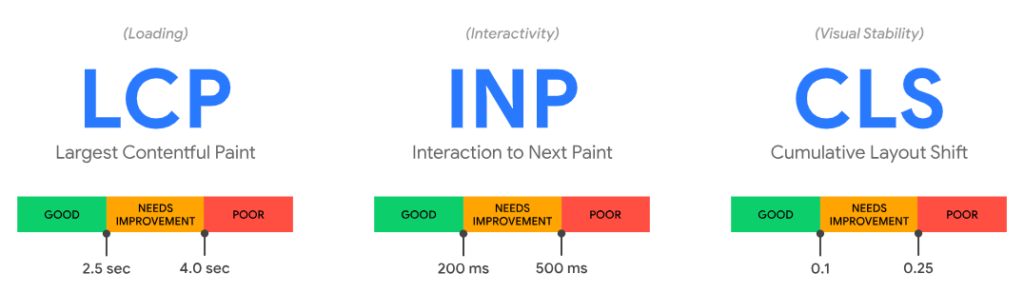
Core Web Vitals Metrics In Detail
| Metric | What It Measures | Good Score | What It Means |
| LCP (Largest Contentful Paint) | Loading performance: how long until the largest visible element loads | Under 2.5 seconds | Main content appears quickly, users don’t wait staring at blank screens |
| FID/INP (First Input Delay / Interaction to Next Paint) | Interactivity: how long until the page responds to user actions | Under 100ms (FID) / 200ms (INP) | Page feels responsive to clicks, taps, and keyboard input without lag |
| CLS (Cumulative Layout Shift) | Visual stability: how much content moves around unexpectedly during loading | Under 0.1 | Page doesn’t jump around, causing users to misclick or lose their place |
How to Improve Core Web Vitals?
For LCP (loading performance):
- Optimize and compress images
- Use a content delivery network (CDN) for faster resource delivery
- Implement lazy loading for below-the-fold images
- Upgrade to faster hosting with better server response times
- Minify CSS and JavaScript files
For FID/INP (interactivity):
- Minimize JavaScript execution time
- Break up long-running JavaScript tasks
- Use a web worker for heavy computations
- Implement code splitting to load only necessary scripts
- Remove or defer third-party scripts that block interactivity
For CLS (visual stability):
- Include width and height attributes on all images and videos
- Reserve space for ads and embeds before they load
- Avoid inserting content above existing content
- Use CSS aspect ratio boxes for dynamic content
- Load fonts carefully without causing text reflow
Mobile-Friendliness
Mobile-friendliness refers to how well a website functions and displays on smartphones and tablets, including proper scaling, readable text, touch-friendly navigation, and content visibility without horizontal scrolling.
Mobile optimization matters critically because Google uses mobile-first indexing, meaning Google primarily crawls and indexes the mobile version of your site, using it as the basis for rankings even for desktop searches.
Mobile-Friendliness Requirements
| Element | Requirement | Why It Matters |
| Responsive design | Layout adapts to screen size automatically | Single codebase works on all devices without a separate mobile site |
| Text readability | Minimum 16px font size, no horizontal scrolling needed | Users can read without zooming, reducing friction and bounce rates |
| Touch targets | Buttons and links minimum of 48×48 pixels with spacing | Prevents accidental clicks on the wrong elements |
| No Flash or unsupported plugins | Use HTML5, CSS3, JavaScript instead | Mobile browsers don’t support Flash, making content inaccessible |
| Viewport meta tag | Properly configured viewport for mobile scaling | Tells mobile browsers how to scale and display the page |
| Fast mobile loading | Under 3 seconds on mobile networks | Mobile users on slower connections need optimized load times |
| No intrusive interstitials | Pop-ups don’t block main content on mobile | Google penalizes mobile pages with aggressive pop-ups blocking access |
<meta name=“viewport” content=“width=device-width, initial-scale=1” />
Common Mobile Usability Issues
Text too small to read comfortably without zooming (under 16px).
Clickable elements are too close together, causing users to accidentally tap the wrong buttons.
Horizontal scrolling is required to see content, forcing users to pan left-right constantly.
Content wider than the screen, getting cut off or requiring zooming to view completely.
Pop-ups or interstitials cover the main content and are difficult to dismiss on mobile.
Videos or images are not scaling properly, appearing too large, or with awkward cropping.
Navigation menus are not optimized for touch, with tiny links difficult to tap accurately.
How To Test Mobile-Friendliness?
Testing your website’s mobile performance ensures visitors on smartphones and tablets have a smooth experience. Follow these steps:
Step 1: Test with Chrome DevTools (Desktop Testing)
- Open your website in Google Chrome
- Press F12 or right-click > “Inspect”
- Click the device toggle icon (looks like a phone/tablet)
- Select different device types (iPhone, iPad, Galaxy, etc.)
- Test navigation, buttons, forms, and scrolling on each size
- Check if the text is readable without zooming
Chrome DevTools device emulation lets you test various screen sizes and device types from your desktop browser.
Step 2: Use PageSpeed Insights
- Visit PageSpeed Insights (pagespeed.web.dev).
- Enter your page URL and click “Analyze.”
- Review the mobile performance score and Core Web Vitals.
- Check for mobile-specific issues in the diagnostics section.
- Follow recommendations to fix identified problems.
Step 3: Test with Responsive Design Checker Tools
- Use free tools like Responsinator or Am I Responsive.
- Enter your URL to see how it displays across multiple devices simultaneously.
- Identify layout breaks, content overflow, or navigation issues.
Step 4: Manual Testing on Real Devices
- Test on actual smartphones and tablets you own.
- Try different browsers (Chrome, Safari, Firefox, Samsung Internet).
- Check all key pages: homepage, product pages, contact forms, checkout.
- Verify text is readable, buttons are tappable, images load properly.
- Test forms and interactive elements work correctly.
Manual testing on actual smartphones and tablets in different browsers catches issues automated tools miss, like touch target problems, awkward scrolling behavior, or browser-specific rendering issues.
Google Mobile-Friendly Test was also a quality tool for testing mobile-friendliness. Unfortunately, Google declared it as retired in December 2023.
It was best at checking if your page passes Google’s mobile usability criteria and identifies specific issues.
Internal Linking for User Journey
Internal linking for user journey refers to strategically connecting pages within your website to guide visitors through logical paths based on their needs, questions, and progression through your content.
This differs from generic internal linking by focusing on the user’s path. What questions arise next? What information do they need to understand the current topic, or what actions should they take after consuming content?
Why Internal Linking Impacts UX and SEO?
User benefit: Internal links provide next-step content, answer follow-up questions, and help users discover related valuable information without searching.
SEO benefit: Internal links distribute link equity (ranking power) throughout your site, help search engines discover pages, and signal topical relationships between content.
Engagement benefit: Well-placed internal links reduce bounce rates, increase pages per session, and keep users engaged longer. All positive signals for rankings.
Strategic Internal Linking Approaches:
| Linking Strategy | Purpose | Implementation |
| Contextual links | Answer questions that arise while reading | Link relevant terms to detailed explanations: “Learn more about keyword research.” |
| Hub and spoke | Connect pillar content to related subtopics | Main guide links to detailed sub-guides, which link back to the main guide |
| Breadcrumb navigation | Show location in site hierarchy | Homepage > Category > Subcategory > Current Page |
| Related posts/content | Suggest similar content at the article’s end | “You might also like…” or “Related guides:” sections |
| Previous/next navigation | Guide users through a series of sequences | “Previous: Keyword Research |
| Footer links | Provide access to important pages sitewide | Link to key resources, popular content, and contact info |
Internal Linking Best Practices:
Use descriptive anchor text that clearly indicates where the link leads. “Learn title tag best practices” is better than “click here” or naked URLs.
Link to relevant, helpful content that genuinely adds value for the user at that point in their journey, not just random internal pages for SEO.
Place links contextually within the content body where they naturally arise, not just in generic “related posts” sections that users ignore.
Limit links per page to 3-7 contextual internal links to avoid overwhelming users or diluting link equity too broadly.
Link to important pages from multiple sources to signal importance and distribute authority effectively.
Update old content to include links to newly published related content, keeping the internal linking network current.
Fix broken internal links regularly through crawls with Screaming Frog or by checking Google Search Console’s coverage reports.
Don’t Make These Mistakes When Internal Linking
Over-optimizing anchor text with exact-match keywords repeatedly, which looks manipulative rather than natural.
Linking only from new content to old, never updating old posts to link to newer, relevant content.
Using generic anchor text like “click here,” “read more,” or “this page” provides no context.
Creating orphan pages with zero internal links pointing to them, making them invisible to both users and search engines.
Excessive internal links (20+) in every post dilute the value of each link and frustrate users.
Internal linking without considering user intent or natural information flow.
All About Keywords
What is a keyword?
A keyword is a word or phrase that users type into search engines when looking for information, products, or services online.
Understanding Queries, Phrases, and Keywords:
A query is the exact text someone enters into a search engine. It’s the search engine’s language for what users are looking for. For example, when you type “best running shoes for beginners” into Google, that’s a query.
A phrase is a group of words that form a complete expression or idea. In SEO, phrases become keywords when people commonly search for them, like “how to tie a tie” or “Italian restaurants near me.”
A keyword can be a single word (like “shoes”) or a multi-word phrase (like “waterproof hiking boots”). It’s the target term you optimize your content around because you know people search for it.
Think of it this way: Users ask questions or describe needs (queries), often using natural phrases (multiple words together), which SEO professionals call keywords (the terms we target and optimize for).
Why Keyword Research is Foundational?
Before you write a single word of content, you need to know what your audience actually searches for. Creating amazing content about topics nobody searches for wastes time and effort. It’s like opening a restaurant in a location with no foot traffic.
Keyword research reveals what questions your audience asks, what language they use, how they describe problems you solve, and how much competition exists for each term. This intelligence guides everything: content topics, page titles, structure, and prioritization.
Without keyword research, you’re guessing. With it, you’re strategically creating content that matches proven search demand, giving your pages the best chance to rank and drive targeted traffic.
What is the Process for Researching Target Keywords?
Keyword research is the systematic process of discovering, analyzing, and selecting the search terms your target audience uses when looking for information, products, or services related to your business.
This process transforms guesswork into a data-driven strategy by revealing exactly what people search for, how often, and how difficult it would be to rank for those terms.
Understanding Search Intent
Search intent (also called user intent) is the underlying goal or purpose behind a user’s search query. What they’re actually trying to accomplish when they type specific keywords into a search engine.
Understanding intent is crucial because Google prioritizes results that match what users want, not just pages containing the keywords. A perfectly optimized page targeting the wrong intent won’t rank.
The Four Primary Types of Search Intent:
1. Informational Intent
Users with informational intent are in the research or learning phase, seeking educational content, definitions, explanations, tutorials, or guides that help them understand a topic better. In this phase, the user searches with Informational keywords.
Informational keywords are search terms used when someone wants to learn something, understand a concept, or find an answer to a question without necessarily making a purchase or taking action.
Characteristics: Questions starting with “what,” “how,” “why,” “who,” or “when.” Terms like “guide,” “tutorial,” “tips,” “learn,” or “definition.”
Content format needed: Educational blog posts, how-to guides, tutorials, definitions, explainer videos, comprehensive guides, FAQs.
Example: Someone searching “what is on-page SEO” wants to understand the concept, not buy SEO services or hire an agency. They need a clear explanation with examples. The appropriate content is an educational guide defining on-page SEO, explaining its components, and showing why it matters, exactly like the guide you’re reading now.
2. Navigational Intent
Users with navigational intent know where they want to go. They’re using search as a navigation tool rather than discovery, often because typing a brand name into search is faster than remembering the exact URL. In this phase, the user searches with navigational keywords.
Navigational keywords are search terms used when someone wants to find a specific website, brand, or page they already have in mind, rather than searching for general information.
Characteristics: Brand names, website names, specific company + “login,” “official site,” or product names with brand identifiers.
Content format needed: Homepage, login pages, brand-specific landing pages, official company pages.
Example: Someone searching “Facebook login” or “Nike official site” isn’t discovering these brands. They’re trying to navigate directly to a specific website. They need the homepage or login page of that exact brand. If you optimize a page for “Facebook login” but you’re not Facebook, you won’t rank because you can’t satisfy the navigational intent.
3. Commercial Intent
Users with commercial intent are in the consideration phase. Not ready to buy immediately but actively evaluating choices, reading reviews, comparing features, and narrowing down options before making a final decision. When the user reaches this phase, he searches with commercial keywords.
Commercial keywords (also called commercial investigation) are search terms used when someone is researching products or services before making a purchase decision, comparing options, or evaluating different solutions.
Characteristics: Terms like “best,” “top,” “vs,” “review,” “comparison,” “alternative,” year (e.g., “2026”), “for [use case].”
Content format needed: Product comparisons, buying guides, “best of” listicles, reviews, alternative comparisons, and pros and cons articles.
Example: Someone searching “best project management software 2026” is researching options before buying. They’re not ready to purchase yet—they need comparison articles showing different tools, features, pricing, and use cases. The appropriate content is a comprehensive comparison guide reviewing 5-10 tools with pros, cons, pricing, and recommendations for different business types.
4. Transactional Intent
Users with transactional intent are at the bottom of the funnel with high commercial intent, ready to convert, and looking for the specific page where they can complete their desired action immediately. Here, the user searches with transactional keywords.
Transactional keywords are search terms used when someone is ready to take a specific action, typically making a purchase, signing up for a service, downloading something, or contacting a business.
Characteristics: Terms like “buy,” “order,” “purchase,” “download,” “signup,” “hire,” “near me,” “price,” “coupon,” and “deal.”
Content format needed: Product pages, service pages, pricing pages, checkout pages, contact forms, signup pages, and local business listings.
Example: Someone searching “buy Nike Air Max size 10” or “hire SEO consultant Chicago” knows exactly what they want and is ready to take action now. They need a product page with purchase options or a service page with clear contact/booking methods. The appropriate content is a transactional page with clear CTAs, pricing, availability, and easy conversion paths. Not educational content or comparisons.
Prioritizing Target Keywords
Keyword prioritization is the process of ranking discovered keywords by strategic value to determine which terms to target first based on opportunity, business impact, and resource constraints.
Not all keywords are equally valuable. Prioritization ensures you focus effort on terms most likely to drive meaningful results rather than chasing vanity metrics like high search volume for irrelevant terms.
Search Volume vs Competition Balance
Search volume measures how many times per month people search for a specific keyword, while competition indicates how difficult it would be to rank for that term based on how many authoritative sites already target it.
The ideal keywords balance decent search volume (proving demand exists) with manageable competition (making rankings achievable with your site’s current authority).
Volume tiers: Low (0-500 searches/month), Medium (500-5,000), High (5,000-50,000), Very High (50,000+).
Competition assessment: Analyze the top 10 results’ domain authority, content quality, backlink profiles, and whether they’re all major brands or if opportunities exist for smaller sites.
Sweet spot: Medium volume (500-5,000) with low-to-medium competition keywords often deliver the best ROI. Enough traffic to matter, achievable rankings without years of authority building.
Business Value and Conversion Potential
Business value measures how well a keyword aligns with your business goals, revenue potential, and likelihood that ranking for it actually drives conversions or desired actions.
A keyword with 50,000 monthly searches means nothing if those searchers never convert. Prioritize keywords indicating buyer intent or problem awareness, matching what you offer.
High-value indicators: Keywords including “buy,” “hire,” “best [product you sell],” “cost,” “pricing,” specific product names you offer, or problems your product solves.
Low-value indicators: Broad informational terms loosely related to your industry, celebrity searches, news queries, or terms attracting audiences with no purchase intent.
Current Ranking Position (Quick Wins vs Long-Term)
Current ranking position refers to where your pages already rank for specific keywords—pages ranking positions 11-20 (page 2) represent quick win opportunities, while unranked terms require long-term effort.
Quick wins (positions 11-20): Pages already ranking on page 2 need minor improvements. Better content depth, updated information, and additional backlinks to potentially jump to page 1 within weeks.
Medium-term (positions 21-50): Pages ranking on pages 3-5 need moderate improvements. Content expansion, better optimization, and more authoritative backlinks. Achievable in 2-4 months.
Long-term (not ranking): Keywords where you have no presence require new content creation, comprehensive optimization, and authority building. Expect 6-12+ months.
Keyword Mapping to Existing/New Content
Keyword mapping is the process of assigning specific keywords to specific pages, ensuring each page targets unique keywords without internal competition or keyword cannibalization.
One primary keyword per page: Each page should have one main target keyword with related secondary keywords supporting it.
Avoid cannibalization: Don’t create multiple pages targeting the same keyword. This confuses search engines and splits ranking potential.
Map to intent: Match keywords to appropriate content types. Informational keywords to blog posts, transactional keywords to product/service pages, and commercial keywords to comparison guides.
Tools for Keyword Research
Keyword research tools are software that provide data on search volume, competition, related keywords, and ranking difficulty to inform your keyword strategy.
Using multiple tools provides more complete data since each tool has different data sources, strengths, and unique features for discovering keyword opportunities.
Free Keyword Research Tools
Google Keyword Planner
- Google’s official keyword tool shows search volume ranges and competition for paid ads.
- Best for: Getting Google’s own search volume data, finding related keywords, and identifying seasonal trends
- Limitations: Requires Google Ads account, shows volume ranges (not exact numbers) unless actively running ads
Answer The Public
- Visual tool showing questions, prepositions, and comparisons that people search related to a seed keyword
- Best for: Discovering question-based content ideas, understanding what users ask about topics
- Limitations: Limited free searches daily, doesn’t provide search volume data
Google Search Console
- Shows keywords your site already ranks for with impressions, clicks, average position, and CTR data
- Best for: Finding existing ranking opportunities, identifying quick wins, understanding current performance
- Limitations: Only shows data for your own site, not competitor or general keyword data
Paid Keyword Research Tools

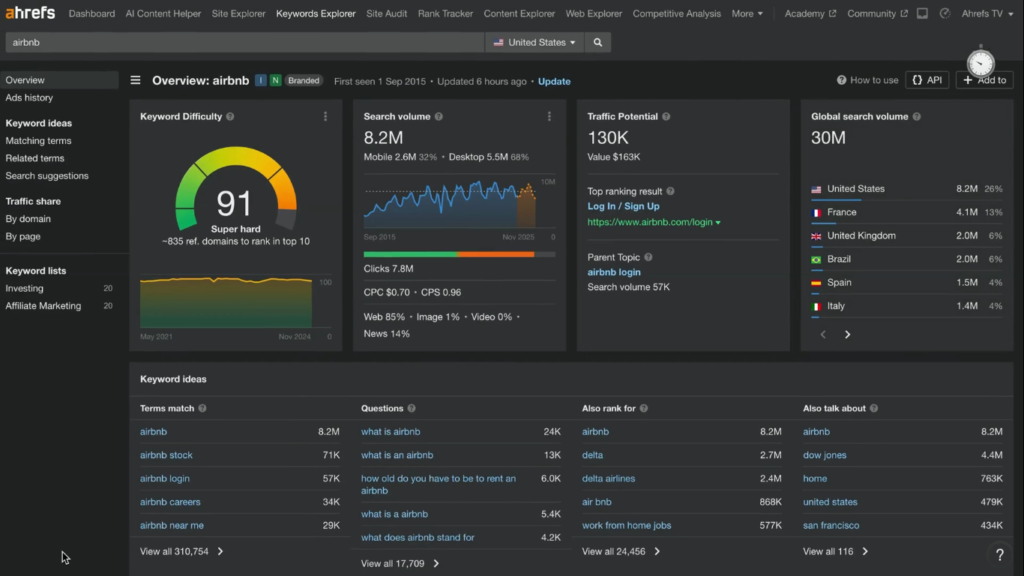
Ahrefs Keywords Explorer
- Comprehensive keyword research tool with search volume, difficulty scores, SERP analysis, and keyword ideas
- Best for: In-depth keyword analysis, competitor keyword research, finding content gaps, and difficulty assessment
- Pricing: $129-$449/month
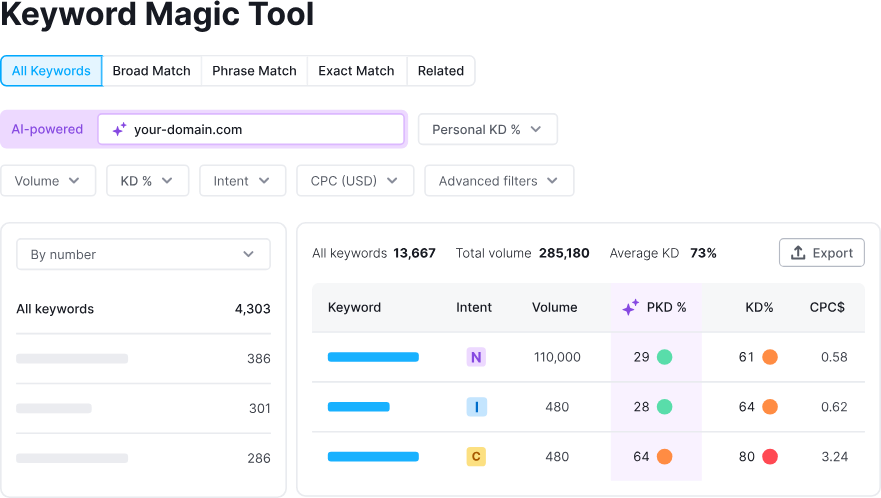
SEMrush Keyword Magic Tool
- Massive keyword database with intent classification, related keywords, questions, and SERP features
- Best for: Generating large keyword lists, intent analysis, topic clustering, competitor keyword gaps
- Pricing: $139.95-$499.95/month
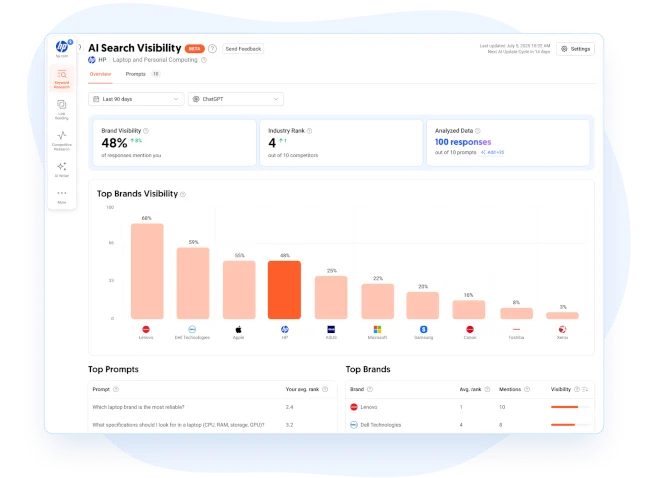
Ubersuggest
- Budget-friendly tool with keyword suggestions, volume data, SEO difficulty, and content ideas
- Best for: Small businesses needing basic keyword data without premium tool costs
- Pricing: $29-$99/month or one-time $290 lifetime deal
Measuring On-Page SEO Success
Tracking and Measuring On-Page SEO Performance
Measuring on-page SEO success means tracking specific metrics that indicate whether your optimization efforts are improving rankings, driving traffic, and achieving business goals.
Without measurement, you can’t know what’s working, what needs improvement, or whether your SEO investment delivers returns—making data tracking essential for strategic optimization.
How Do You Measure On-Page SEO Success?
On-page SEO success is measured through quantifiable improvements in search visibility, organic traffic, user engagement, and conversions resulting from your optimization efforts.
Key metrics to track:
Rankings for target keywords, organic traffic growth, click-through rates from search results, user engagement signals (bounce rate, time on page, pages per session), Core Web Vitals scores, and ultimately conversions or goal completions that tie SEO to business outcomes.
Setting realistic expectations:
SEO is not instant. Expect 3-6 months before seeing significant results from on-page optimizations. Search engines need time to recrawl pages, re-evaluate rankings, and test new positions.
Competitive keywords may take 6-12+ months to rank on page 1, while quick wins (improving existing page 2 rankings) may show results in 4-8 weeks.
Patience is essential. Abandoning strategies after 4-6 weeks means missing the results that typically appear around month 3-4.
Essential Metrics & KPIs
Organic Traffic Growth:
Total visitors from search engines month-over-month, indicating whether more people discover your site through search. Track overall organic traffic plus traffic to specific optimized pages to measure individual page performance.
Keyword Rankings (Position Tracking):
Where your pages rank for target keywords in search results. Track primary keywords for each page, monitoring movement from positions 15 > 10 > 7 > 3, showing optimization progress.
Click-Through Rate (CTR) From SERPs:
The Percentage of people who see your listing in search results and actually click it. Average CTR for position 1 is 27-28%, and position 5 is 8-10%. Low CTR despite good rankings suggests poorly optimized title tags and meta descriptions.
Bounce Rate And Dwell Time:
Bounce rate shows what percentage of visitors leave immediately without interacting. Dwell time measures how long visitors stay before returning to search results. High bounce rates (70%+) or short dwell times (under 30 seconds) signal content doesn’t satisfy user intent.
Pages Per Session:
Pages Per Session means the average number of pages visitors view per visit. Higher numbers (2.5+) indicate engaging content and effective internal linking, keeping users exploring your site.
Conversions And Goal Completions:
It includes actual business outcomes, such as form submissions, purchases, signups, downloads, and calls. This ties SEO effort to revenue, showing return on investment beyond vanity metrics like traffic.
Core Web Vitals Scores:
Google’s user experience metrics. They are LCP (loading), FID/INP (interactivity), and CLS (visual stability). Poor scores can limit rankings regardless of content quality.
Tools for Tracking Performance
- Google Search Console
- Google Analytics 4
- Rank tracking tools
- Heatmap tools (Hotjar and Crazy Egg)
Reporting & Analysis
What is Reporting & Analysis?
Reporting and analysis is the process of collecting, organizing, and interpreting your SEO performance data to understand what’s working, what’s not, and what actions to take next.
The Journey After On-Page Optimization
You’ve done every on-page SEO thing right. You have researched keywords, optimized content, fixed title tags, compressed images, improved page speed, and added schema markup.
Now what?
Now comes the crucial part: measuring whether those efforts actually moved the needle. Reporting shows you the numbers, such as rankings improved, traffic increased by 40%, and conversions doubled. Analysis tells you why that blog post optimization drove most growth, while product page changes had minimal impact.
This insight guides your next moves. Double down on what works. Fix what doesn’t. Adjust strategy based on real data, not assumptions. Without reporting and analysis, you’re flying blind. Unable to prove ROI, replicate success, or course-correct failures. The optimization work gets you started; reporting and analysis keep you improving continuously.
Creating SEO Dashboards:
Combine metrics from multiple tools into centralized dashboards (Google Data Studio, Tableau, or spreadsheet templates) showing key performance indicators at a glance, including rankings, traffic, conversions, and more.
Month-Over-Month Comparisons:
Compare the current month’s metrics to the previous month and the same month last year to identify trends, account for seasonality, and measure consistent growth or declines requiring attention.
Identifying Trends And Patterns:
- Look beyond individual metrics to understand relationships:
- Did traffic increase after optimizing title tags?
- Do certain content types consistently outperform others?
- Which keywords drive conversions vs. just traffic?
Attributing Traffic To Specific Optimizations:
Track changes before and after specific optimizations (updating content depth, improving page speed, adding schema markup) to understand which tactics deliver results and prioritize future efforts accordingly. Document optimization dates and compare traffic 30, 60, and 90 days later to measure impact.
SEO A/B Testing & Experimentation
What is SEO A/B testing?
SEO A/B testing (also called split testing) is a controlled experiment where you create two versions of a page element
- Version A (control)
- version B (variant)
Then measure which performs better for rankings, traffic, or conversions.
Unlike traditional conversion rate optimization (CRO) A/B testing that shows different versions to different users simultaneously, SEO A/B testing typically involves changing elements site-wide on a portion of pages while keeping others unchanged as a control group, then measuring organic search performance differences over time.
This scientific approach removes guesswork, proving which optimization tactics actually improve results versus changes that waste time or accidentally hurt performance.
When to Use A/B Testing vs Multivariate Testing
Use A/B testing when: Testing one specific element (title tag format, meta description style, content length) to isolate its impact. Best for pages with moderate traffic (1,000+ organic visits/month) where statistical significance is achievable within reasonable timeframes.
Use multivariate testing when: Testing multiple elements simultaneously (title + meta description + headers) to understand how combinations interact. Requires significantly more traffic (10,000+ visits/month) since you’re testing multiple variations, needing larger sample sizes for statistical validity.
For most sites, A/B testing single elements sequentially delivers clearer insights than complex multivariate tests that require massive traffic volumes.
Statistical Significance and Sample Sizes:
Statistical significance means you’re confident that test results reflect real performance differences, not random chance or normal traffic fluctuations.
Generally, aim for 95% confidence level (meaning 95% certainty that results are real, not luck) and a sufficient sample size, typically 1,000+ organic sessions per variation minimum. Tests running on pages with only 100 visits/month may take 6-12 months to reach statistical significance, making results impractical.
Run tests minimum of 2-4 weeks to account for weekly traffic patterns and allow search engines time to re-evaluate changed pages. Longer tests (4-8 weeks) provide more reliable data by smoothing out anomalies.
Elements to Test
1. Title Tag Variations:
Test different formats like “Keyword | Brand Name” vs “Benefit-Focused Title | Brand”, keyword placement (beginning vs end), character lengths (50 vs 58 characters), or adding numbers/power words. Title changes can significantly impact CTR and rankings since they’re primary relevance signals.
2. Meta Description Copy:
Test benefit-focused vs feature-focused descriptions, different CTA language (“Learn how” vs “Discover” vs “Get”), question formats vs statement formats, or including specific data points vs general descriptions. While not direct ranking factors, better descriptions improve CTR, which indirectly affects rankings.
3. CTA Placement And Wording:
Test CTA buttons at different positions (after introduction vs mid-content vs multiple placements), action verb variations (“Download Free Guide” vs “Get Your Guide” vs “Access Now”), or button colors and sizes affecting visibility and clicks.
4. Content Length And Depth:
Test whether 1,500-word articles perform better than 2,500-word comprehensive guides for specific keyword types, or if adding FAQ sections, examples, or case studies to existing content improves performance. Longer isn’t always better—sometimes concise, focused content wins.
5. Internal Linking Strategies:
Test different anchor text approaches (exact-match keywords vs natural phrases), number of internal links per page (3-5 vs 7-10), or contextual links within content vs related posts sections at article end.
6. Page Layout And Design:
Test different header hierarchies, inclusion of table of contents, sidebar presence/absence, image placement, or white space and paragraph formatting affecting readability and engagement metrics that influence rankings.
Tools for SEO Testing
SearchPilot:
SearchPilot is an enterprise SEO testing platform that runs controlled experiments across categories of pages, measuring organic traffic impact from changes. Integrates with Google Analytics and Search Console for comprehensive analysis. Best for large sites (10,000+ pages) with significant traffic.
SplitSignal:
SplitSignal is an SEO-specific A/B testing tool designed for testing on-page changes at scale. Tests changes across page groups while controlling for external factors like seasonality, algorithm updates, and randomness. Pricing starts around $500/month.
Optimizely:
Optimizely is a popular SEO experimentation platform with both web experimentation and feature flags. Includes a statistical engine for determining significance. More CRO-focused but adaptable for SEO testing with proper setup. Pricing enterprise-level ($50,000+ annually).
Analyzing Test Results
Determining Winners:
A variation “wins” when it shows statistically significant improvement (95%+ confidence) in your target metric. Higher organic traffic, better rankings, improved CTR, or increased conversions. Don’t declare winners prematurely based on early data. Wait for statistical significance and an adequate sample size.
Check for confounding factors:
- Did algorithm updates occur during testing?
- Did you gain major backlinks affecting results?
- Did seasonal traffic changes skew data?
Control groups help isolate whether changes caused improvements or external factors did.
Implementing Winning Variations Site-Wide:
Once you’ve identified a clear winner with statistical confidence, roll out the winning variation across your entire site for that page type. For title tag changes, update all similar pages. For content structure improvements, apply the template to future content.
Document what won and why. Build an internal knowledge base of proven tactics specific to your site and audience. What works for one site may not work for another, making your own testing data invaluable.
Iterative Testing Approach:
SEO testing is continuous, not one-and-done. After implementing a winning variation, identify the next element to test. Build a testing roadmap prioritizing high-impact elements on high-traffic pages first.
Test one variable at a time sequentially to maintain a clear cause-and-effect understanding. Testing everything simultaneously creates confusion about what actually drove improvements. This iterative approach compounds improvements. Each test builds on previous wins, systematically optimizing every element over time.
Diagnosing and Fixing On-Page SEO Issues
When the Initial Strategy Doesn’t Work
Have You Ever Encountered a Situation Where Your Initial SEO Strategy Didn’t Yield the Expected Results?
Every SEO professional faces this situation. You research keywords, optimize content meticulously, fix technical issues, and wait… but rankings don’t improve, traffic stays flat, or worse, declines.
This isn’t failure. It’s a learning opportunity revealing that SEO is iterative, not formulaic. What works for one site may not work for yours due to different competitive landscapes, content quality baselines, technical foundations, or audience behaviors.
The key is diagnosing why strategies underperform and adjusting based on data rather than abandoning SEO entirely or continuing ineffective tactics, hoping they’ll eventually work.
Common Reasons Why On-page Strategies Fail
Insufficient time given: Most common mistake, expecting results in 4-6 weeks when SEO typically requires 3-6 months. Search engines need time to recrawl, re-evaluate, and test new rankings.
Wrong keyword targeting: Optimizing for keywords with mismatched intent (targeting informational keywords with product pages), unrealistic competition for your authority level, or keywords nobody actually searches despite seeming relevant.
Technical barriers blocking success: Crawl errors, slow page speeds, mobile usability issues, or indexation problems preventing search engines from properly accessing and ranking content, regardless of optimization quality.
Content quality gaps: Content that’s optimized for keywords but doesn’t actually satisfy user intent comprehensively, leading to poor engagement metrics (high bounce rates, low dwell time) that suppress rankings.
Underestimating competition: Targeting keywords where top results are all major brands with domain authorities of 80+ when your site has an authority of 30. Unrealistic expectations for the ranking timeline.
Algorithm updates: Google releases core updates quarterly that can shuffle rankings significantly. The strategy may have been working until an update changed the evaluation criteria.
Patience vs Pivoting (When to Wait, When to Change)
When to be patient (wait 3-6 months):
Rankings are slowly climbing (position 45 > 38 > 32 shows progress, even if not on page 1 yet). New content published recently (under 3 months old, rankings typically stabilize around month 3-4). Small but consistent organic traffic increases month-over-month. Technical issues recently fixed (allow 4-8 weeks for search engines to recrawl and re-evaluate).
When to pivot (change strategy immediately):
Zero rankings after 6+ months with no progress indicators. Traffic is declining consistently month-over-month despite optimizations. Search Console showing critical errors (indexation blocked, mobile usability failures, security issues).
Targeting keywords with completely mismatched intent (informational content ranking attempts for transactional queries). Competitor analysis reveals you’re outgunned (they have 10x your backlinks, superior content depth, and much higher domain authority).
The rule: Give strategies 3-6 months unless data clearly shows fundamental problems (wrong intent, technical blocks, unrealistic competition). Adjust tactics within strategy (better content, different keywords) rather than abandoning the approach entirely.
How to Diagnose On-Page Issues
Diagnosing on-page issues is the systematic process of identifying specific problems preventing pages from ranking well, using technical audits, content analysis, competitive research, and error monitoring.
Technical Audit Process
A technical audit examines website infrastructure to identify crawl errors, indexation problems, speed issues, mobile usability failures, and other technical barriers preventing proper search engine access and ranking.
Audit steps:
- Crawl your site with Screaming Frog SEO Spider or a similar tool (up to 500 pages free) to identify broken links, redirect chains, missing title tags, duplicate content, and orphan pages with no internal links.
- Check indexation status in Google Search Console under “Pages” report. Identify which pages aren’t indexed and why (blocked by robots.txt, noindex tags, crawl errors, quality issues).
- Test Core Web Vitals using PageSpeed Insights for representative pages. Identify LCP, FID/INP, and CLS failures causing poor user experience signals.
- Verify mobile-friendliness with manual device testing and PageSpeed Insights mobile score. Check for text too small, elements too close, horizontal scrolling issues.
- Review structured data with Google’s Rich Results Test. Ensure schema markup is error-free and eligible for rich results.
Content Quality Assessment
Content quality assessment evaluates whether your content comprehensively satisfies user intent, demonstrates expertise, and provides value beyond what competitors offer.
Assessment criteria:
Compare your content depth to top 10 ranking competitors. Do they cover topics more comprehensively, include more examples, provide better data, or offer unique insights you lack?
Check readability using Hemingway Editor or Yoast SEO. Is the content at an appropriate reading level, using clear language, avoiding jargon, and structured for scannability?
Evaluate E-E-A-T signals. Does the content demonstrate firsthand experience, include author credentials, cite authoritative sources, and show expertise through depth and accuracy?
Analyze engagement metrics in Google Analytics. High bounce rates (70%+) or low average time on page (under 1 minute) suggest content doesn’t satisfy intent.
Competitive Analysis (Why Competitors Outrank You)
Competitive analysis examines why competing pages rank higher by comparing content quality, technical performance, backlink profiles, and optimization elements.
Comparison Points:
Content depth: Count word count (theirs vs. yours), number of subtopics covered, inclusion of examples/case studies/data, visual content (images, videos, charts).
On-page optimization: Compare title tag keyword placement, header structure, internal linking quantity/quality, and schema markup implementation.
Backlinks: Use Ahrefs or SEMrush to compare referring domains and backlink quality. If competitors have 500 backlinks and you have 15, content quality alone won’t overcome the authority gap.
User experience: Test competitors’ page speed, mobile usability, and readability. If they load in 1.5 seconds and you take 5 seconds, technical performance hurts you.
Domain authority: Check overall site authority (Ahrefs Domain Rating, Moz Domain Authority). New sites struggle against established competitors regardless of content quality.
Search Console Error Analysis
Search Console error analysis involves monitoring Google’s reports showing crawl errors, indexation problems, mobile usability issues, and other problems preventing proper page evaluation.
Key Reports to Check:
Pages report: Shows which pages aren’t indexed and specific reasons (crawled but not indexed, discovered but not crawled, blocked by robots.txt, noindex tag applied).
Coverage issues: Identifies server errors (500s), not found errors (404s), redirect errors, and soft 404s that need fixing.
Mobile usability report: Lists specific mobile-friendly issues like text too small, clickable elements too close, and a viewport not set.
Core Web Vitals report: Shows which pages fail LCP, FID/INP, or CLS thresholds at scale across your site.
Common On-Page Problems & Solutions
Keyword Cannibalization
Keyword cannibalization is when multiple pages on your website target the same keyword, causing them to compete against each other in search results rather than one strong page ranking highly.
Why it’s problematic: Search engines struggle to determine which page is most relevant, often ranking a weaker page or splitting ranking potential across multiple pages so none rank as high as a single optimized page would.
How to identify: Search Google for “site:yoursite.com target keyword” to see how many pages rank. Check Search Console for multiple pages ranking for the same query. Use rank tracking tools showing different URLs alternating rankings for one keyword.
Solutions: Consolidate content by merging multiple weak pages into one comprehensive page, 301 redirecting old URLs to the new, stronger page. Use canonical tags pointing all similar pages to one primary version. Differentiate intent by re-optimizing pages for different keyword variations (one targets “best CRM software,” another targets “CRM software for small business”).
Thin Content
Thin content refers to pages with insufficient depth, value, or unique information—typically under 300 words with surface-level information that doesn’t comprehensively address the topic.
Why it’s problematic: Google’s algorithms filter out thin content as low-quality, preferring comprehensive resources that fully satisfy user needs. Thin pages earn poor engagement metrics (high bounce rates, low dwell time) signaling low value.
How to identify: Use Screaming Frog to find pages under 300 words. Check Google Analytics for pages with 70%+ bounce rates and under 30 seconds average time on page. Search Console may flag thin pages as “Crawled – currently not indexed.”
Solutions: Expand thin content to 1,000-2,500+ words covering topics comprehensively with examples, data, multiple subtopics, and answering related questions. Consolidate multiple thin pages into a single robust resource. Delete or noindex truly low-value pages (outdated, irrelevant, duplicate) that add no user value.
Poor User Signals
Poor user signals are negative engagement metrics like high bounce rates (70%+), low dwell time (under 30 seconds), land ow pages per session (under 1.5), indicating users don’t find content valuable or don’t engage deeply.
Why it’s problematic: Search engines interpret poor engagement as content not satisfying user intent, using these behavioral signals to demote pages even if technically optimized well.
How to identify: Google Analytics shows bounce rate, average session duration, and pages per session by page. High bounce with low time on page signals problems. Search Console CTR data shows if users click but don’t stay.
Solutions: Improve content relevance by better matching user intent. If the bounce rate is high, the content may not answer what searchers actually want. Enhance readability with shorter paragraphs, bullet points, clear headers, and visual breaks.
Add engaging elements like images, videos, and interactive tools. Improve page speed. Slow loading causes immediate exits. Add strong internal linking with relevant next-step content, reducing bounce rates.
Technical Errors
Technical errors are website problems like broken links (404 errors), slow loading times, mobile usability failures, server errors (500s), or improper redirects that prevent proper user experience and search engine crawling.
Why it’s problematic: Broken links waste crawl budget and frustrate users. Slow speeds hurt Core Web Vitals scores. Mobile issues prevent proper indexing. Server errors make pages inaccessible.
How to identify: Screaming Frog crawl identifies broken links, redirect chains, and slow pages. Google Search Console “Pages” report shows server errors and 404s. PageSpeed Insights reveals speed issues and Core Web Vitals failures.
Solutions: Fix all broken links by updating to correct URLs or removing dead links. Implement 301 redirects for deleted pages pointing to relevant alternatives. Optimize images, enable caching, and upgrade hosting to improve speed. Fix mobile usability issues, including viewport tags, readable text sizes, and touch-friendly elements. Monitor Search Console regularly to catch new errors quickly.
Duplicate Content
Duplicate content is substantially similar or identical content appearing on multiple URLs, either within your site (internal duplication) or copied from other sites (external duplication), confusing search engines about which version to rank.
Why it’s problematic: Search engines typically choose one version to rank, often not the one you prefer. Duplicate content dilutes ranking potential by splitting signals across multiple URLs. Scraped content from others can trigger quality filters.
How to identify: Search Google for unique sentences from your content in quotes to find copies. Use Copyscape or Siteliner to detect duplication. Search Console may show multiple URLs ranking for the same queries. Screaming Frog identifies duplicate title tags, meta descriptions, and content.
Solutions: Implement canonical tags on duplicate pages pointing to the preferred version. Use 301 redirects to consolidate duplicate URLs to a single primary version. Add noindex tags to duplicates you must keep (print versions, session IDs). Rewrite syndicated or copied content to be unique. Block scrapers with robots.txt or DMCA takedown requests for stolen content.
Missing Elements
Missing elements refer to pages lacking essential on-page SEO components like meta descriptions, alt text on images, schema markup, or title tags, wasting optimization opportunities and signaling lower quality.
Why it’s problematic: Missing title tags prevent proper indexation. Missing meta descriptions means Google generates less compelling snippets. Missing alt text loses accessibility and image search opportunities. Missing schema means no rich results eligibility.
How to identify: Screaming Frog reports missing title tags, meta descriptions, alt text, and H1s. Google Search Console highlights missing structured data. Manual site review reveals optimization gaps.
Solutions: Write unique meta descriptions (150-160 characters) for all important pages. Add descriptive alt text to all meaningful images. Implement appropriate schema markup (Article, Product, Local Business, FAQ). Ensure every page has a unique title tag and H1. Create content templates, ensuring future pages include all elements by default.
On-Page SEO Checklist
Never miss a critical optimization step again. This comprehensive on-page SEO checklist covers everything from pre-publishing preparation to post-launch monitoring and ongoing maintenance. Use it for every piece of content you create to ensure consistent, thorough optimization that maximizes your ranking potential.
Print it, bookmark it, or download it.
This checklist becomes your quality control system ensuring no optimization opportunity slips through the cracks.
Want this checklist in a downloadable, printable format?
Get the complete on-page SEO checklist as a PDF you can use for every content piece, share with your team, and reference anytime you need a quick optimization reminder.
On-Page SEO For Different Content Types
Different content types require tailored on-page optimization approaches because they serve different purposes, target different search intents, and have unique ranking factors beyond standard SEO practices, making professional SEO service in Pakistan essential for effective results.
A blog post optimized for informational queries needs different elements than a product page targeting transactional searches or a landing page balancing SEO with conversion rate optimization.
Blog Posts & Articles
- Target informational keywords with clear search intent
- Use scannable formatting and must include short paragraphs, subheadings every 200-300 words, bullet points
- Update regularly with fresh statistics, examples, and current year references
- Include internal links to related posts and pillar content
- Add author bylines with credentials for E-E-A-T signals
- Implement Article schema markup for featured snippet eligibility
Product Pages (E-commerce)
- Implement Product schema markup showing price, availability, and reviews
- Write unique product descriptions (never copy manufacturer content)
- Include user-generated content like customer reviews and ratings
- Use high-quality product images from multiple angles with descriptive alt text
- Add detailed specifications, sizing charts, and FAQs
- Include clear CTAs and trust signals (free shipping, returns policy)
Landing Pages
- Focus on conversion-focused optimization with clear value propositions
- Prioritize A/B testing on headlines, CTAs, form placement, and copy
- Balance SEO (keyword optimization, meta tags, content depth) with CRO (minimal distractions, strong CTAs, trust signals)
- Keep content concise and benefit-driven rather than keyword-stuffed
- Use compelling visuals and social proof (testimonials, logos, stats)
- Ensure fast loading and mobile optimization for paid traffic
Category & Hub Pages
- Balance navigation functionality with valuable content (don’t create thin pages).
- Add 300-500 words of a unique category description explaining what’s included.
- Internal link strategically to subcategories and featured products/posts.
- Include filters, sorting options, and breadcrumb navigation.
- Avoid duplicate content across similar categories.
- Optimize for broader head terms while subcategories target specific long-tail keywords.
Conclusion & Next Steps
On-page SEO is the foundation of search visibility that you directly control. From content quality to HTML structure to user experience optimization.
Success requires balancing optimization for search engines (keywords, schema, technical elements) with genuine value for users (readability, comprehensive answers, fast loading, mobile-friendliness). When these align, rankings and conversions both improve.
Remember:
On-page SEO isn’t a one-time project but continuous improvement.
Search algorithms evolve, competitors improve their content, and user expectations change, requiring ongoing optimization, content updates, and performance monitoring.
Action Steps by Experience Level
Beginners:
- Start with keyword research using free tools (Google Keyword Planner, Search Console).
- Optimize your top 5-10 existing pages with better titles, meta descriptions, and content depth.
- Fix critical technical errors identified in Search Console.
Intermediate:
- Implement schema markup on key page types. Build content clusters around core topics with interconnected articles.
- Run A/B tests on title tags and meta descriptions to improve CTR.
- Expand thin content and consolidate weak pages.
Advanced:
- Scale optimization across thousands of pages using templates and automation.
- Conduct sophisticated testing (multivariate, SEO split testing).
- Implement international SEO with hreflang tags.
- Develop proprietary content frameworks and original research.
Common Mistakes to Avoid
- Keyword stuffing makes content unreadable and triggers quality filters.
- Ignoring user experience (slow speeds, poor mobile design, confusing navigation) kills rankings despite perfect keyword optimization.
- Neglecting mobile optimization loses rankings since Google uses mobile-first indexing.
- Failing to measure results means you can’t prove ROI or identify what’s working versus wasting effort.
Ready to Implement Strategic On-Page SEO?
On-page optimization delivers results when executed systematically with expert guidance. Cloudex Marketing’s SEO Services in Pakistan provide comprehensive on-page audits, strategic keyword research, content optimization, and technical fixes that drive measurable ranking improvements and traffic growth.
Get your free on-page SEO audit identifying exactly what’s blocking your rankings and which optimizations will deliver the fastest results.