




What Are Duplicate Title Tags
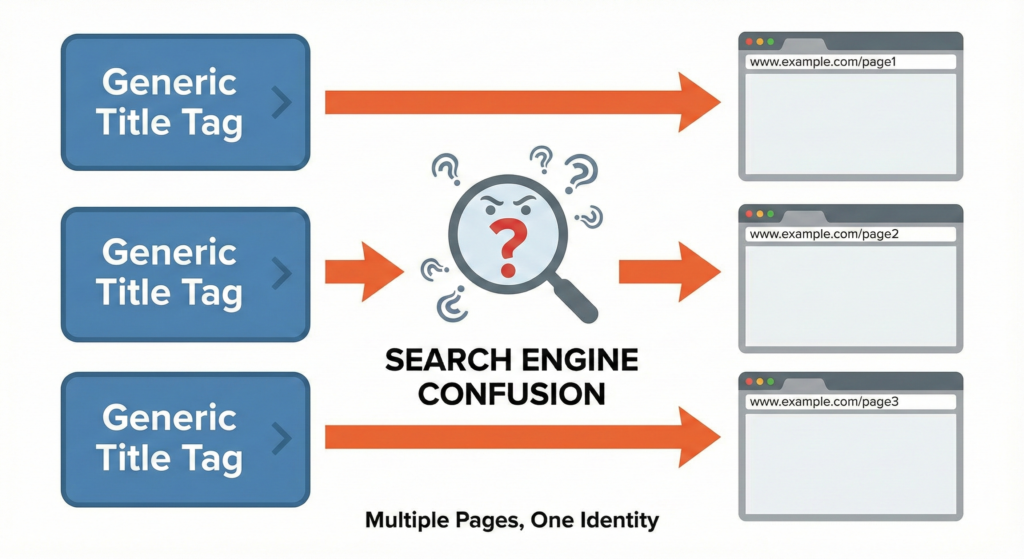
Title tags (the HTML <title> tag inside a page’s head) tell search engines and users what a page is about. When two or more pages on the same site share the exact same title tag, that counts as “duplicate title tags.”
That problem is more common than you think. Duplicate title tags were flagged as one of the top issues affecting site health, affecting over a third of audited websites.
If unchecked, duplicate title tags can undermine your SEO, confuse search engines, and damage user experience.
How to Spot Duplicate Title Tags: Tools and Methods
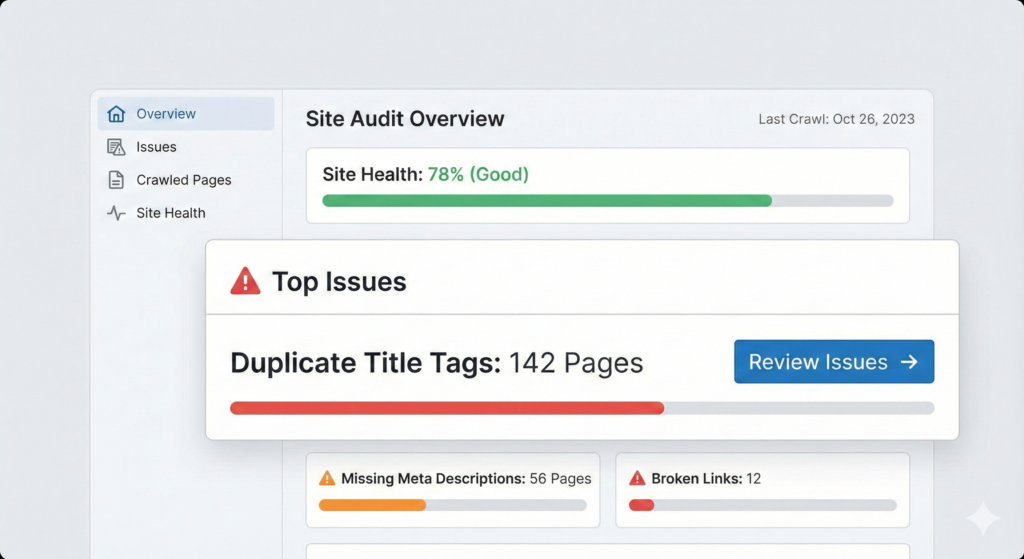
Finding duplicate titles is straightforward if you know where to look. Once spotted, you can prioritise and fix them systematically.
Here are reliable ways to spot them:
| Method | How it works |
| Site audit tools (e.g., SEMrush Site Audit, SEO spiders) | Crawl your entire site; the tool flags pages sharing identical title tags so you can review them. |
| Export titles to a spreadsheet and sort them | After crawling, exporting results, and sorting by title, it shows duplicates grouped together. A quick manual check. |
| CMS review / manual checks (for small sites) | For smaller websites, manually review the titles of pages, especially category, tag, paginated, or template-generated pages. |
Want a quick audit to uncover any duplicate title-tag issues hiding on your site? Cloudex Marketing can help you find and fix them, and make sure every page has its own voice.
What Goes Wrong When Title Tags Are Duplicate
Duplicate title tags seem like a small oversight. But if you leave them unfixed, their effects ripple through your SEO and site performance. Duplicate title tags make your SEO weaker, not stronger.
1. Search engines struggle to pick a “main” page:

When multiple pages claim the same title, bots have a hard time deciding which should rank for a given keyword. It leads to lower rankings for all involved pages.
For Example:
Imagine you run an online bakery. Two pages, one for chocolate cakes and one for vanilla cupcakes. Both have the title:
“Delicious Cakes – Sweet Treats Online”
Search engines and users can’t tell the difference, which makes it harder for the right page to appear in relevant searches.
2. Keyword and ranking power get diluted (cannibalisation):
Instead of one strong page targeting a topic or keyword, you end up with multiple weak contenders splitting the opportunity.
3. Poor click-through rates and user confusion:
In search results, identical titles offer no useful signals. Users can’t tell which page answers their question, so they either skip all of them or click and bounce. Both patterns weaken your click-through rate and send the wrong engagement signals back to Google.
If you’re noticing dips in search engagement, it’s worth understanding how CTR influences visibility and why title clarity plays such a big role.
4. Wasted SEO potential:
Every page is a chance to target a unique angle or keyword set. Duplicate titles throw that away, limiting organic reach and visibility.
How to Fix Duplicate Title Tags: Practical Steps
Resolving duplicate title tags is quick. But it needs consistency. Here’s how to do it right:
1. Give each page a unique, descriptive title
Every page should have a title that reflects its own content or purpose. For example:
- Good: “How to Write Alt Text for Images – Cloudex Marketing Tips”
- Bad (duplicate): “SEO Blog – Cloudex Marketing” used across multiple pages
2. Consider user intent and keyword focus
When writing a title, think about who will read it and what they’re trying to achieve. Make it clear whether the page provides information, a service, or a solution. That clarity helps both search engines and users.
Example:
If someone searches “how to fix a leaking tap,” a title like “Leaking Tap Repair: Simple Steps to Fix It Yourself” instantly tells them they’re in the right place.
It is far better than something vague like “Best Plumbing Tips in the World.”
3. Check paginated content, category or tag pages, and dynamic URLs
Many duplicates come from generic page templates, e.g., blog archives, category pages, and parameter-based URLs. Ensure titles in those cases are customised or include page-specific info.
a) Paginated pages (Page 1, Page 2, Page 3…)
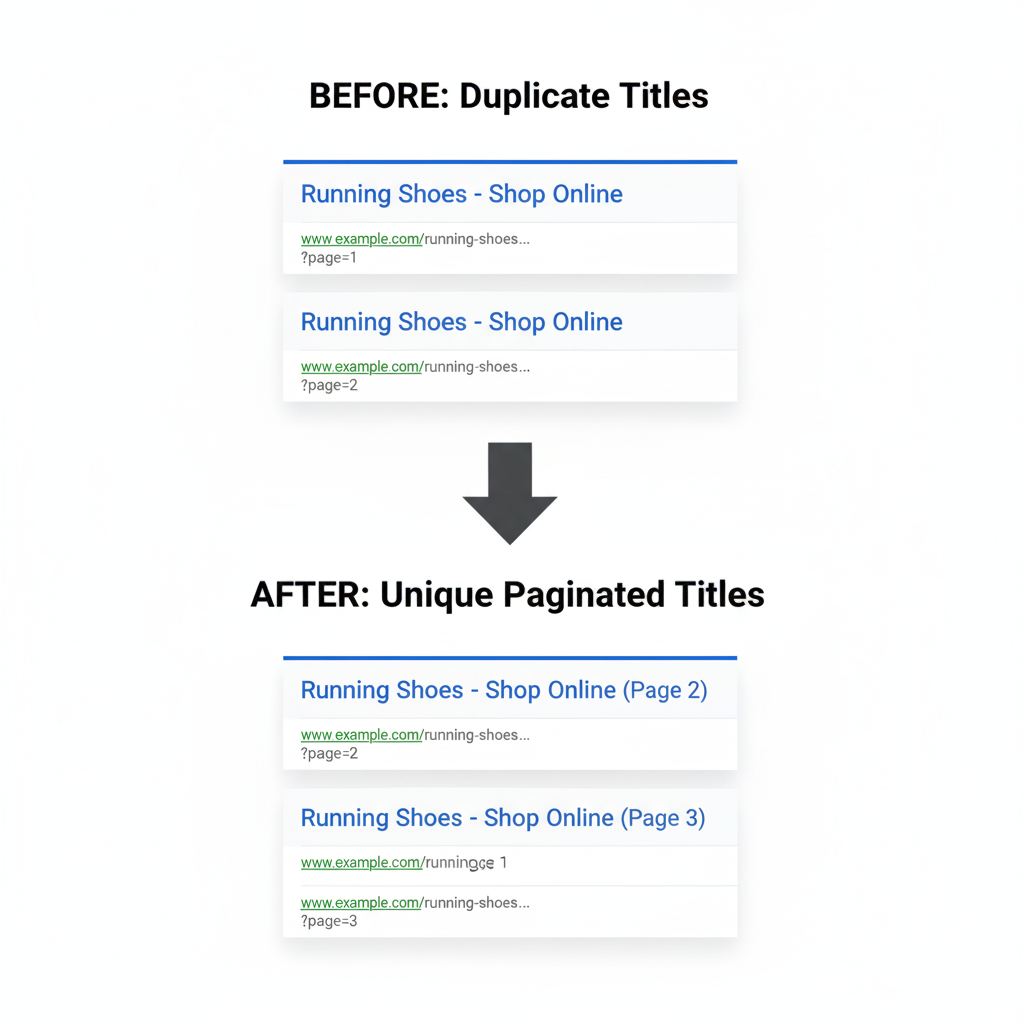
When a blog or product listing stretches across multiple pages, many sites use the same title for every page by accident.
Example:
- Page 1: “Running Shoes – Shop Online”
- Page 2: (also) “Running Shoes – Shop Online”
- Page 3: (same again) “Running Shoes – Shop Online”
To avoid duplicates, add something like “Page 2” or structure it so each page clearly differs.
b) Category or tag pages
These are automatically generated pages (like “Blog,” “SEO,” “Shoes,” “Recipes”). Many CMSs give them generic, identical titles unless customised.
Example:
Every category page uses the title “Blog Archive,” which tells search engines nothing and causes duplicates.
A simple fix:
Make each one specific, such as
- “SEO Tips – Category Archive”
- “Digital Marketing – Blog Category”
c) Dynamic or parameter-based URLs
These URLs appear when filters, on-site searches, referral tags, or tracking parameters are added. The content may shift slightly, but the title often stays identical, which is where duplicate tags quietly multiply.
Examples:
- /products?sort=price
- /products?sort=popularity
- /products?ref=homepage
Each variation still shows the same “Products” title, so search engines are left with multiple URLs offering no distinction. Over time, it dilutes relevance and makes your index harder to manage.
A practical fix:
Where filtered or parameter-based URLs exist, set clear rules so they don’t generate endless duplicates. Depending on the page’s purpose, you can:
- Apply a canonical to the main version
- noindex URLs that don’t need search visibility
- Give essential variations their own descriptive, meaningful titles
Structuring URLs thoughtfully from the start prevents these issues altogether. For a step-by-step approach to creating clean, SEO-friendly URLs that naturally avoid duplicate title problems, see how to create SEO-friendly URLs in 6 steps.
4. Consolidate similar content, or use canonical tags / 301 redirects
If different pages cover almost the same content (e.g., similar products or overlapping blog topics), consider merging them into one strong page. Or, use canonical tags/redirects to avoid duplicate content issues.
a) When pages are too similar
If you’ve got two pages covering near-identical topics, such as overlapping services, similar product variations, or blog posts repeating the same angle, combine them into one authoritative page. It’s cleaner for users and stronger for SEO.
b) When merging isn’t practical
Sometimes pages must stay separate, even if the content overlaps (e.g., filter variations, regional versions, or campaign landing pages). In these situations, use a canonical tag to signal which page should hold the ranking strength. It prevents search engines from treating them as duplicates.
c) When a page has no long-term value
If a page isn’t needed at all, outdated content, discontinued products, test pages- use a 301 redirect to point users and search engines to the closest relevant page. 301 redirect preserves authority and removes clutter from your index.
5. Run regular audits
Don’t treat it as a one-time fix. As your site grows, you’ll likely add pages, and title duplication can sneak in. Schedule periodic audits to catch and correct issues early.
When Fixing Titles Isn’t Enough, What Else to Pair With It?
Removing duplicate title tags helps, but it’s just one part of healthy on-page SEO. To make the most of the fix, you should also:
- Use meaningful, well-structured headings (<h1>, <h2>, etc.) to support page content, giving engines and readers a clear content layout. Our guide on heading tags will help you do it the right way.
- Optimise meta descriptions, URLs, and internal linking to reinforce each page’s unique focus.
- Ensure content quality, unique, helpful, relevant, and matching user intent.
Conclude & Remember: Duplicate Title Tags Are a Silent SEO Drain
Duplicate title tags slip under the radar. But they quietly erode your site’s ranking potential, confuse search engines, and disappoint users.
By spotting duplicates, giving each page a unique, descriptive title, and combining that with thoughtful on-page structure, you fix one of the simplest yet most impactful SEO problems.
If your site feels sluggish or under-performing, this fix might just unlock a significant boost. With Cloudex Marketing, let’s make sure every page stands out, not blends in.