


What Are Heading Tags
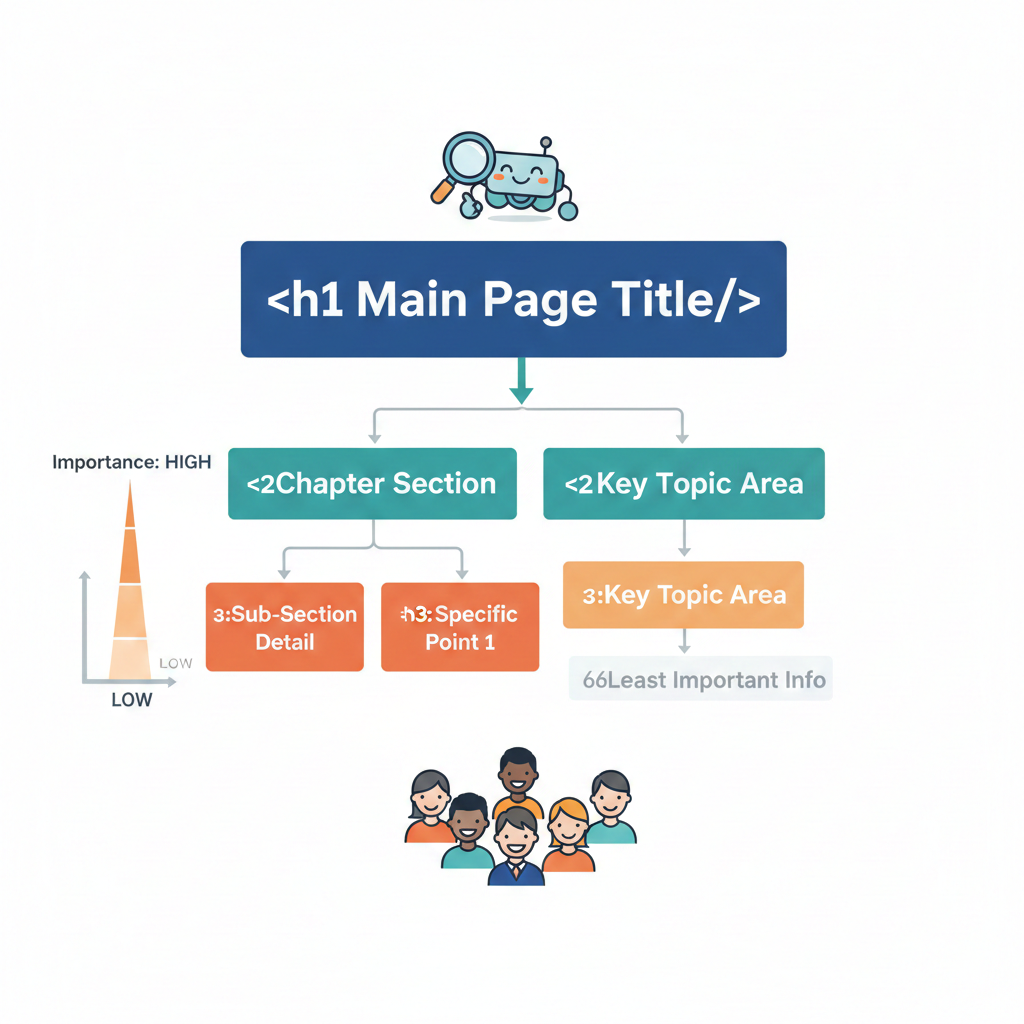
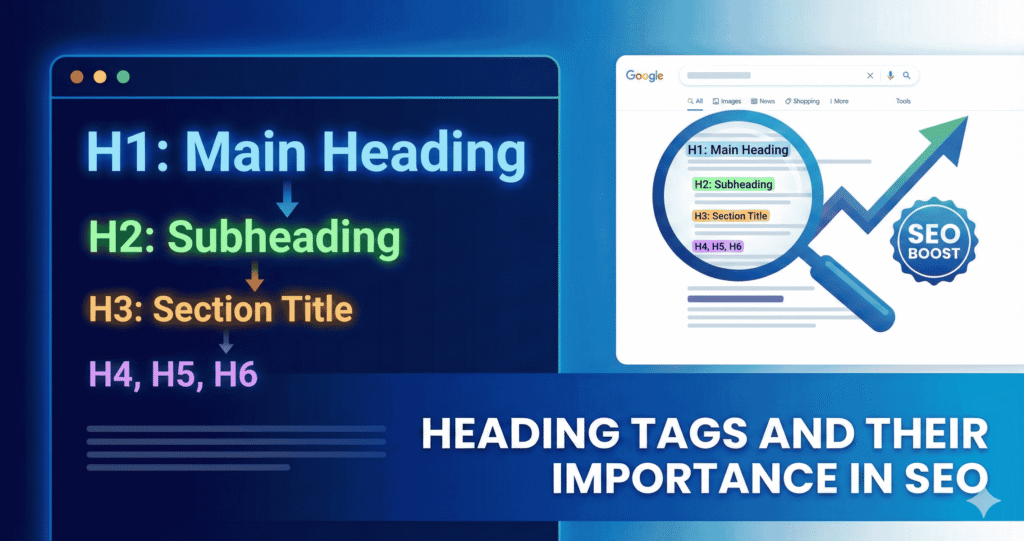
Heading tags (also called H‑tags) are HTML elements that mark the headings and subheadings on a webpage.
- From <h1> (top‑level) down to <h6> (least important).
- <h1> usually defines the main title or subject of the page.
- <h2>, <h3>, etc., create sub‑sections, helping break content into organised chunks.
Heading tags are the “chapters and sub‑chapters” of your page. They guide both visitors and search engines through what your page is about.
Why Heading Tags Still Matter (For Humans & SEO)
Clear content structure helps readers and dogsit for search bots
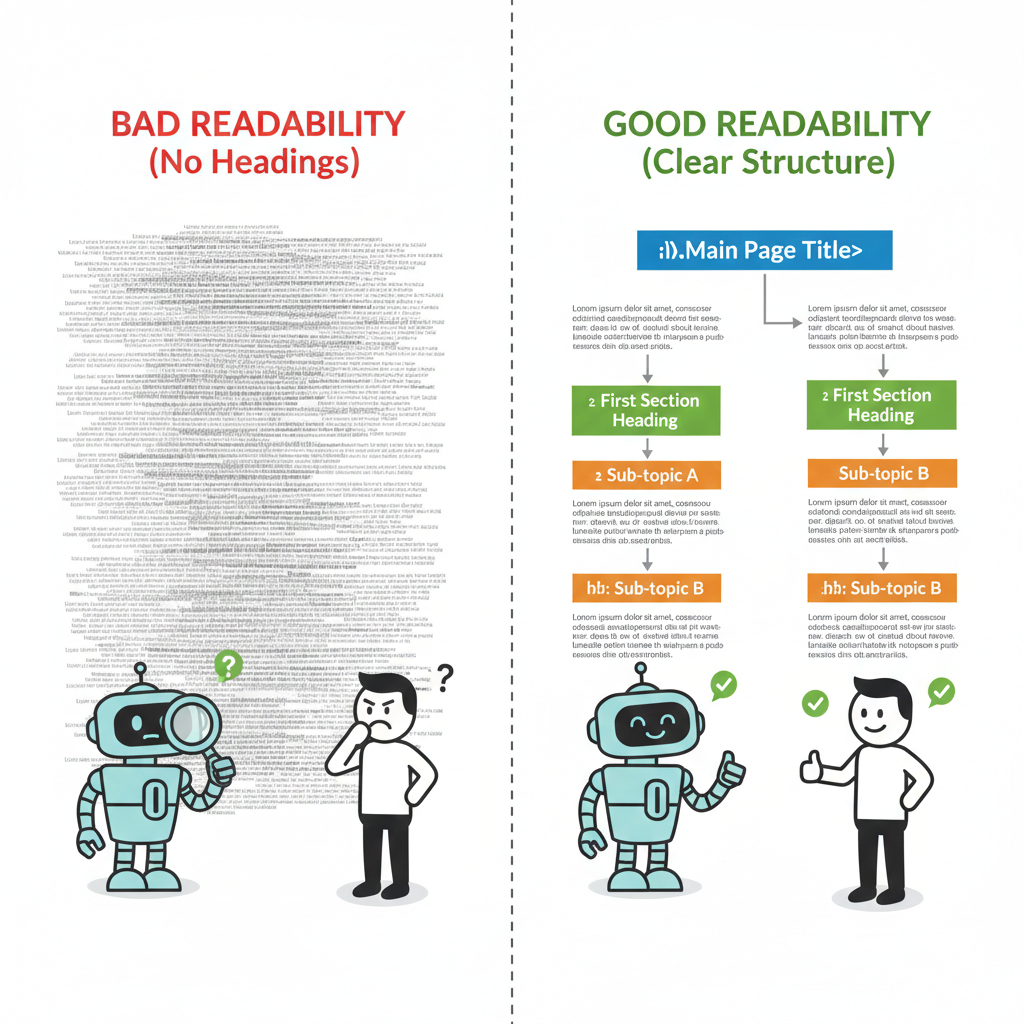
For visitors, heading tags make long articles easier to scan. Clean headings give a quick preview of what’s inside.
Search engines use them too. Good headings help crawlers understand how content is organised, which topics are important, and how sections relate.
They set context and improve relevance signals
Your <h1> tag defines the main topic of the page. When that tag clearly signals what the page covers, it helps search engines match your page to relevant queries.
Subheadings (<h2>, <h3>…) help structure supporting ideas. They clarify your content’s flow and help both users and search engines grasp subtopics and the detail level.
Improves readability, accessibility, and user engagement
A well‑structured article is easier to read. It reduces bounce rates and keeps people engaged longer. That’s good for user experience, which, indirectly, is good for SEO too.
For people with accessibility needs (screen‑readers, assistive tools), proper headings help them navigate the page better. Good heading use supports inclusive design and accessibility best practice.
What Heading Tags Don’t Do And What They Shouldn’t Be Used For
Some old SEO myths still float around. Let’s clear them up with simple examples:
1. Heading tags alone are not magic ranking signals
Just adding an <h1> or <h2> won’t automatically make your page rank higher. Search engines look at the whole page, the content, relevance, user experience, and more.
For example:
- A book with a fancy chapter title but empty pages inside. The title looks nice, but it won’t teach you anything. Same with headings. Alone, they don’t help your SEO.
2. Over-optimising headings by stuffing keywords harms readability and can backfire
Cramming multiple keywords into a heading might seem smart, but it makes your content hard to read and can annoy visitors, and search engines notice that too.
Let’s say, a heading like:
- “Best Heading Tags H1 H2 HTML Heading Tags SEO Tips Tricks” …is confusing, unnatural, and won’t help anyone.
A better approach:
- “Heading Tags: How H1 and H2 Improve SEO”. It is clear, readable, and still includes keywords.
3. Headings are about structure and clarity, not arbitrary styling
Some people use <h1> or <h2> just to make text bigger or bold on the page. That’s misuse. Headings are for organisation, not design.
For example:
- You wouldn’t call a bold sentence in a book a “chapter title” just because it looks bigger. Similarly, don’t mark random sentences as headings just to make them pop visually.
4. Heading tags aren’t a secret SEO booster; they’re a foundation
Headings don’t magically make your page rank. Instead, they create structure that helps readers and search engines understand your content. Without clear headings, even great content can feel messy and hard to follow.
Example:
- You’re building a house.
- Headings are like the frame and walls. They don’t make it fancy or beautiful on their own, but without them, the roof can’t stay up, and the house won’t function properly.
So, the bottom line is:
Heading tags aren’t your secret SEO booster. They are fundamental and a foundation of good content structure. Without that foundation, even great content struggles, and the website won’t perform better in SEO.
Then what’s the right way to use heading tags?
6 Best Practices to Use Heading Tags
Here’s how to get heading tags right. These simple rules keep your pages clear, well-structured, and SEO‑friendly.
1. One <h1> per page:
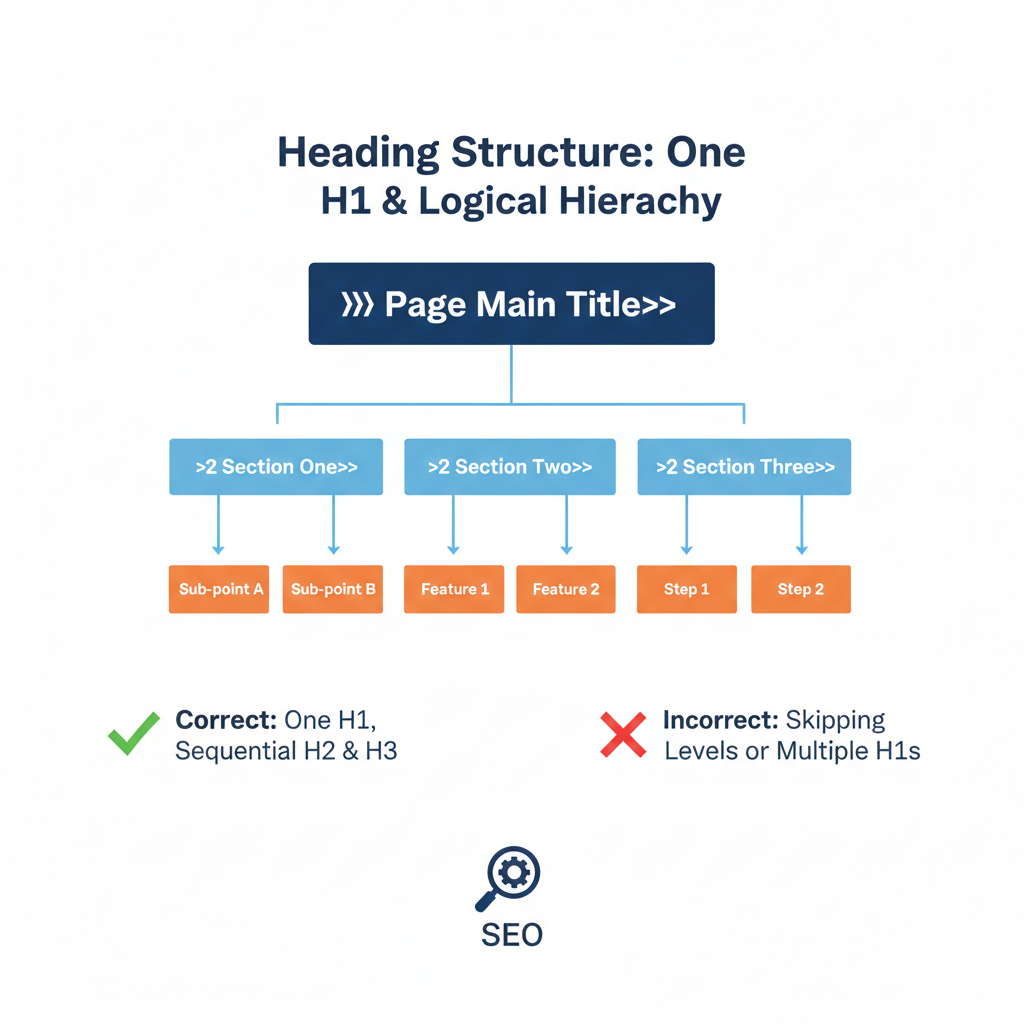
Use a single main heading that summarises the page topic.
How to do it:
- Make your <h1> the big idea of the page. Think of it as the title of a book.
- Keep it clear and descriptive, e.g., “Heading Tags and Their Importance in SEO”.
- Avoid using multiple <h1> tags, having more than one can confuse search engines and users.
Bonus Tip For You:
Keeping your URL structure aligned with your H1 is a smart SEO move. It reinforces topical clarity, helps search engines understand the page instantly, and builds user trust because the URL, heading, and content all match.
When your URL reflects the same core theme as your H1, your page signals stronger relevance and avoids confusion in SERPs. Want to know how to structure URLs properly? Check out our guide on creating SEO-friendly URLs. It shows the exact steps to get this right.
2. Use sub‑headings logically:
Google recommends using <h2> for main sub‑sections, <h3> for subsections within those, and so on. In order. Don’t skip levels.
How to do it:
- Start with <h2> for main points: “Why Heading Tags Matter”.
- For sub-points under that, use <h3>: “Improves Readability” or “Helps Search Engines Understand Content”.
- Keep the hierarchy consistent; don’t jump from <h2> to <h4> without <h3> in between.
3. Reflect content correctly:
Each heading should describe what comes under it. Don’t mislead with clickbait-style headings.
How to do it:
- Write headings that match the section content.
- Example: If a section explains “how to structure headings,” the heading could be: <h2>Structuring Headings Correctly</h2>. Not <h2>Boost Your SEO Instantly!</h2>.
- This ensures readers and search engines know what to expect.
4. Keep headings concise and informative:
Short, punchy headings. Not overly long. Helps readability and clarity.
How to do it:
- Aim for 5–8 words per heading when possible.
- Example: Instead of <h2>Everything You Need to Know About Using Heading Tags for Improving Your Website’s SEO Rankings</h2>, use <h2>Using Heading Tags for SEO</h2>.
- Break long ideas into multiple subheadings instead of one long heading.
5. Use natural language and relevant keywords:
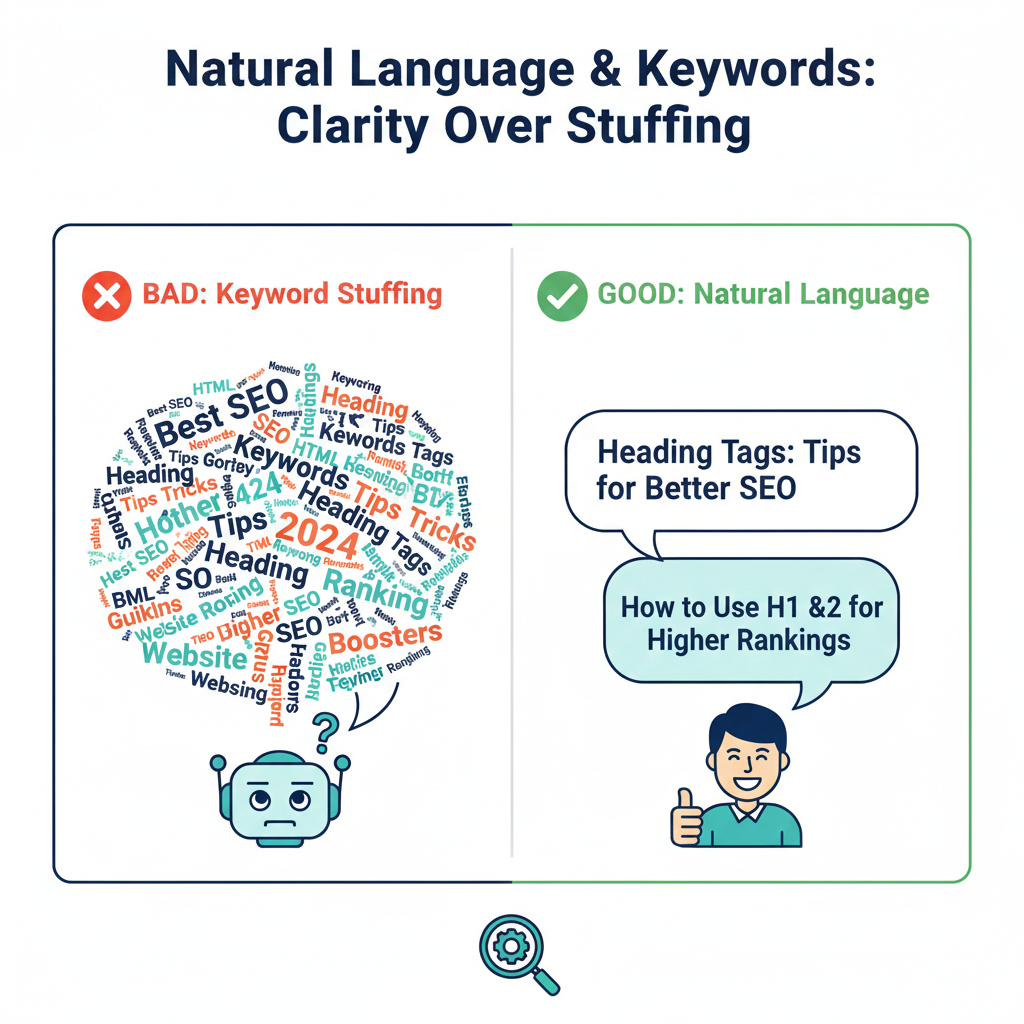
If possible, include relevant terms naturally. But don’t overstuff. Avoid weird, forced phrasing.
How to do it:
- Think about what people search for and phrase headings naturally.
- Example: Instead of <h2>Best SEO Heading Tags Keywords Tips Tricks</h2>, use <h2>Heading Tags: Tips for Better SEO</h2>.
- Focus on clarity first, keywords second. It should read like a real sentence.
6. Avoid misuse: headings ≠ design tweaks:
Google forbids the use of heading tags just to style bigger/bolder text. Headings should mean hierarchy, not visual flair.
How to do it:
- Use CSS for styling text size, colour, or boldness, not <h1>–<h6> tags.
- Example: Don’t mark a random paragraph <h2> just because you want it bigger. Use <p> with CSS styling instead.
- Headings are structural, not decorative.
Semantic Variations & How They Fit
Because not all searches use the same phrasing, using semantic variations of heading‑related keywords helps. Some examples:
- Primary: “heading tags” / “HTML heading tags.”
- Variations: “header structure”, “on‑page headings”, “H1 H2 SEO”, “content hierarchy”, “webpage headings for SEO.”
By using a mix, naturally and logically, you help capture slightly different search intents while keeping readability smooth.
Where Heading‑Tag Strategy Fits in a Wider SEO Plan
Heading tags are part of a broader, effective on‑page SEO setup. Pair them with:
- Clear title tags and meta descriptions for SERP presentation.
- Well‑written content that satisfies user intent.
- Good structure, internal linking, and navigation.
- Other HTML aids like image alt text, semantic HTML, and (where relevant) structured data.
If you want, Cloudex Marketing can get a full on‑page SEO checklist for you, including headings, metadata, content, and structure.
Final Thoughts
Heading tags may feel basic. They are. But they remain essential.
Used properly, one well‑crafted <h1>, logical sub‑headings, and clear language give your content structure, clarity, and context. That helps readers absorb your message and helps search engines understand and index your page accurately.
Skip or misuse them, and even the strongest content risks being lost in the noise.
Keep headings honest, simple, and purposeful, and you’ll build pages that stand up to both human readers and search bots.
If you want help auditing your content structure, Cloudex Marketing is here for you 24/7. Let’s make sure every page you publish is built on the right foundation.